
Определили ваш договор
Он заключён с ООО «Интернет Решения». Если есть другой договор, сможете переключиться на него в боковом меню
Upload documents confirming quality: a valid certificate for medical devices registered:
in Russia: for sale of medical devices only in the Russian Federation;
in the EAEU: for sale of medical devices in the Russian Federation and other countries. The registration certificate shall include the country in which you will sell the product.
If the registration application is submitted after March 1, 2025:
The use of such products shouldn’t affect the human body pharmacologically, immunologically, genetically, or metabolically.
Take into account which products we consider to be medical devices, including but not limited to, and in which categories they should be placed:
Categories of medical devices (XLSX)
On the Roszdravnadzor website, find your registration certificate using the search bar and open it.
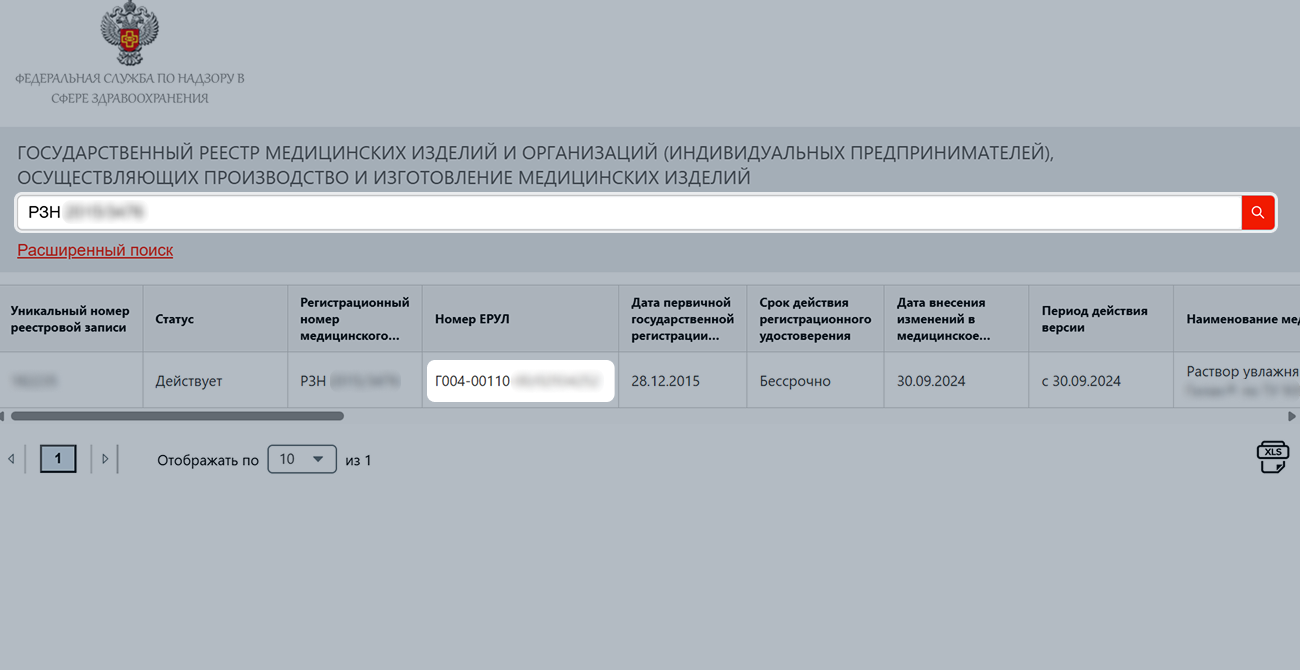
You can see its number in the table with model numbers, in the “Уникальный номер модели” (“Unique model number”) column.
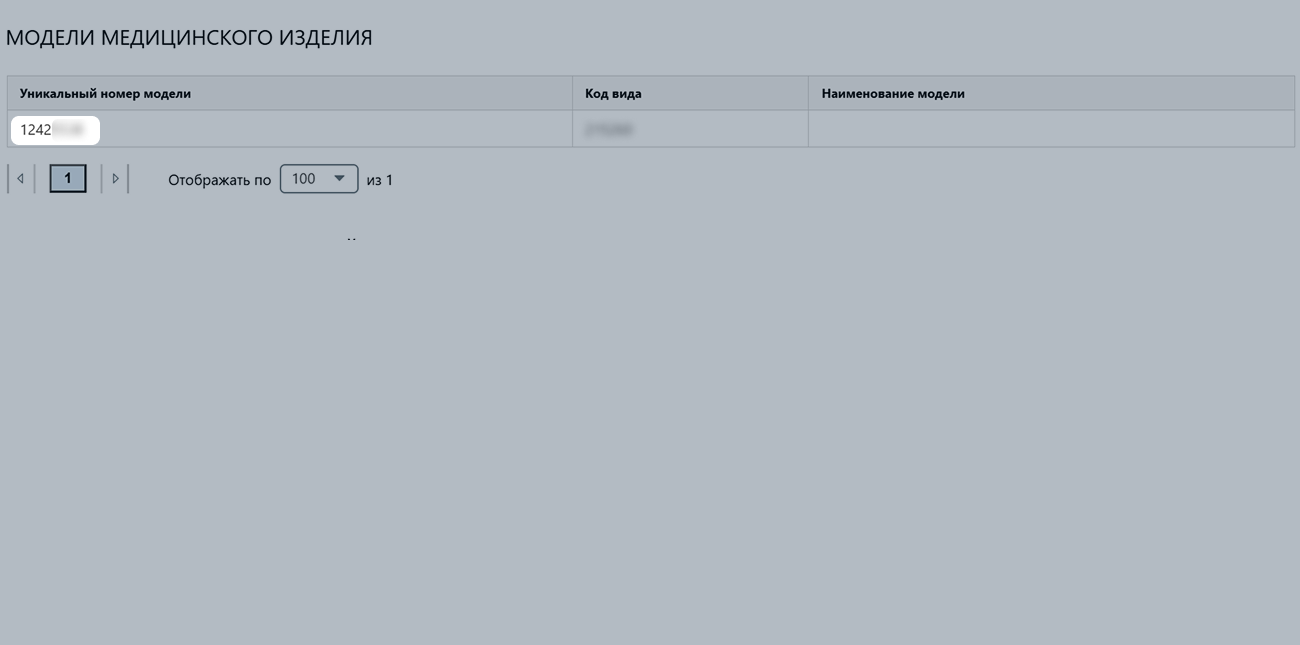
Number: ФСР 20YY/00000.
Explanation:
ФСР is an abbreviation.20YY is the year the certificate is issued, it always starts with “20”.00000 is the serial number, it can have one to five digits.Number: Я000-00000-00/00000000. It’s used for entries in the Unified Register of Licenses (ERUL).
Explanation:
Я is the type of permitting activity.000 is the code for the type of permitting activity.00000 is the code of the permitting authority.00 is the region code of the place where the permit decision was made. If the region code can’t be determined, the value is “00”.00000000 is an 8-digit serial number of the permit.Don’t add extra symbols such as №, dashes, commas, or others. The number must exactly match the format in the registration certificate.
Upload products.
Learn more about uploading products
Fill out the Model number of a medical device сharacteristic. If there is no number, specify “Not provided”.
In the Products and prices → Quality сertificates section, upload the registration certificate.
In the Add certificate window, specify the products for which the document is suitable. You can add them manually or upload them in an XLSX file. In the second case, specify the product article codes as in your account.
Make sure that:
After successful moderation, you can sell products on Ozon.
Hide menu
Show menu
Выберите договор

Это база знаний для продавцов из стран СНГ и дальнего зарубежья.
Если ваша компания зарегистрирована в России, перейдите в базу знаний для продавцов из России.
Когда вы зарегистрировались на Ozon?
Условия работы и инструкции зависят от даты заключения договора — её можно посмотреть в разделе Договоры
Определили ваш договор
Он заключён с ООО «Интернет Решения». Если есть другой договор, сможете переключиться на него в боковом меню
