
Определили ваш договор
Он заключён с ООО «Интернет Решения». Если есть другой договор, сможете переключиться на него в боковом меню
Customer-initiated cancellation doesn’t affect error index and doesn’t lead to penalties.
Customers can cancel orders:
To view the cancellation reason:
Unredeemed orders are the orders when a customer opened the package and checked the products at the pick-up point but refused the order entirely or partially.
In your account, you can view information about unredeemed orders in the Logistics → RealFBS and FBP returns section. The “Return reason” column indicates “The customer rejected upon hand-delivery”.
| Type | Description | Consequences |
|---|---|---|
| Full | The customer canceled the entire order. | The order is canceled completely, there is no need to pay for the delivery. |
| Partial | The customer rejected some products. | You receive a payment for the collected products, but you pay for the delivery of the entire order. |
All cancellations at your initiative or due to your fault affect quality metrics. Some of them lead to increase in the realFBS error index and penalties.
You can only cancel an order in the “Awaiting shipment”, “Awaiting packaging”, “Ready for shipping” statuses. If you deliver via a partner service, excluding China Post, you can also cancel the order in the “In transit” status.
You can choose one of the cancellation reasons:
If there are any delivery issues, the partner delivery service cancels the order.
To cancel an order:
In the Logistics → Orders from my warehouses section, select the shipment.
Click  → Cancel shipment.
Specify the reason and confirm the cancellation.
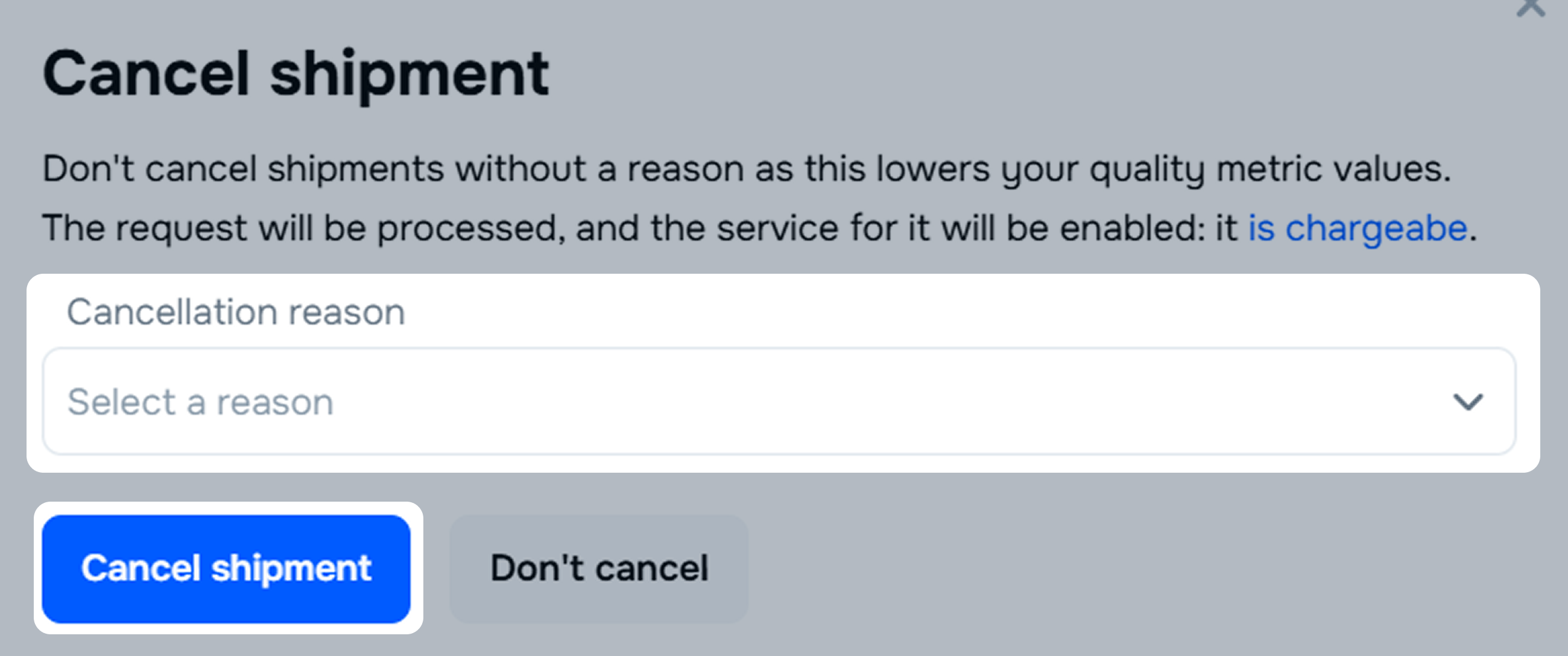
If you fail to hand over the shipment to the shipping provider within 7 calendar days after the scheduled shipment date, the order gets automatically canceled.
To avoid cancellation:
Learn more about managing orders
Learn more about managing order preparation time
Learn more about managing products
The delivery service may cancel the order if it detects violations on your part.
Main reasons:
| Reason | What’s happening | How to avoid |
|---|---|---|
| You requested to cancel the order. | For example, there’s some trouble with the product. | If the product is temporarily unavailable, it’s better to hide its PDP rather than cancel already placed orders. |
| The order contains products prohibited for transportation. | The shipping provider doesn’t accept such shipments. | Review the shipping provider rules and ensure your products meet the requirements. |
| The products don’t meet the shipping provider requirements. | For example, the maximum volume, weight, or cost were exceeded. | Check the correct weight and dimensions on the PDP. Select a suitable delivery method for each product. |
| Rules for transporting dangerous products were violated. | The required labels that identify the hazard are missing. | Always stick special labels on dangerous products if applicable. |
| Wrong label on the product. | The label isn’t readable, contains errors, or doesn’t meet the requirements. | Before shipping, check the labels: they must be clear and placed correctly. |
Learn more about product delivery restrictions and terms
Learn more about changing delivery methods
If the order was canceled due to your fault, take measures to avoid similar situations in the future:
Ozon can cancel an order if it violates the contract rules. The reason for cancellation is displayed in the Logistics → Orders from my warehouses → Canceled section.
Main reasons for Ozon cancellation:
Be sure to upload the barcode and stick it on the product, otherwise we can’t pay compensation for loss during transportation.
Hide menu
Show menu
Выберите договор

Это база знаний для продавцов из стран СНГ и дальнего зарубежья.
Если ваша компания зарегистрирована в России, перейдите в базу знаний для продавцов из России.
Когда вы зарегистрировались на Ozon?
Условия работы и инструкции зависят от даты заключения договора — её можно посмотреть в разделе Договоры
Определили ваш договор
Он заключён с ООО «Интернет Решения». Если есть другой договор, сможете переключиться на него в боковом меню
