
Определили ваш договор
Он заключён с ООО «Интернет Решения». Если есть другой договор, сможете переключиться на него в боковом меню
Available with the “Review management” or “Premium Pro” subscriptions from April 1, 2026.
You can create templates for frequent replies to reviews. This helps when you need to give the same answer without a detailed analysis of the situation.
The maximum number of templates is 30.
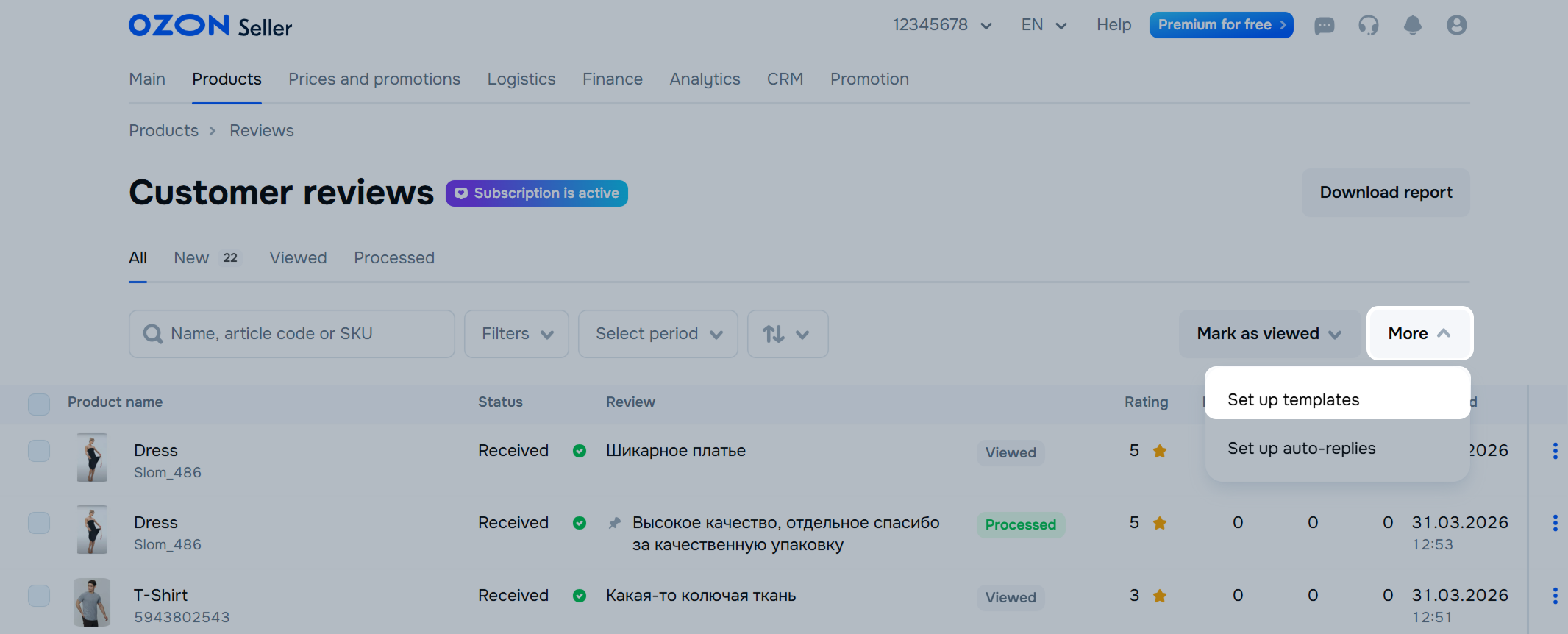
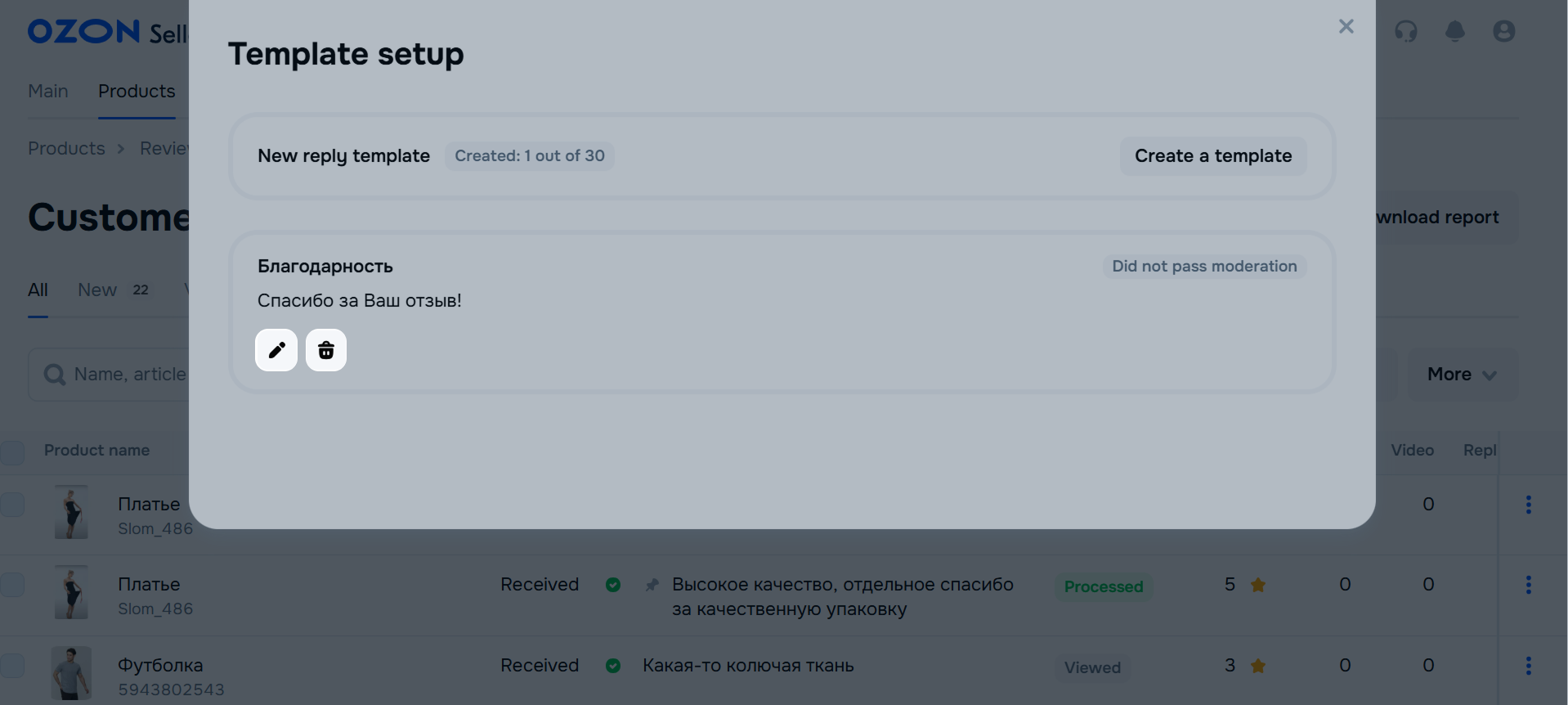
In the Products → Customer reviews section, click More → Set up templates.
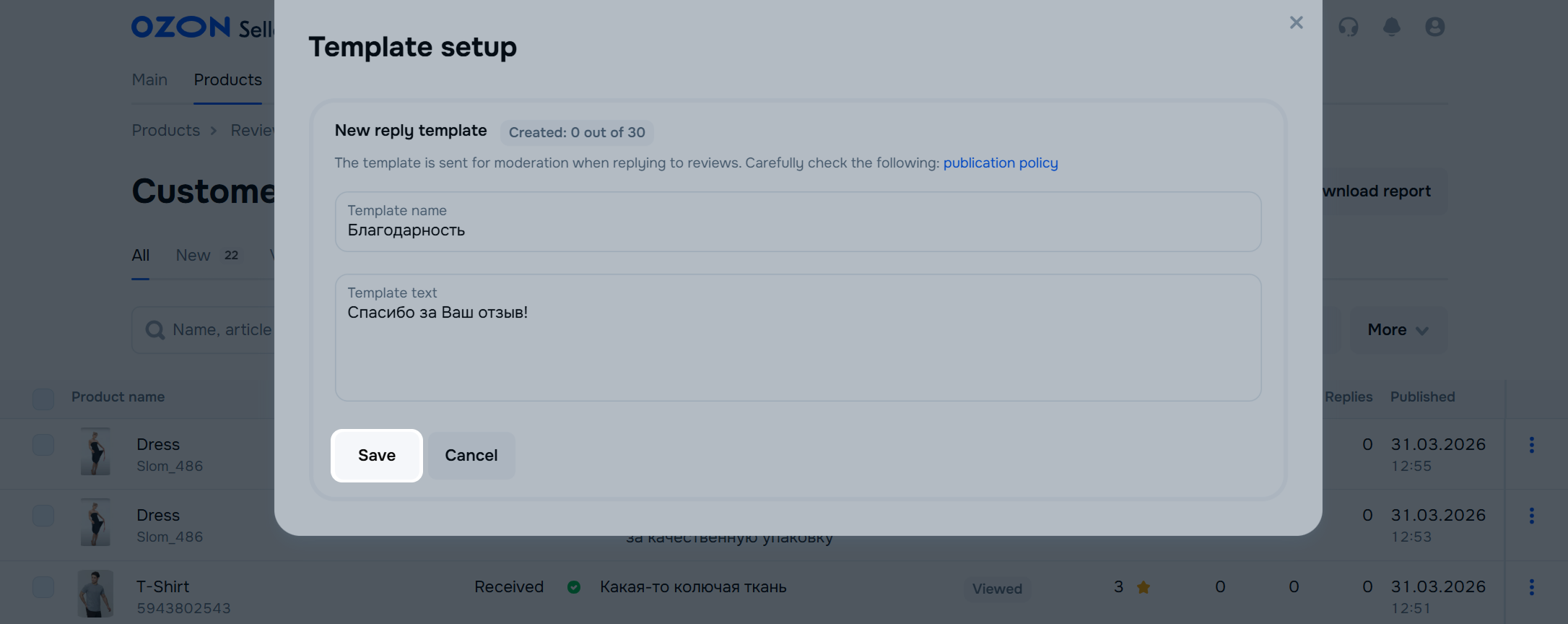
Click Create template or New reply template.
Enter a name. Later use it to find the desired template in the list. Customers don’t see the name.
Enter the template text.
Click Save. You can edit the template once the moderation is complete.
In the Products → Customer reviews section, click More → Configure templates.
Click  in the template field.
Edit the template and click Save.
To delete a template, click  . Once deleted, it can’t be restored.
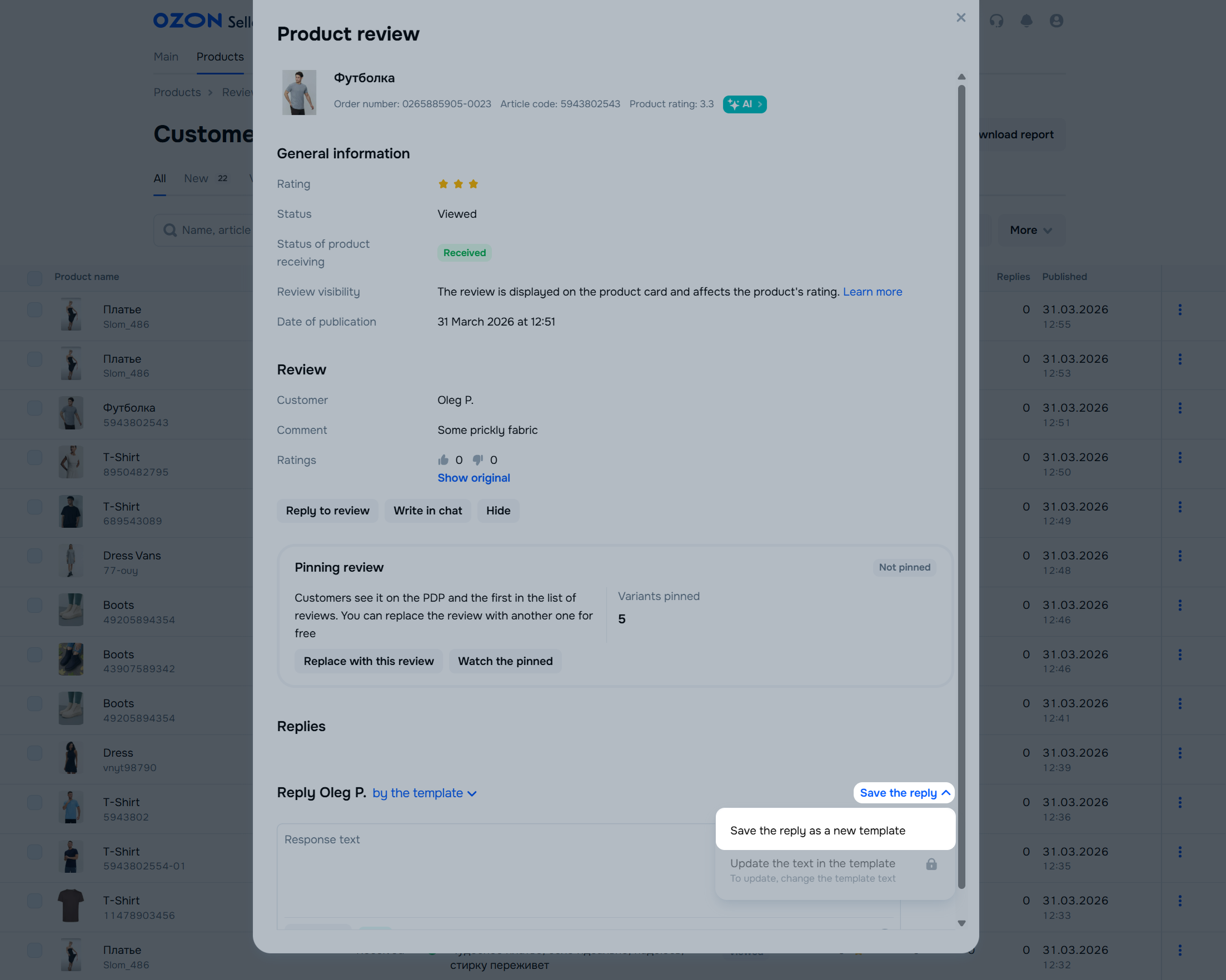
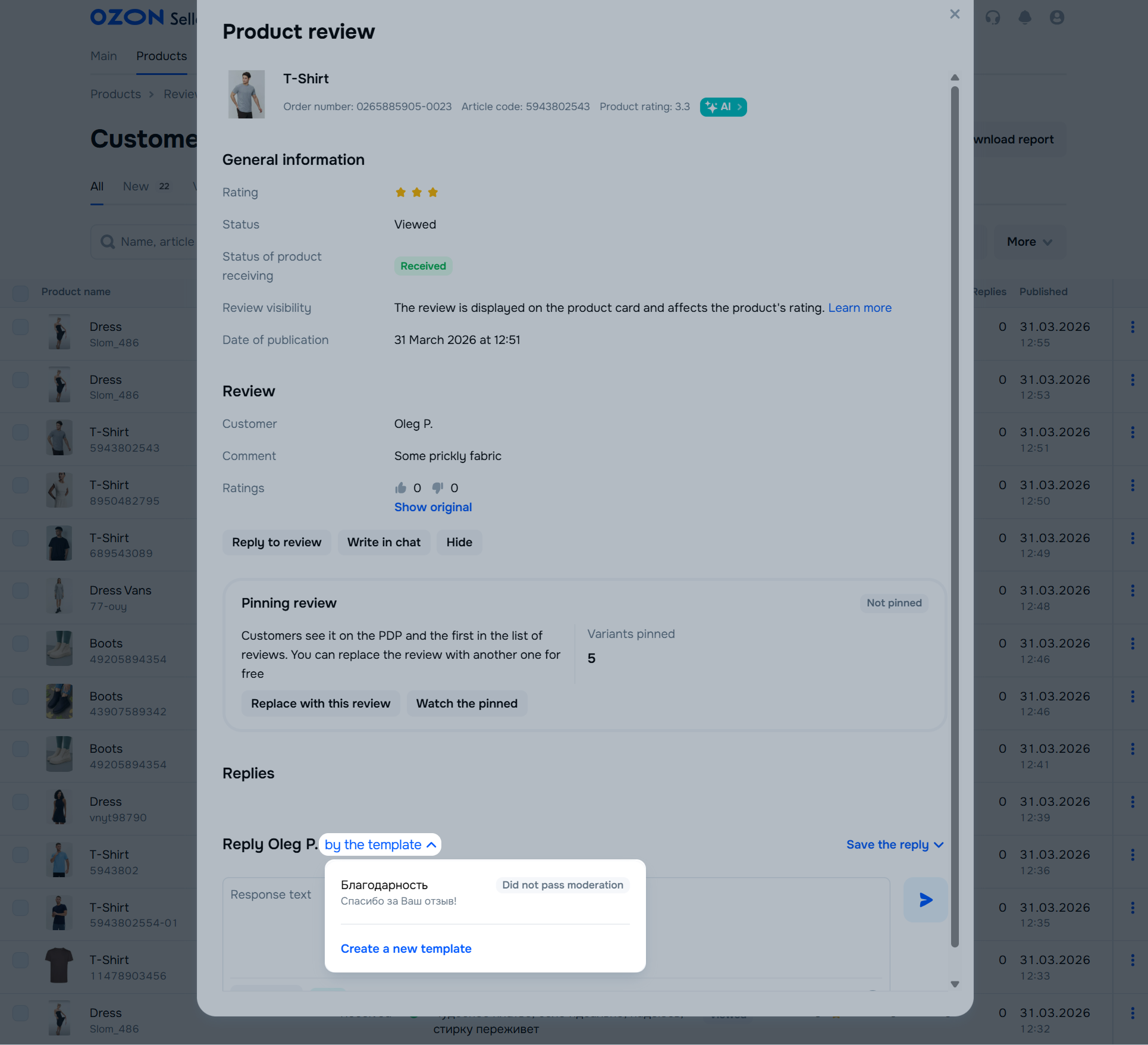
In the Products → Customer reviews section, select the review you want to reply to.
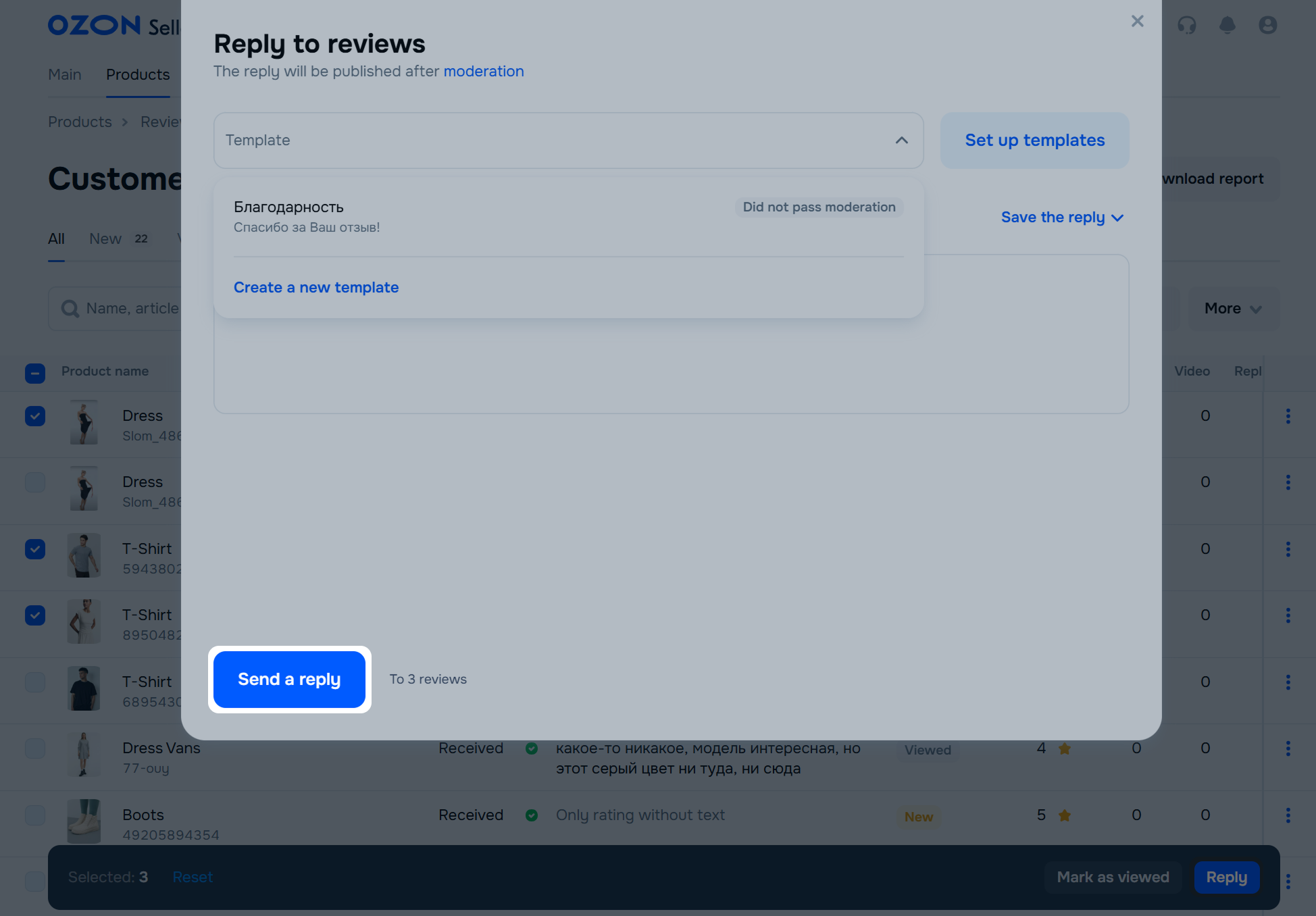
On the review page, click By the template, select the desired template, and send the reply.
To automate feedback on reviews, set up auto-replies. This way customers receive an instant response at any time.
In the Products → Customer reviews section, click More → Set up auto-replies.
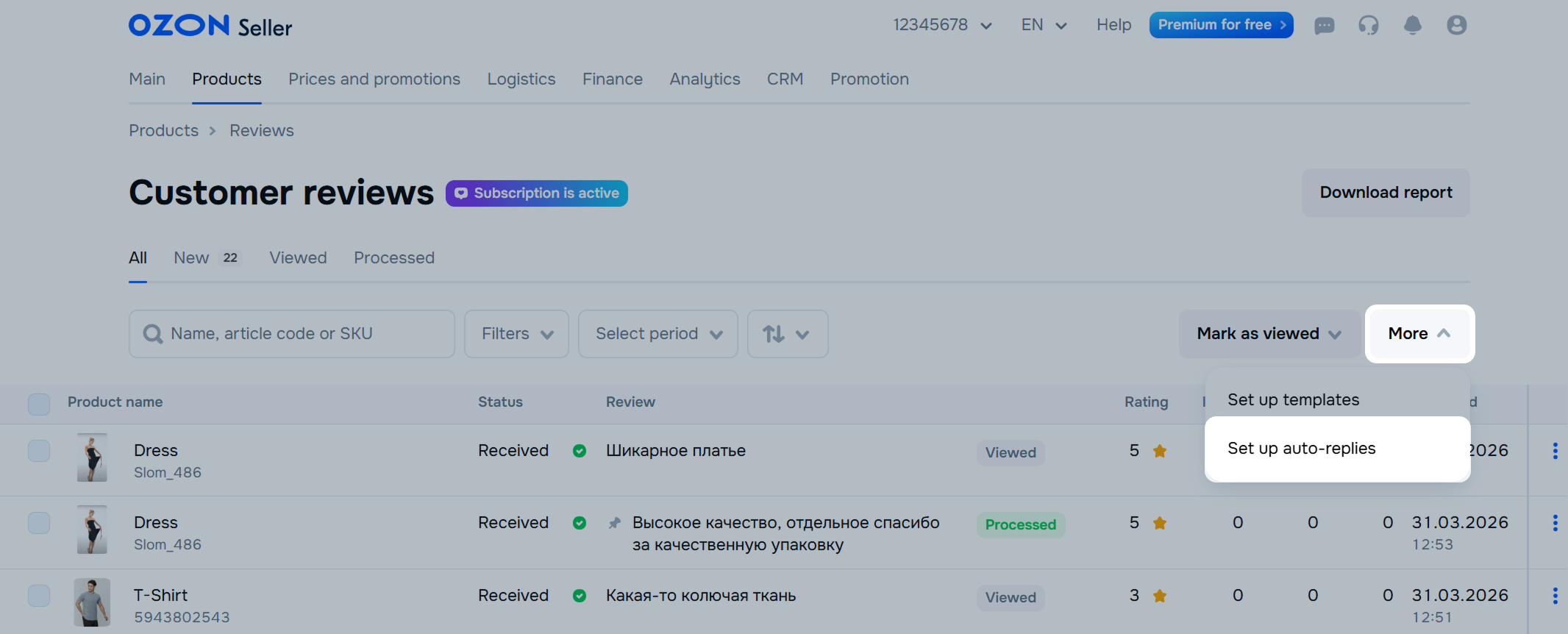
Click Create auto-reply.
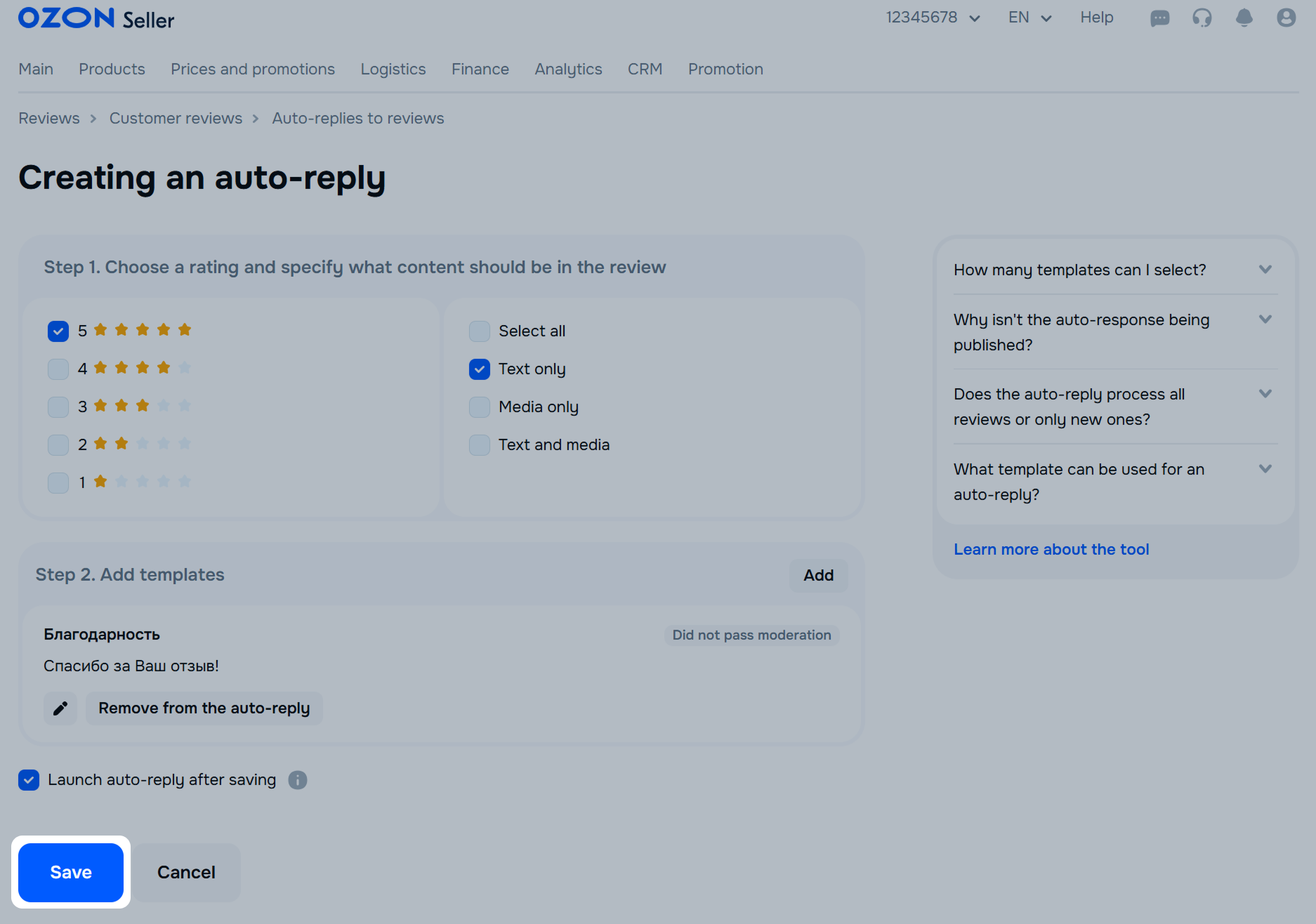
Specify which rating to prepare an auto-reply for: you can select several at once. Only one auto-reply can be created for each rating and content type.
Select what type of content the review should have. For example, if you select the “Media only” type, the auto-reply is sent to reviews with media but no text. You can select several content types for one auto-reply.
Select a template or create a new one: click Configure templates → Create template. You can select up to 10 templates for one auto-reply. They are used in random order.
To automatically reply to all new reviews with the selected ratings, enable Publish auto-reply after saving.
Click Save.
Auto-replies can’t be sent to reviews received before this feature was set up. To quickly reply to several such reviews, use a template.
Learn more about reply templates
In the Products → Customer reviews section, click More → Configure auto-replies. In the auto-reply block, click:
 : to change the reply text.
 : to delete the reply.
Hide menu
Show menu
Выберите договор

Это база знаний для продавцов из стран СНГ и дальнего зарубежья.
Если ваша компания зарегистрирована в России, перейдите в базу знаний для продавцов из России.
Когда вы зарегистрировались на Ozon?
Условия работы и инструкции зависят от даты заключения договора — её можно посмотреть в разделе Договоры
Определили ваш договор
Он заключён с ООО «Интернет Решения». Если есть другой договор, сможете переключиться на него в боковом меню
