Определили ваш договор
Он заключён с ООО «Интернет Решения». Если есть другой договор, сможете переключиться на него в боковом меню
Ozon Seller API is an interface for working with the Ozon marketplace. It allows Ozon and the seller to exchange information and automate routine operations.
For example, using Ozon Seller API methods, you can:
Learn more about Ozon Seller API
For security, the Seller API uses API key authentication that verifies the authenticity of requests.
Working with API consists of sending a request and receiving a response. To do this, you can use the Console tab in the Seller API documentation, Postman or set up integration with accounting systems, for example, 1C, ERP, or MoySklad.
How to test methods via the console
Don’t share the API key with third parties.
In your account, go to the Settings → Seller API section.
Click Generate key.
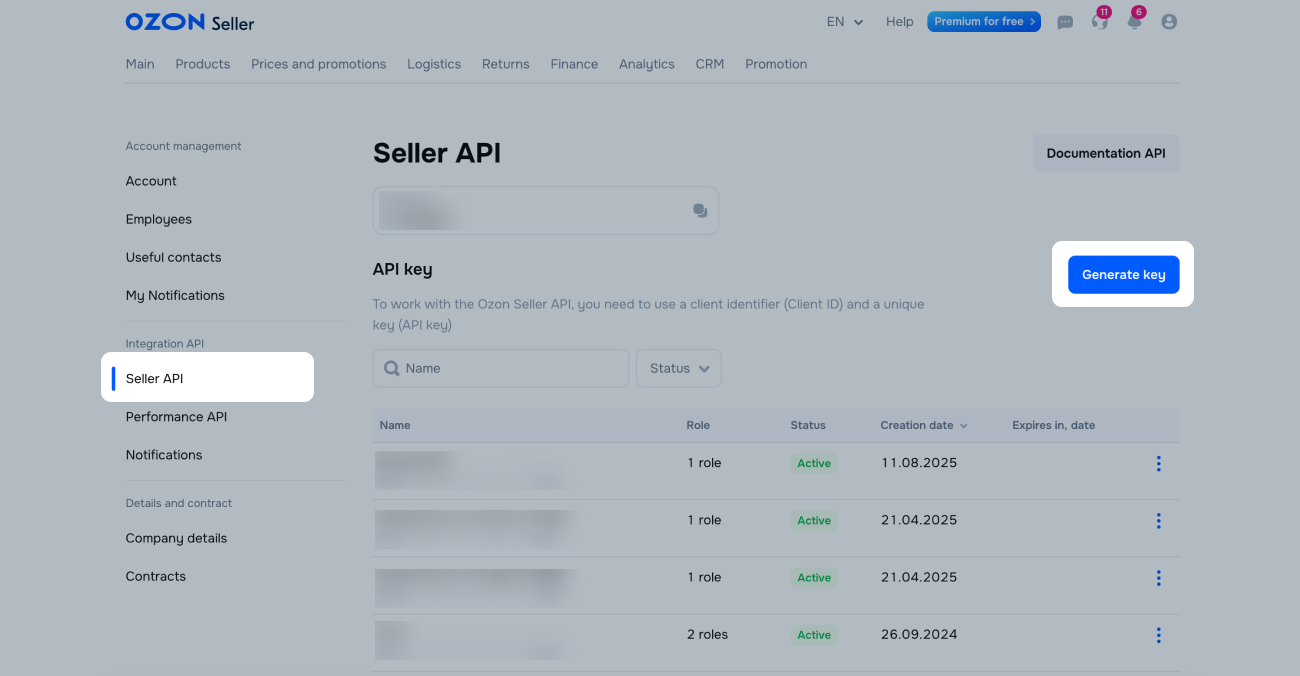
Name the key and select a role that sets the access level.
Click Generate.
Each API key can only use certain methods depending on the selected role. You can create multiple API keys, for example, if you have multiple users with different access levels.
Go to the API key settings: click  → Edit.
In the Allowed networks section, click Add network.
Enter a name for the network. In the “Address” field, specify the range in the CIDR notation structure.
Save the changes.
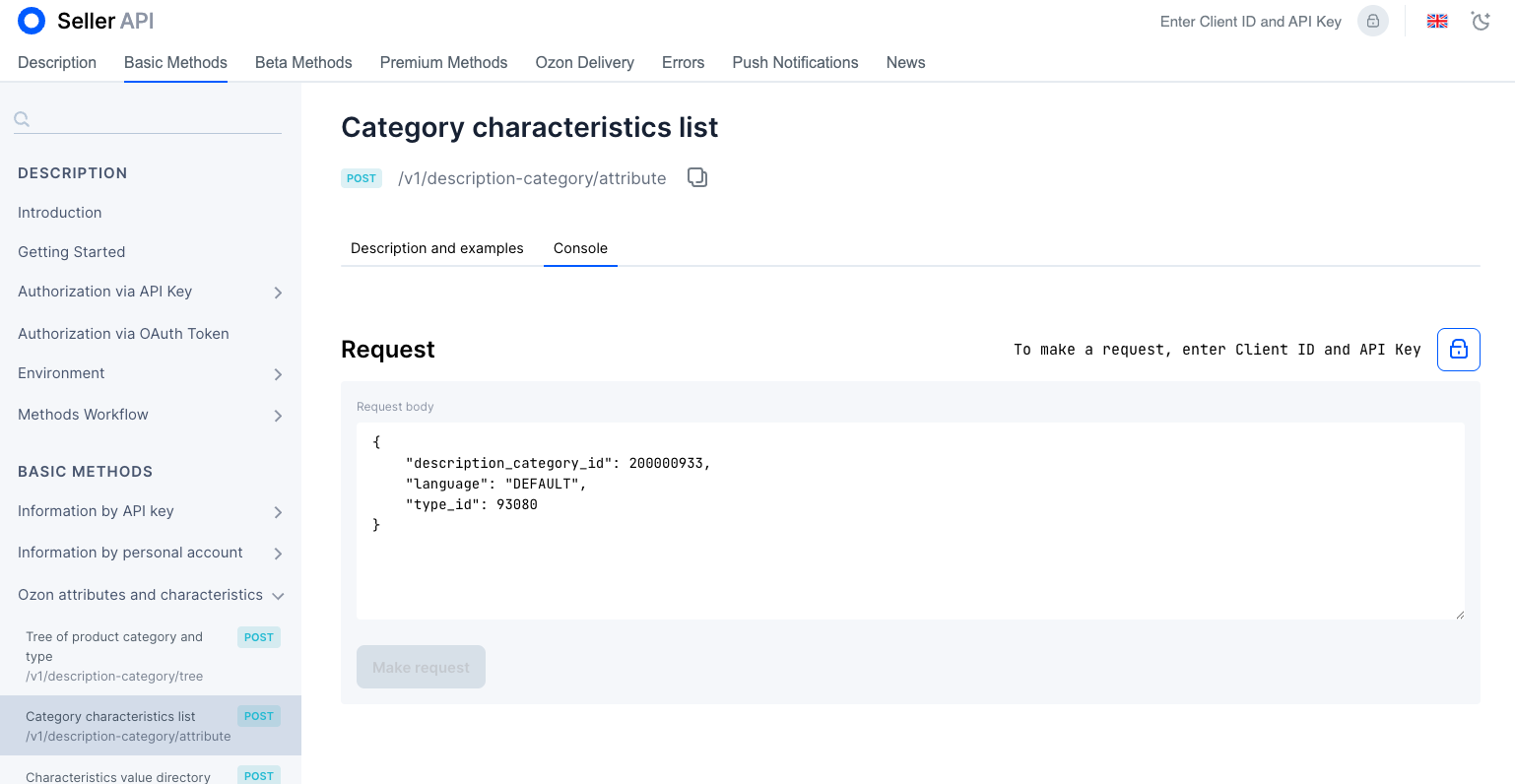
To make a request:
In the method card, go to the Console tab.
Click
Fill in the request body.
Click Make request.
If you have any questions, contact support via your account.
Hide menu
Show menu
Выберите договор

Это база знаний для продавцов из стран СНГ и дальнего зарубежья.
Если ваша компания зарегистрирована в России, перейдите в базу знаний для продавцов из России.
Когда вы зарегистрировались на Ozon?
Условия работы и инструкции зависят от даты заключения договора — её можно посмотреть в разделе Договоры
Определили ваш договор
Он заключён с ООО «Интернет Решения». Если есть другой договор, сможете переключиться на него в боковом меню