
Определили ваш договор
Он заключён с ООО «Интернет Решения». Если есть другой договор, сможете переключиться на него в боковом меню
Available with the “Review management” subscription.
If there are enough reviews for a product, we analyze them and compile an overview with customer comments.
An overview helps you:
Learn more about the terms of use for Ozon generation services
We only take into account reviews for purchased and canceled orders from the last year. If a customer edits a review, we consider its latest version published after the changes. Customers don’t see review overviews.
We update the overview data once a week.
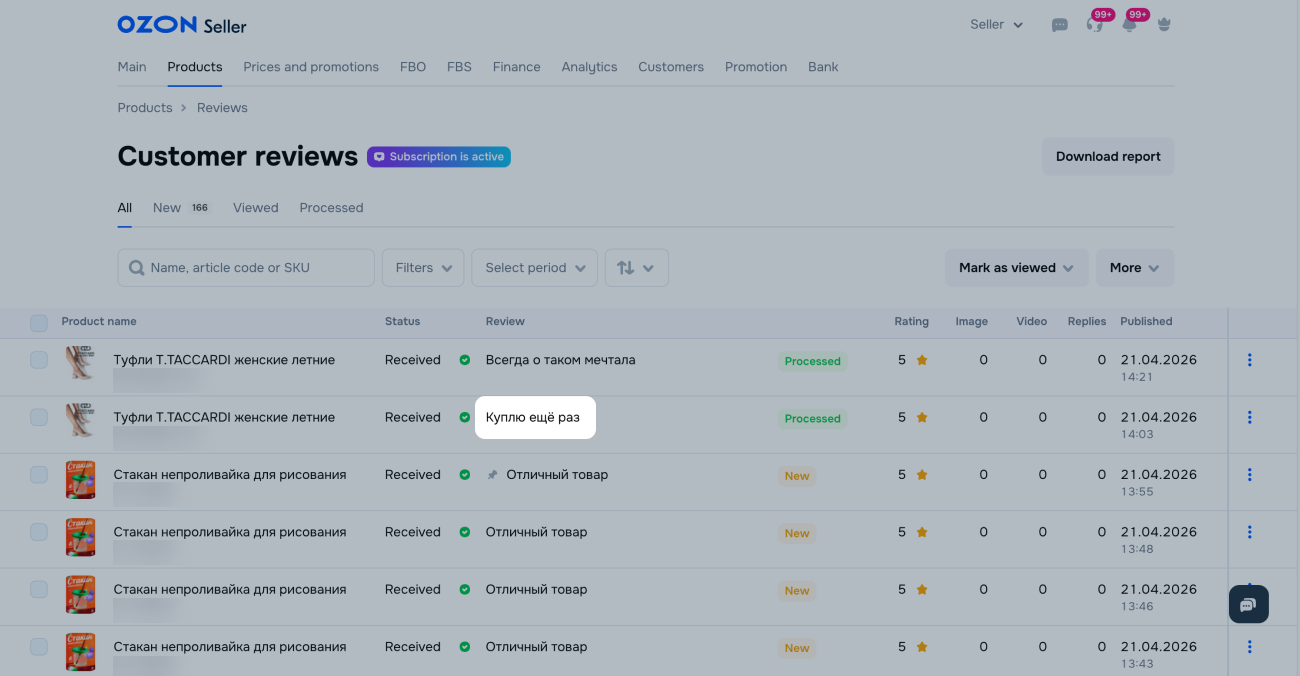
In the Products → Customer reviews section, click a review.
Click AI and select the period for the overview: 3, 6, or 12 months.
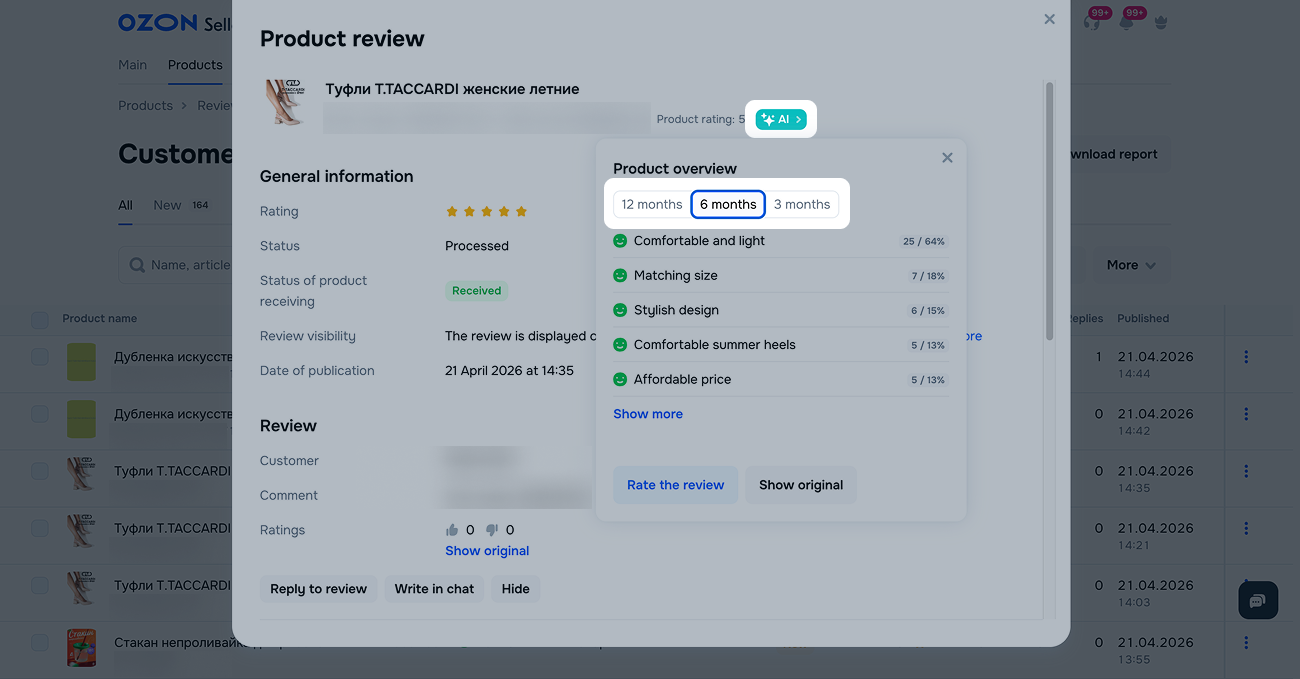
We show the product features. A feature appears if at least 3 customers mentioned it during the selected period.
The overview displays several features. Next to each one you can see the percentage and number of customers who mentioned it. We calculate the percentage from all published reviews with text for the selected period.
The features in the overview are ordered by review tone:
The AI groups reviews based on their meaning and tone. If a customer mentions product disadvantages, the feature receives a negative tone. If advantages are mentioned, it receives a positive one. If the AI can’t determine whether a review is positive or negative, the feature is neutral.
Review overview specifics:
If you have a lot of products, analyze all reviews in one file.
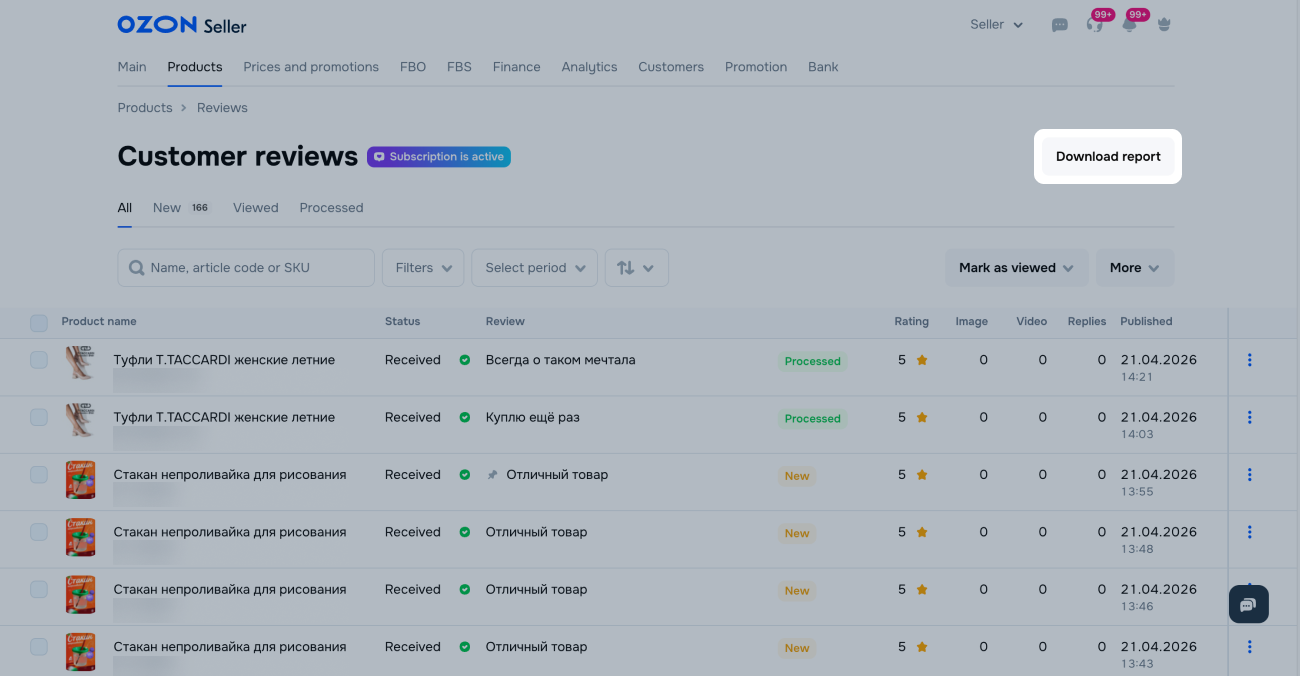
To see which product features customers mention most often, download the report:
In the Products → Customer reviews section, click Download report.
Select Review overview and click Generate.
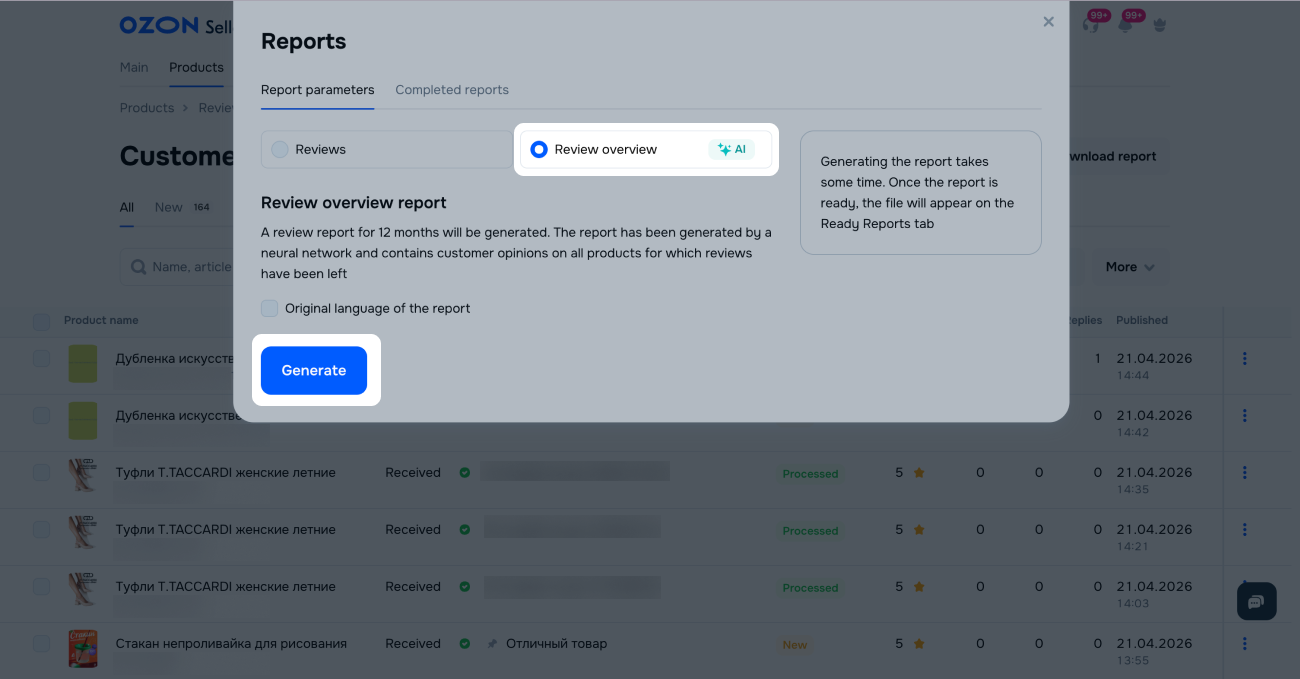
Generating the report takes time. When it’s ready, download the file in CSV format from the Completed reports tab.
If there are a lot of reviews, the overview may be empty. Main reasons:
Hide menu
Show menu
Выберите договор

Это база знаний для продавцов из стран СНГ и дальнего зарубежья.
Если ваша компания зарегистрирована в России, перейдите в базу знаний для продавцов из России.
Когда вы зарегистрировались на Ozon?
Условия работы и инструкции зависят от даты заключения договора — её можно посмотреть в разделе Договоры
Определили ваш договор
Он заключён с ООО «Интернет Решения». Если есть другой договор, сможете переключиться на него в боковом меню
