Depending on the promotion you launched, the display of results will differ.
View promotion results
You can view promotion results in the metrics panel, in reports, or on the Promotion analytics tab.
Learn more about the “Promotion analytics” tab
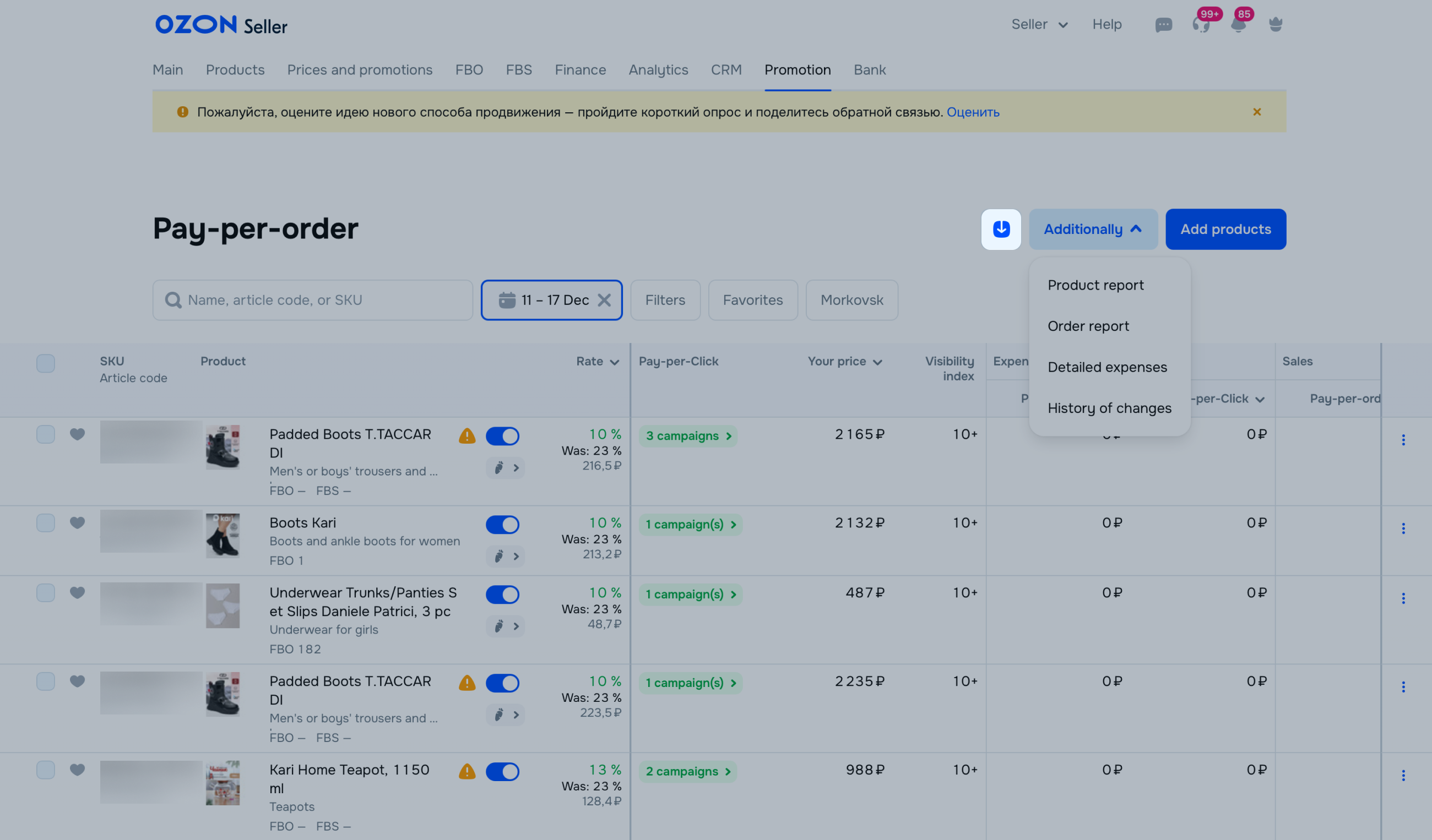
In the Promotion → Pay-per-order → Selected products section, you can view the following metrics:
- Visibility index: page number in search results or catalog on which your product appeared more often over the past day. For example, if your product has an index of 1, customers are more likely to see it on the first page of search results or catalog. If the index is 10 or higher, your product is positioned beyond the 10th page of search results.
- Expense:
- Pay-per-order: cost of product promotion. The cost is a specific percentage of all product sales due to pay-per-order promotion, excluding pay-per-click campaigns.
- Pay-per-click: cost of product promotion. The cost is a specific percentage of all product sales due to pay-per-order promotion, including simultaneous pay-per-click campaigns, if you enabled them.
- Sales:
- Pay-per-order: total amount you got as a result of pay-per-order promotion, excluding pay-per-click campaigns.
- Pay-per-click: total amount you got as a result of pay-per-click campaigns with the additional benefit of pay-per-order promotion.
- Orders:
- Pay-per-order: number of products purchased during the selected period due to pay-per-order promotion. The metric includes statistics on all products merged into one PDP by color, size, volume, or other characteristics. For example, if a customer clicks on the promoted PDP of a blue T-shirt, but ends up choosing a red one, we take into account the order with the rate assigned to the product for promotion.
- Pay-per-click: total number of orders you got as a result of pay-per-click campaigns with the additional benefit of pay-per-order promotion.
- Advertising-to-sales ratio: ratio of the promotion cost to the cost of products sold.
An order resulting from promotion via Pay-per-Order will be included in the statistics, if the user added the product to Cart or Favorites from the PDP, search, categories or recommendations and within 30 days placed and paid for the order.
The order will also be included if:
- the customer placed a repeat order of the promoted product or used the Repeat Order button;
- the customer bought a product of the same model, but a different variant.
In the reports, you can view the order date and number, SKU, article code, name, category and price of the product, as well as its metrics.
To download the report:
-
Go to the Promotion → Pay-per-order → Selected products section.
-
Click Download Report and select the type: By products or By orders.
-
Specify the desired period and click Generate.
-
To open the section with generated reports, click  .
.
-
To download the report, click next to it.
View results for all products
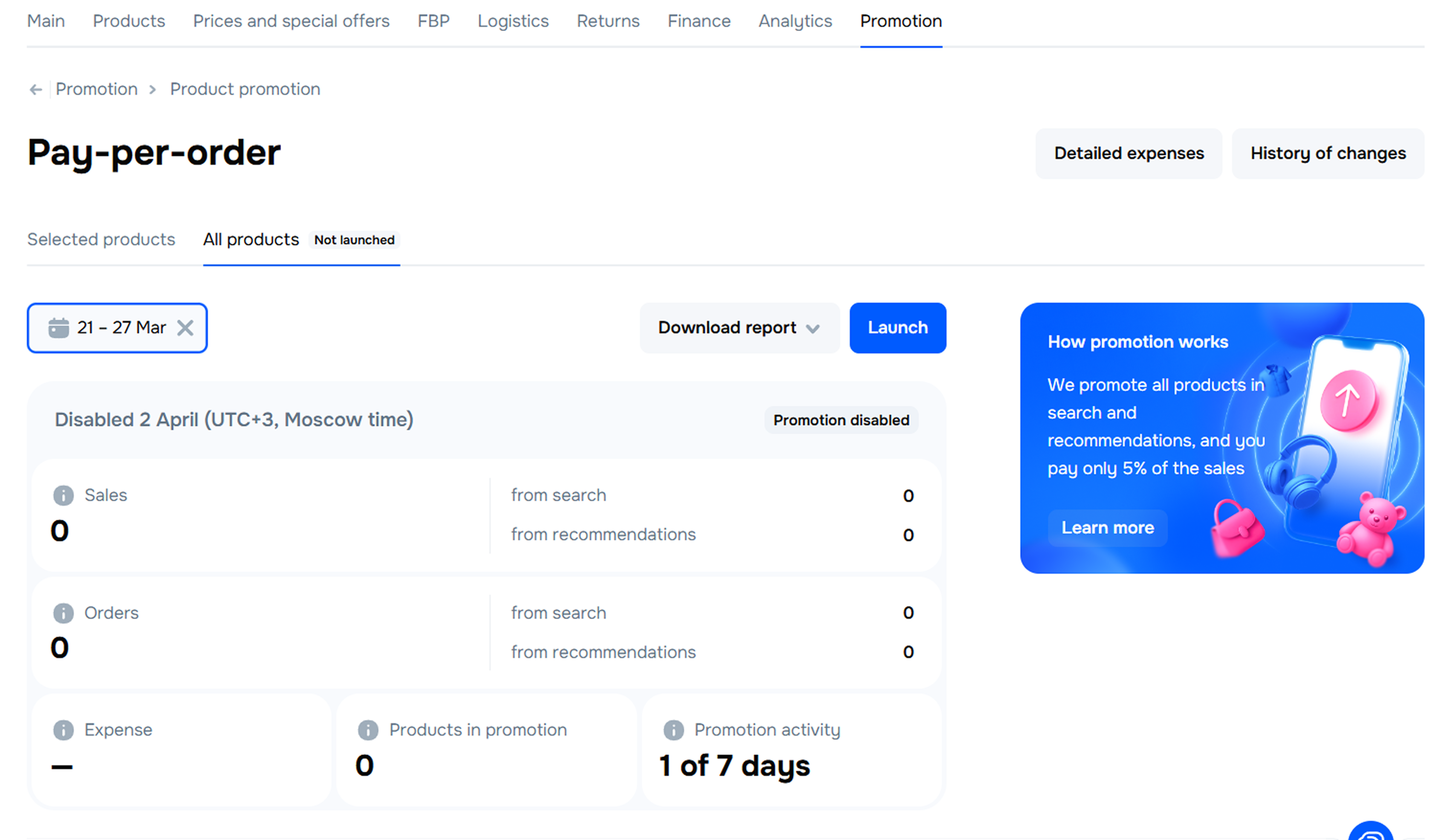
In Promotion → Pay-per-Order → All Products select a period, for which you want to view the promotion metrics for all products:
- Sales:
- From search: the total order value generated through promotion in search results, including pay-per-click campaigns, if enabled. Here, you can see an increase in sales compared to the estimated volume that you would have received without promotion.
- From recommendations: the total order value generated through promotion in recommendations, including pay-per-click campaigns, if enabled.
- Orders:
- From search: the number of products purchased through promotion in search results, including pay-per-click campaigns, if enabled. Here, we show an increase in orders compared to the estimated volume you would have received without promotion.
- From recommendations: the number of products purchased through promotion in recommendations, including pay-per-click campaigns, if enabled.
- Expense: product promotion costs. These costs constitute a specific % of sales while the product was promoted via Pay-per-Order, including pay-per-click campaigns, if enabled.
- Promotional products: the number of products that were promoted using the tool.
- Promotion activity: the number of days the products were promoted during this period.
In the reports, you can view the order date and number, product SKU, article code, name, category and price, along with other metrics.
To download the report:
-
Go to Promotion → Pay-per-Order → All Products.
-
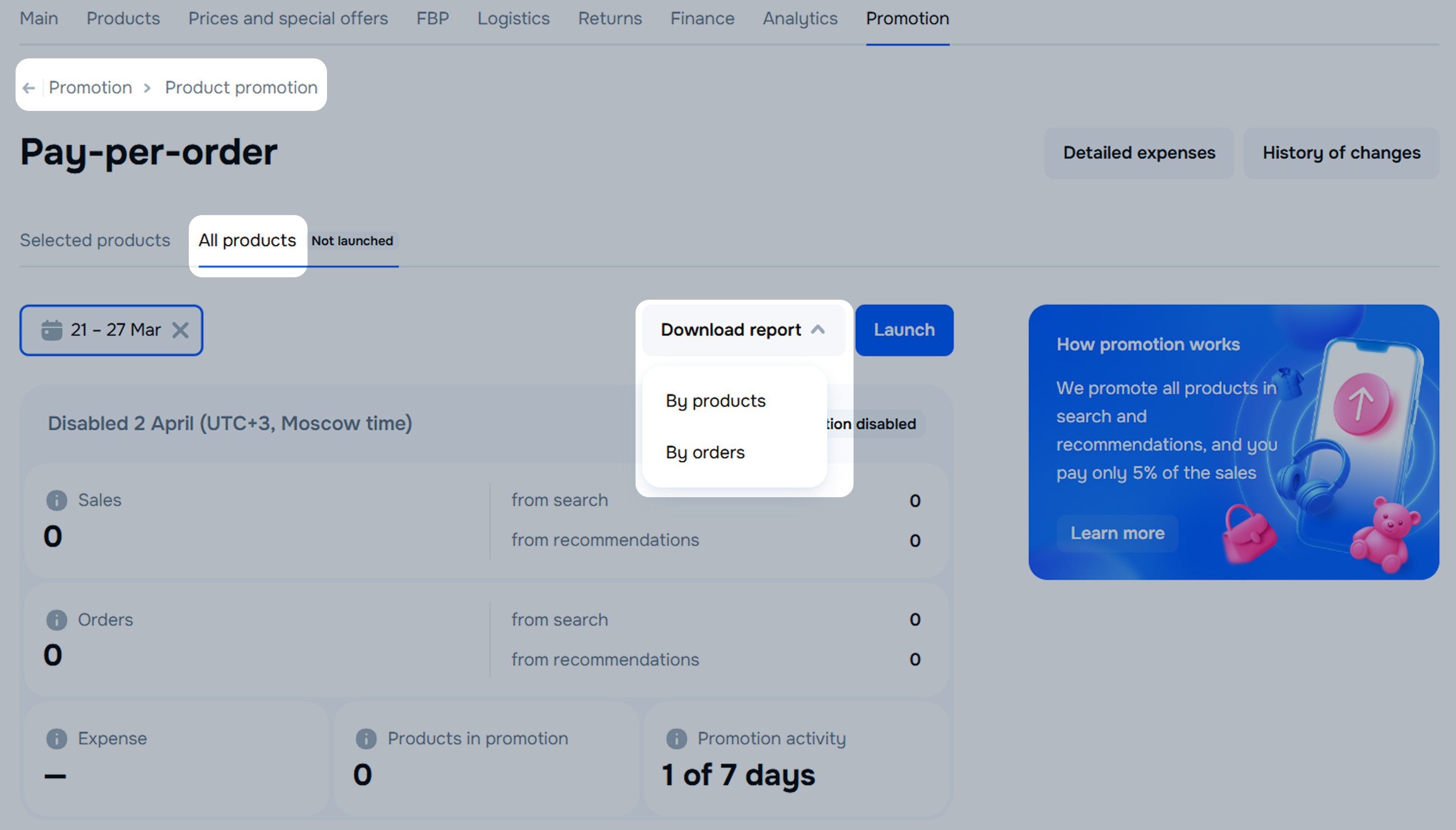
Click Download Report and select the type: By products or By orders.
-
Specify the period and click Generate.
-
Click to open the section with ready reports.
-
Click next to the report you need, and it’ll be uploaded onto your device.
How to monitor the promotion of a specific product
This can only be done when promoting the selected products.
- Go to Promotion → Pay-per-Order → Selected Products.
- Add the product to your Favorites by clicking
 on the desired item. To view the list of such products, click Favorites.
View promotion expenses
You can view expenses:
If you have bonuses for promotion, they’re automatically charged as payment for promotion and reflected in detailed expenses.


