
Определили ваш договор
Он заключён с ООО «Интернет Решения». Если есть другой договор, сможете переключиться на него в боковом меню
Available with the “Review Management” subscription starting April 1, 2026.
If a product has enough reviews, we will automatically analyze them and compile an overview with the most frequent customer comments.
More about the terms of use for Ozon Generation services
Reviews overview helps you:
We only take into account reviews from the last year for purchased and canceled orders. If a customer edits a review, we consider its latest version published after the changes. Data for the overview is updated once a week. Review overviews are available only to you; customers do not see them.


We will show attributes — product features. An attribute appears if at least 3 customers mentioned it during the selected period.
The overview displays several attributes, with the percentage and number of users who mentioned each shown next to it. The percentage is calculated from all published reviews with text for the selected period.
The attributes in the overview are ordered by review sentiment:
The neural network groups reviews where customers write about the same thing by meaning and sentiment. If a customer mentions product disadvantages in a review, the attribute receives a negative sentiment. If they note advantages, it receives a positive sentiment. If the neural network cannot determine whether the review is positive or negative, the attribute will be neutral.
Important to know:
If you have many products, it is more convenient to analyze reviews not one by one but all at once — in a single file.
Download it to see which attributes customers mention most often.
In the Products → Customer reviews section, click Download report.

Go to the Review Overview tab and click Generate. Generating the report will take some time. When it is ready, download the file in CSV format from the Ready reports tab.

The overview may be empty even if there are many reviews. Main reasons:
Available with the “Review Management” subscription starting April 1, 2026.
If you have many products, it can be difficult to track reviews for each model. In the Products → Review analytics section, you can understand how customers rate a particular product. We show not only the reviews themselves but also a review overview of the product. This allows you to see which products customers like or dislike and quickly notice changes in ratings.
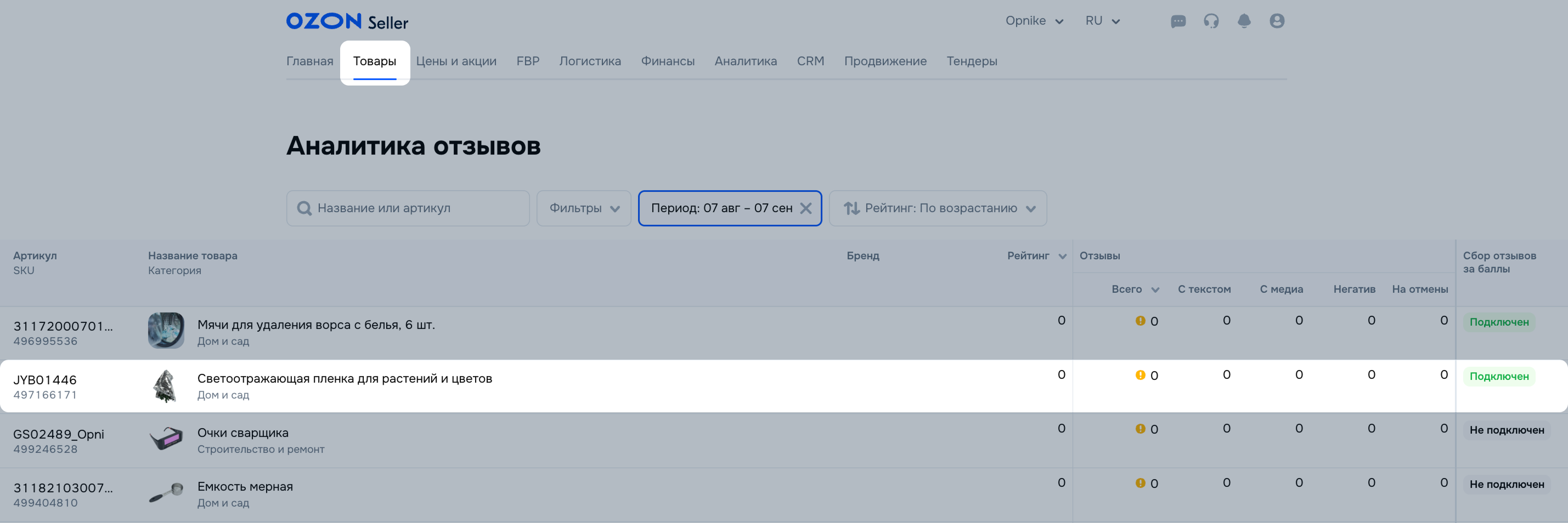
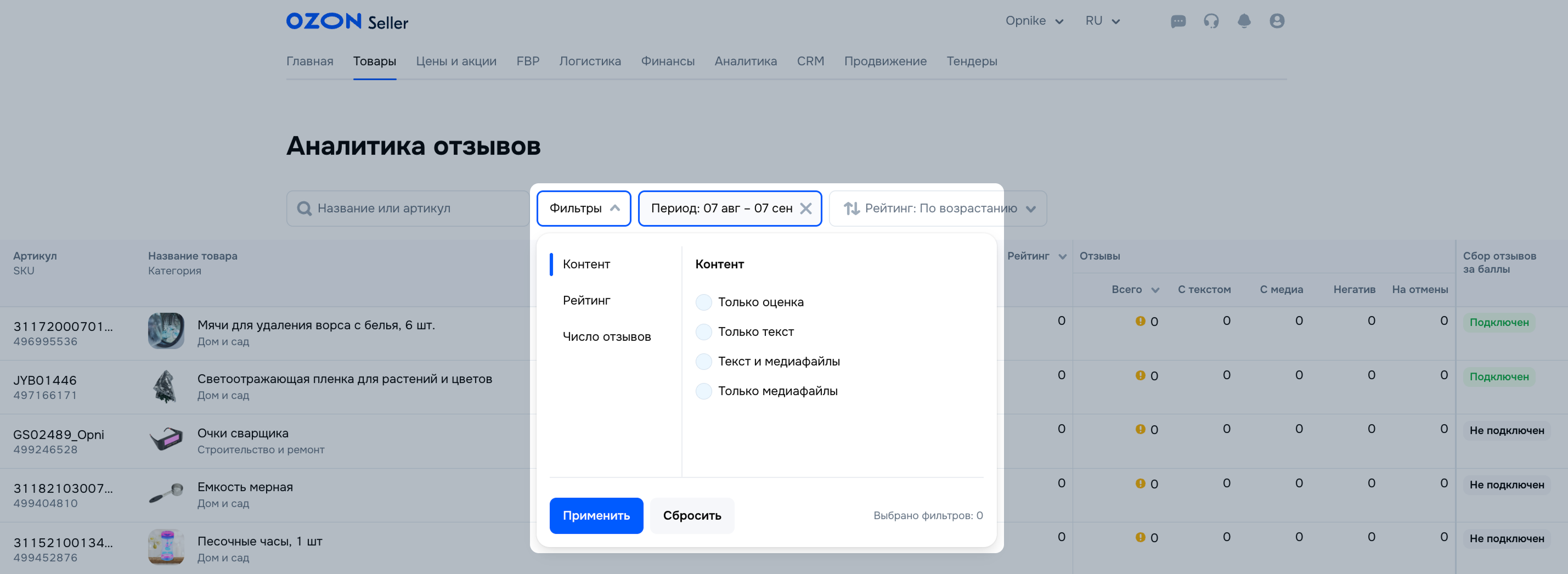
You can configure detailed analytics using filters:
To get information for a specific period, set it in the “Select period” filter. You cannot select a date earlier than August 6, 2025.
Hide menu
Show menu
Выберите договор

Это база знаний для продавцов из стран СНГ и дальнего зарубежья.
Если ваша компания зарегистрирована в России, перейдите в базу знаний для продавцов из России.
Когда вы зарегистрировались на Ozon?
Условия работы и инструкции зависят от даты заключения договора — её можно посмотреть в разделе Договоры
Определили ваш договор
Он заключён с ООО «Интернет Решения». Если есть другой договор, сможете переключиться на него в боковом меню
