
 to the right of their status.
Определили ваш договор
Он заключён с ООО «Интернет Решения». Если есть другой договор, сможете переключиться на него в боковом меню
Available with the “Review Management” or “Premium Pro” subscriptions starting April 1, 2026.
While the subscription is active, the system will monitor reviews of your products and, when a suitable one appears, pin it — if the product does not already have a pinned review. You can also pin reviews manually.
After the subscription is canceled, reviews are unpinned automatically. When the subscription is renewed, either old reviews or new ones that meet the criteria may be pinned.
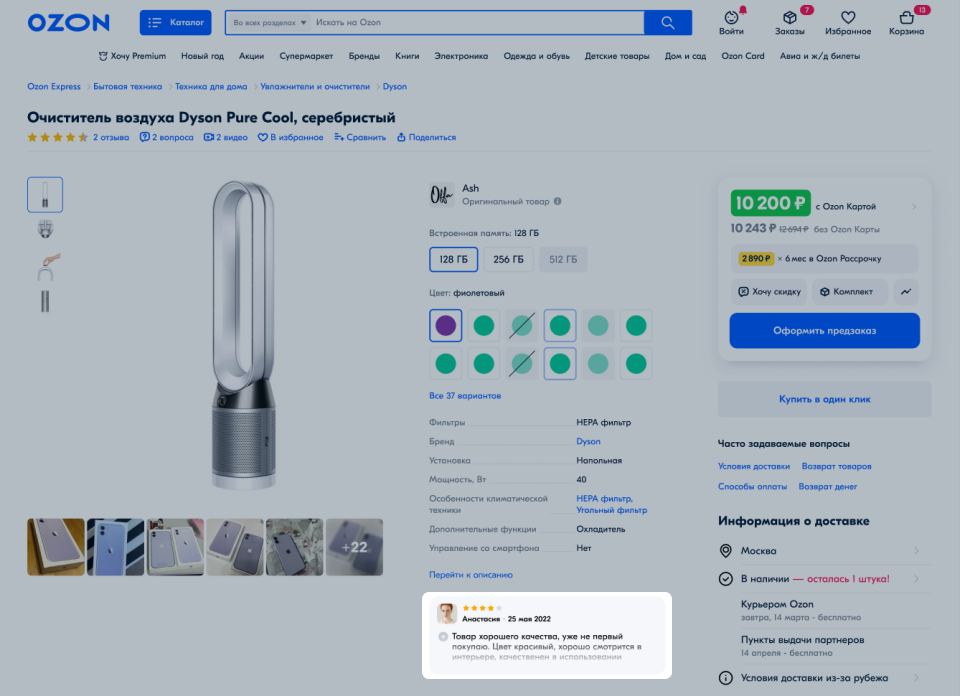
Pinning a review is a tool aimed at increasing customer trust and conversion to purchase. Pin a review you find helpful for customers. We consider a review with 5 stars and a length of at least 50 characters helpful. Such a review will be displayed:
as a separate block on the product card — the customer can read this review without going to the section with all reviews;
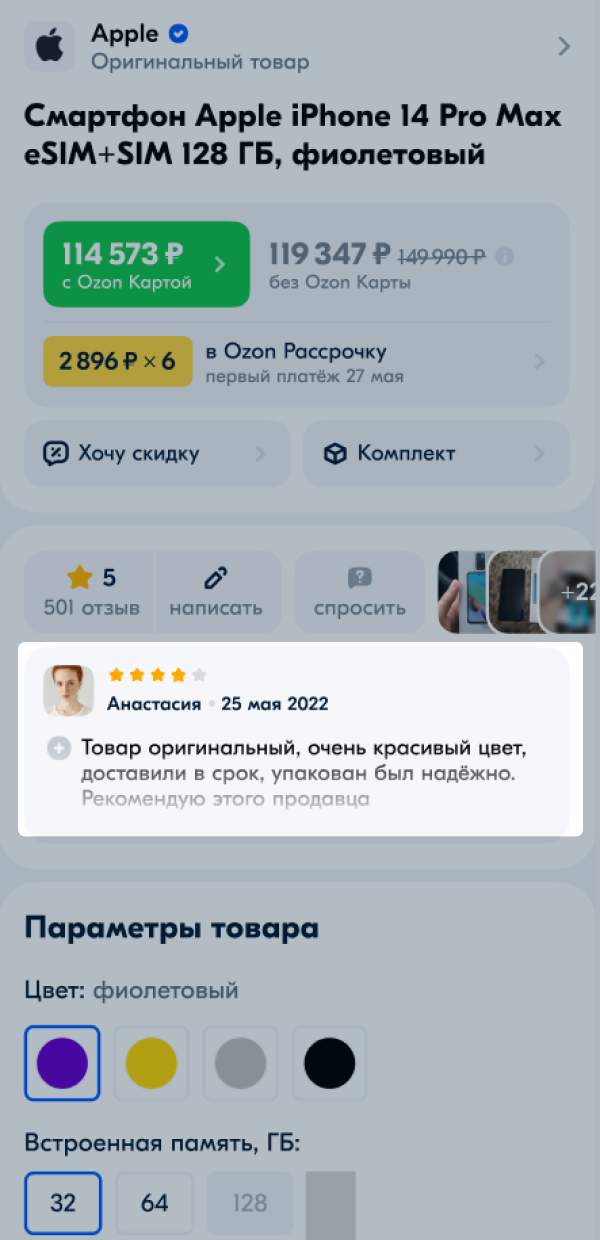
in first place in the list of reviews for all product variations.
Go to the Products → Pin a review section.
Select a product. You can find it by name or SKU.
Click Choose review next to the product for which you want to pin a review. A page with all reviews for this product will open — except those that contain only a rating without text.
You can select only one review per product.
Select the review you consider most helpful for customers. Click on the line with the review text to view it in full, then click Pin.
Before selecting a review, make sure it is suitable for all products combined into a single product card — the review will be pinned for all product variations.
How to pin a review in the Ozon Seller app
The new pinned review will start displaying for the selected product and all its variations.
The review will no longer be displayed first in the list and as a separate block on the product card and all its variations.
| Service status | Description |
|---|---|
| Review pinned | The review is pinned on the product card. |
| Pinned until (date) | The review is pinned on the product card until the end of the subscription period. |
| No pinned review | There is no pinned review on the product card. |
| Review unpinned | You unpinned the review. |
| Pinning error | The customer changed or deleted the review. Choose a different review or view the changed review and pin it. |
If you move a product to the archive, the status will change to “Pinning error”.
The XLS report will display data for the entire period of using the service:
Hide menu
Show menu
Выберите договор

Это база знаний для продавцов из стран СНГ и дальнего зарубежья.
Если ваша компания зарегистрирована в России, перейдите в базу знаний для продавцов из России.
Когда вы зарегистрировались на Ozon?
Условия работы и инструкции зависят от даты заключения договора — её можно посмотреть в разделе Договоры
Определили ваш договор
Он заключён с ООО «Интернет Решения». Если есть другой договор, сможете переключиться на него в боковом меню
