
 and add the message text.
Определили ваш договор
Он заключён с ООО «Интернет Решения». Если есть другой договор, сможете переключиться на него в боковом меню
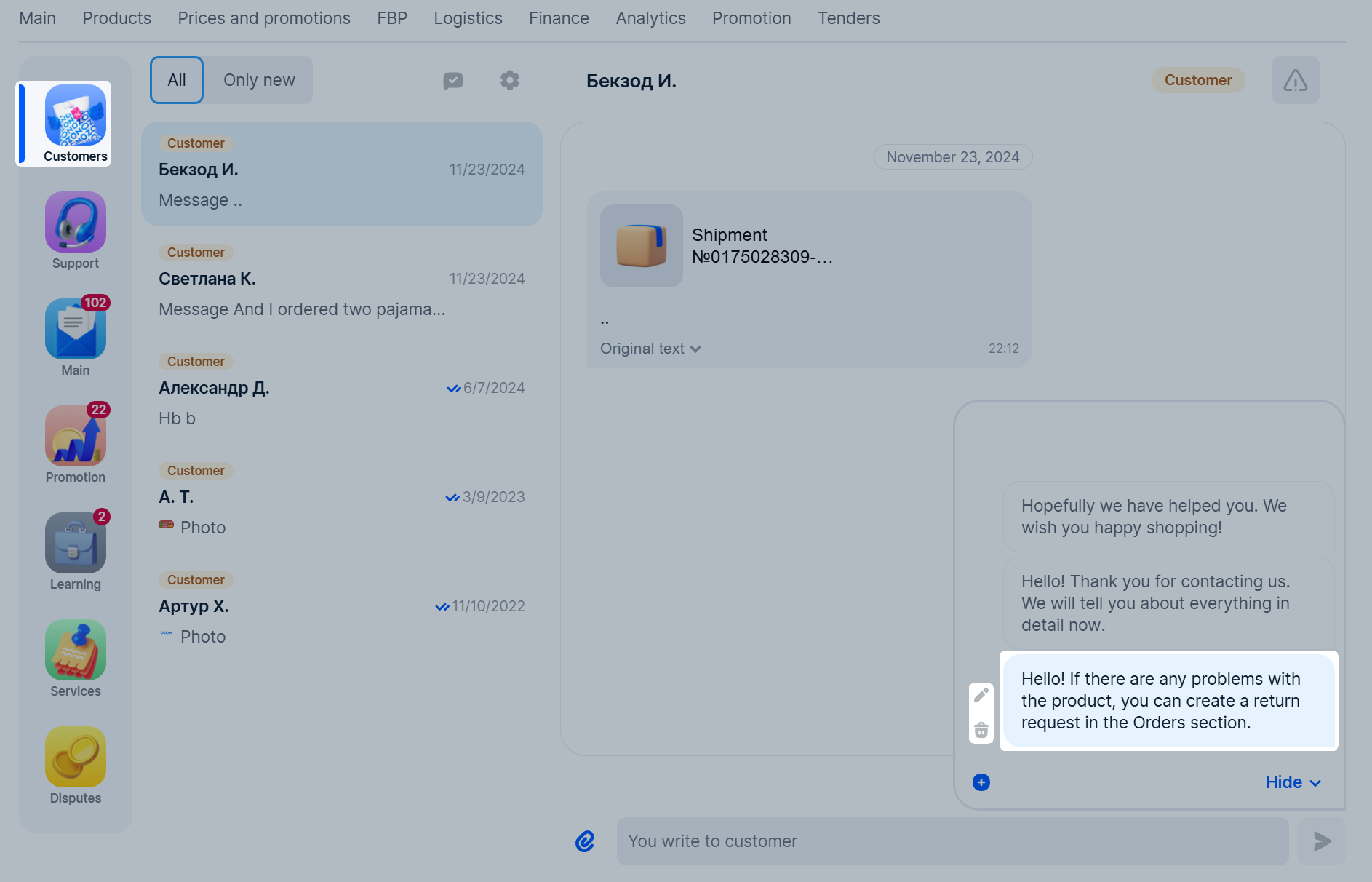
Quick Replies are a tool that allows you to create message templates and use them in chats with customers.
For one store, you can create up to 20 quick reply templates. The maximum template size is 1 000 characters. You cannot add videos, images, or files. The feature is only available in the account on the website. Templates will be translated into the recipient’s language when sending the message.
Quick reply templates must comply with the customer communication guidelines. We check the texts and can cancel the message sending and delete the template.
Learn more about customer communication guidelines
 .
.
 . To delete, click
  .
.
Hide menu
Show menu
Выберите договор

Это база знаний для продавцов из стран СНГ и дальнего зарубежья.
Если ваша компания зарегистрирована в России, перейдите в базу знаний для продавцов из России.
Когда вы зарегистрировались на Ozon?
Условия работы и инструкции зависят от даты заключения договора — её можно посмотреть в разделе Договоры
Определили ваш договор
Он заключён с ООО «Интернет Решения». Если есть другой договор, сможете переключиться на него в боковом меню
