
Определили ваш договор
Он заключён с ООО «Интернет Решения». Если есть другой договор, сможете переключиться на него в боковом меню
With this promotion, you can motivate customers to make major purchases in your store. Set up several discount levels depending on the order amount: the more expensive the order, the greater the discount. All products of your store participate in the promotion.
You can create only one “Multi-level discount from the amount” promotion. To create a new promotion, complete the existing one.
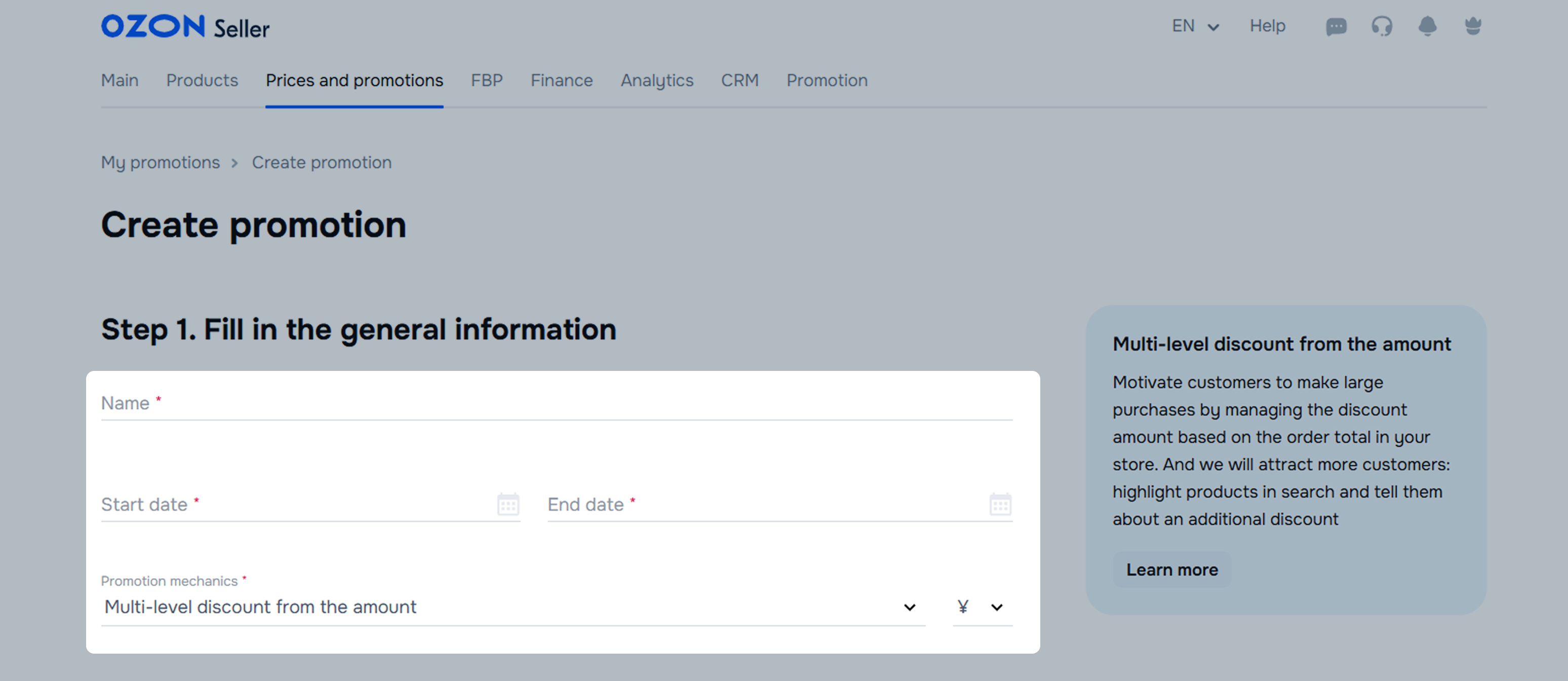
In the Prices and promotions → My promotions section, click Create promotion.
In the General information block, add:
You can create from 2 to 4 discount levels. Click  to delete a level;
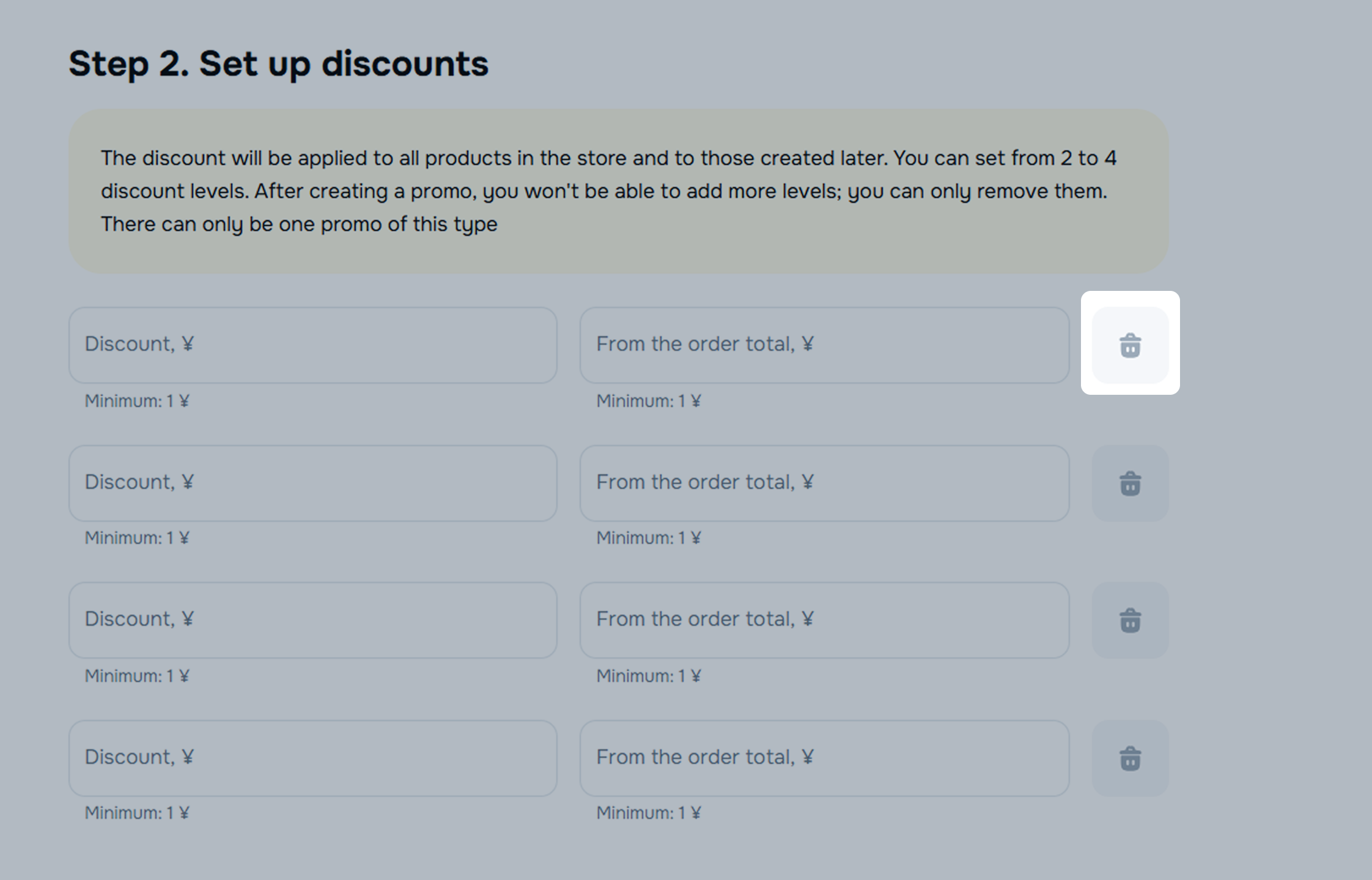
After creating a promotion, you can’t add levels. You can only delete them.
Fill out the fields for each level:
For each next level, the discount and the order amount should be higher than for the previous one. Start filling out the fields. We automatically calculate the minimum values for each level.
Example
The promotion consists of 4 levels, the discount from the order amount is specified as a percentage.
| Level | Discount, % | From the order total, RUB |
|---|---|---|
| Level 1 | 10 | 1,000 |
| Level 2 | 11 | 1,100 |
| Level 3 | 20 | 3,000 |
| Level 4 | 30 | 4,000 |
In the Customers block, select All: all Ozon customers can buy products with discounts.
Mark I agree to the Legal Terms and Conditions and click Select products → Create promotion. All your products start participating in the promotion.
In the Prices and promotions → My promotions section, find the promotion and click  next to it → Edit.
You can:
Click Save changes.
To deactivate the promotion, click → Disable. The discount stops working, but the promotion remains in effect.
If the promotion is active, but you want to complete it, click → Complete in advance.
Hide menu
Show menu
Выберите договор

Это база знаний для продавцов из стран СНГ и дальнего зарубежья.
Если ваша компания зарегистрирована в России, перейдите в базу знаний для продавцов из России.
Когда вы зарегистрировались на Ozon?
Условия работы и инструкции зависят от даты заключения договора — её можно посмотреть в разделе Договоры
Определили ваш договор
Он заключён с ООО «Интернет Решения». Если есть другой договор, сможете переключиться на него в боковом меню
