
Определили ваш договор
Он заключён с ООО «Интернет Решения». Если есть другой договор, сможете переключиться на него в боковом меню
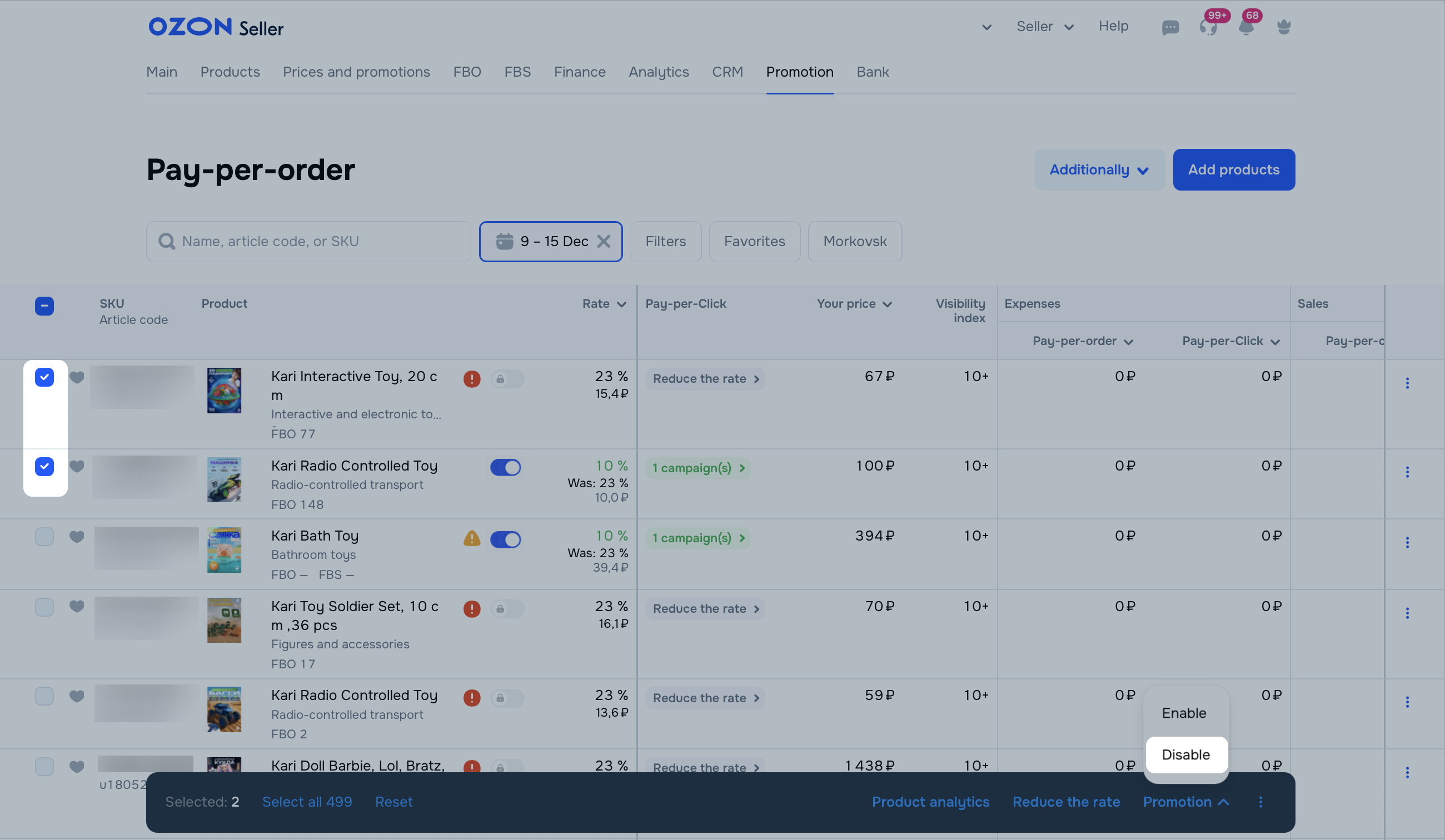
You can suspend promotion of selected products or all at once:
In the Last modified column, you can view the last date the product was added to or removed from promotion.
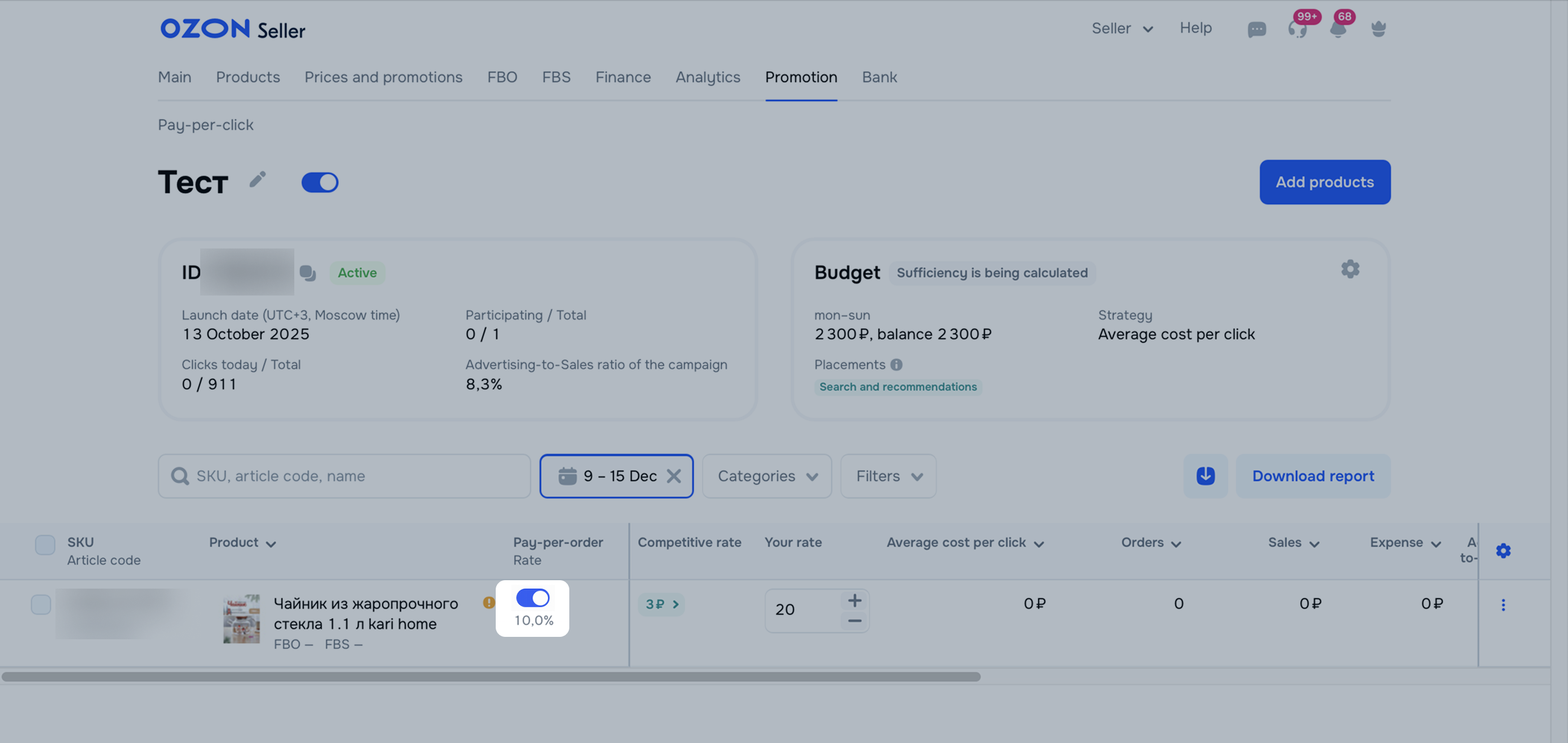
Open the “Pay-per-click” campaign and in the Pay-per-order column, disable promotion for the desired product.
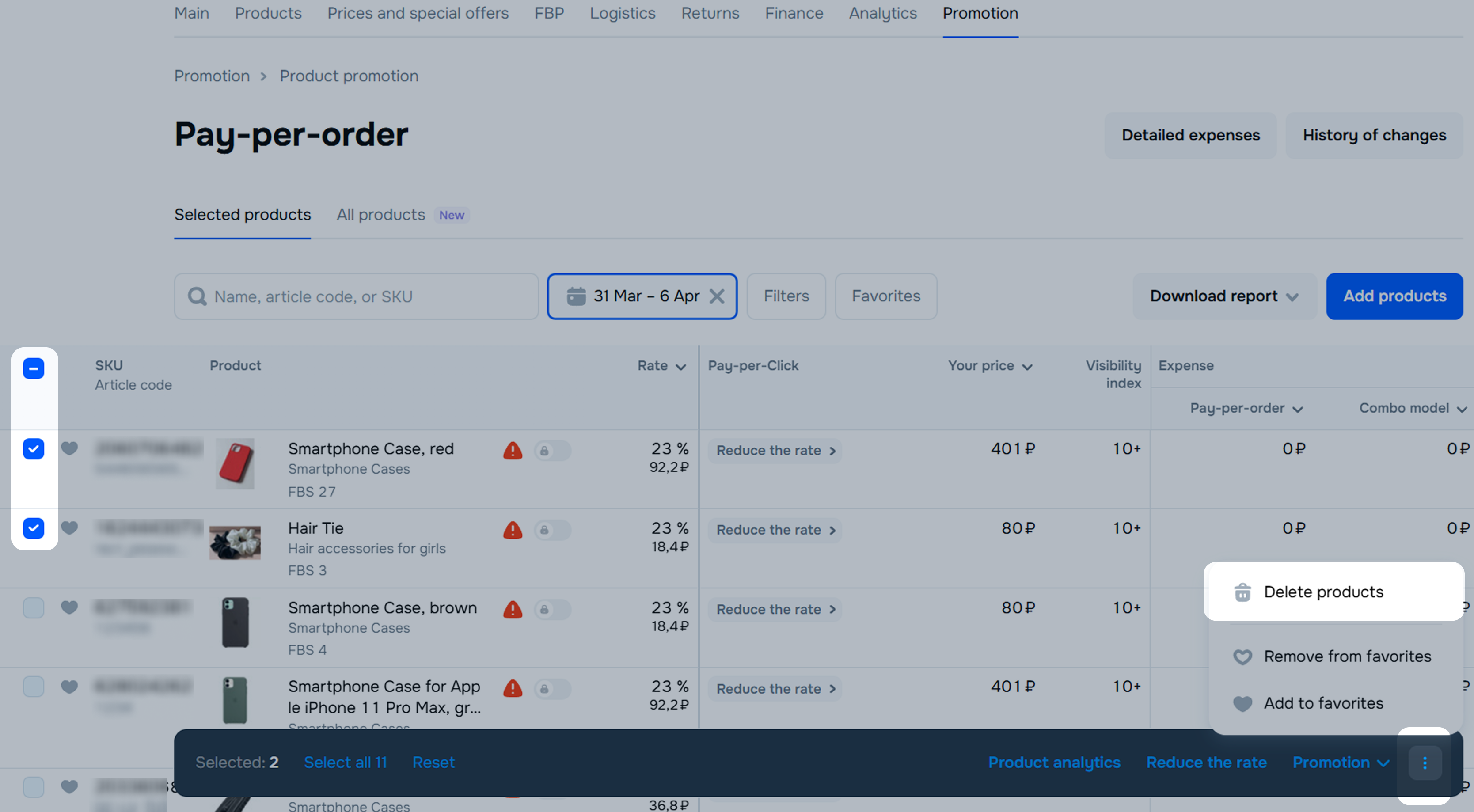
You can remove products only when promoting selected products.
To remove the product from a pay-per-order promotion:
 → Remove Product. To remove multiple products from promotion at once, mark the desired ones and click → Remove Products at the bottom of the screen.
Hide menu
Show menu
Выберите договор

Это база знаний для продавцов из стран СНГ и дальнего зарубежья.
Если ваша компания зарегистрирована в России, перейдите в базу знаний для продавцов из России.
Когда вы зарегистрировались на Ozon?
Условия работы и инструкции зависят от даты заключения договора — её можно посмотреть в разделе Договоры
Определили ваш договор
Он заключён с ООО «Интернет Решения». Если есть другой договор, сможете переключиться на него в боковом меню
