
Определили ваш договор
Он заключён с ООО «Интернет Решения». Если есть другой договор, сможете переключиться на него в боковом меню
Volume and weight characteristics (VWC) is a product weight and dimensions in original packaging. They’re used to calculate shipping costs.
There are maximum and minimum values for each product category. The weight and dimensions of the product in packaging must meet the permitted values. You can’t add a product whose weight and dimensions differs from the values specified for the category.
Ozon may cancel the order if the product volume and weight characteristics are specified incorrectly.
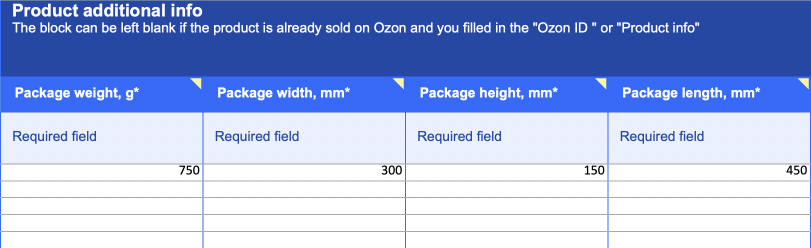
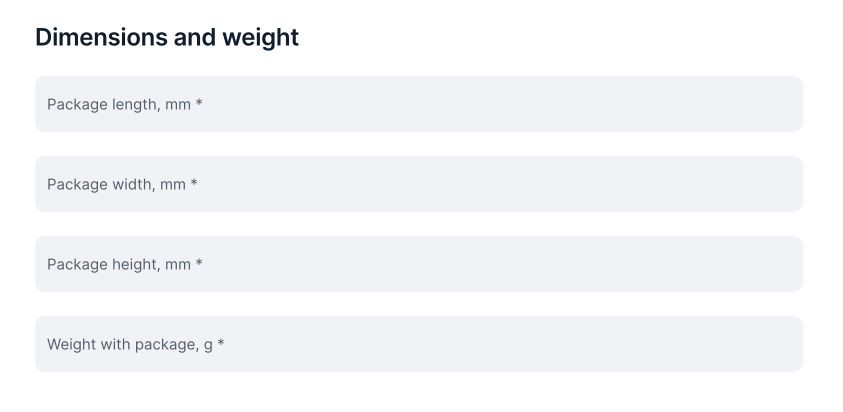
Specify the VWC when you upload or edit a product. Fill in the following fields:
Once the product arrives at the warehouse, we will check its VWC. If the dimensions or weight on the PDP differ from the actual ones, we’ll edit them.
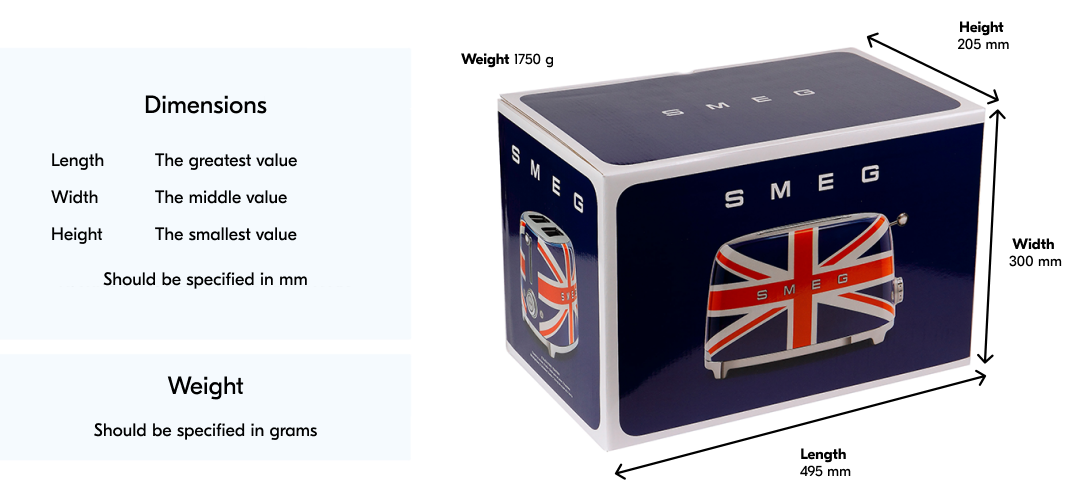
Measure each side of the product in the original packaging.
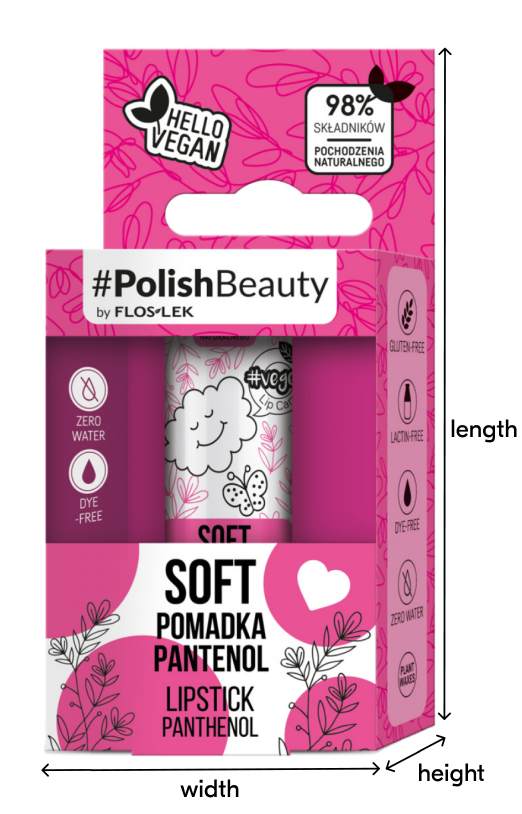
If there is no original packaging, measure the product without it.
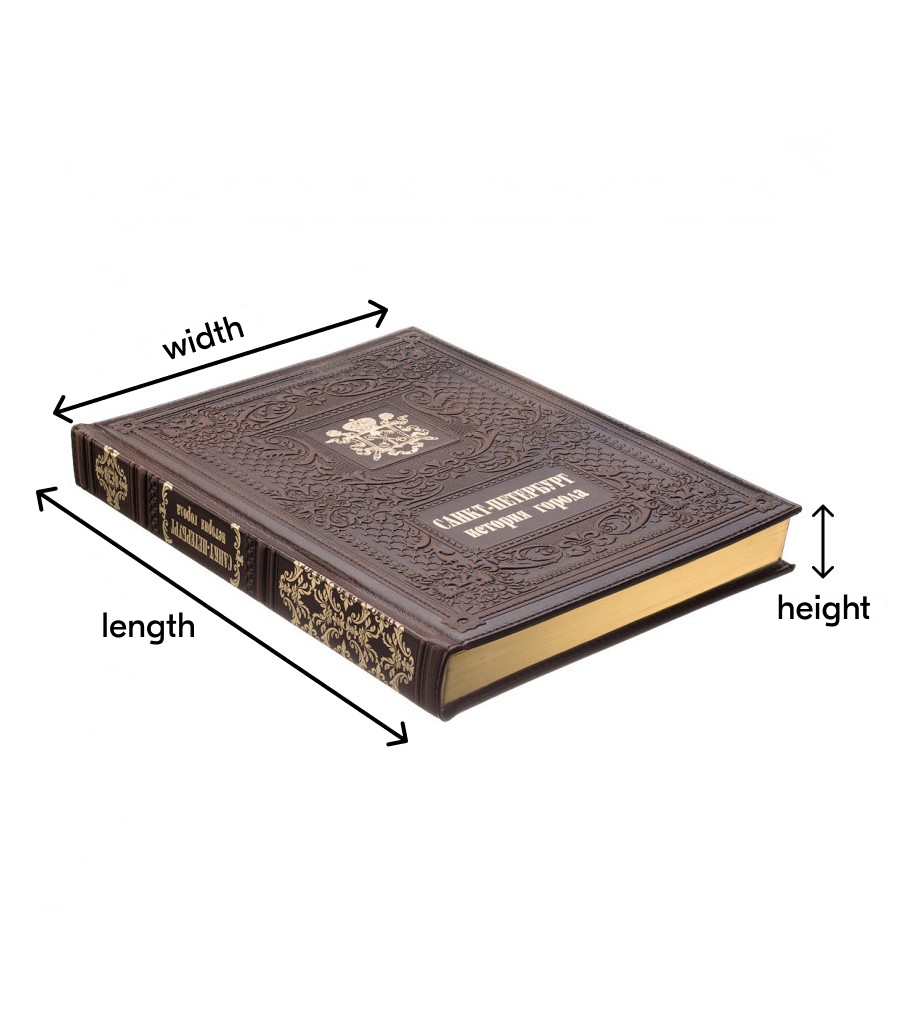
If the product is irregularly shaped, measure the maximum distance from one edge to the other, the middle, and smallest ones. Length is the greatest distance, width is the middle, and height is the smallest one.
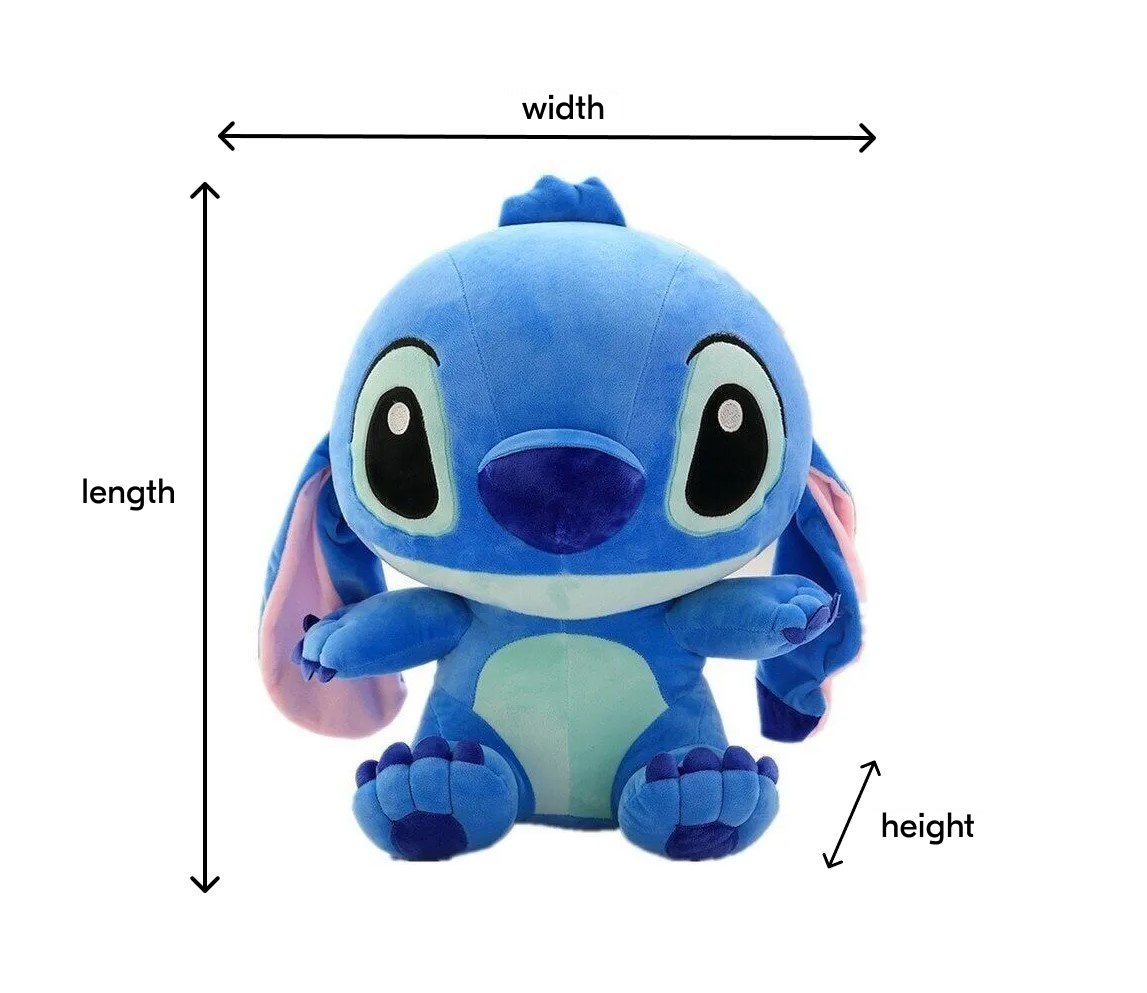
If the product is a set of several pieces, stack them and measure altogether.
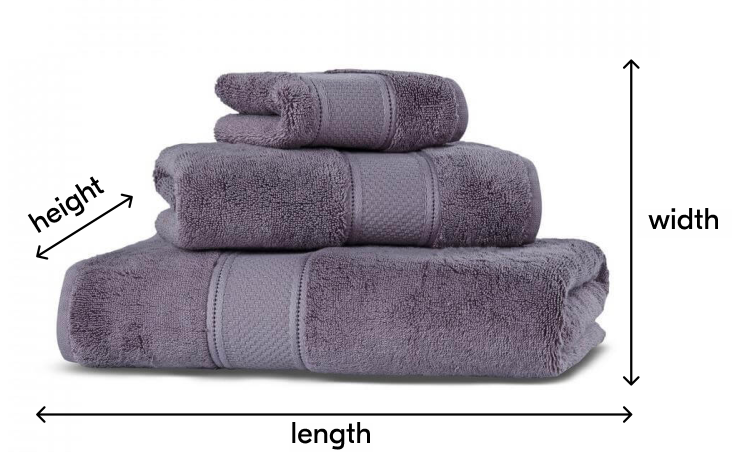
If the product is in the “Clothing”, “Textiles” or “Embroidery Kits” categories, fold it before measuring.
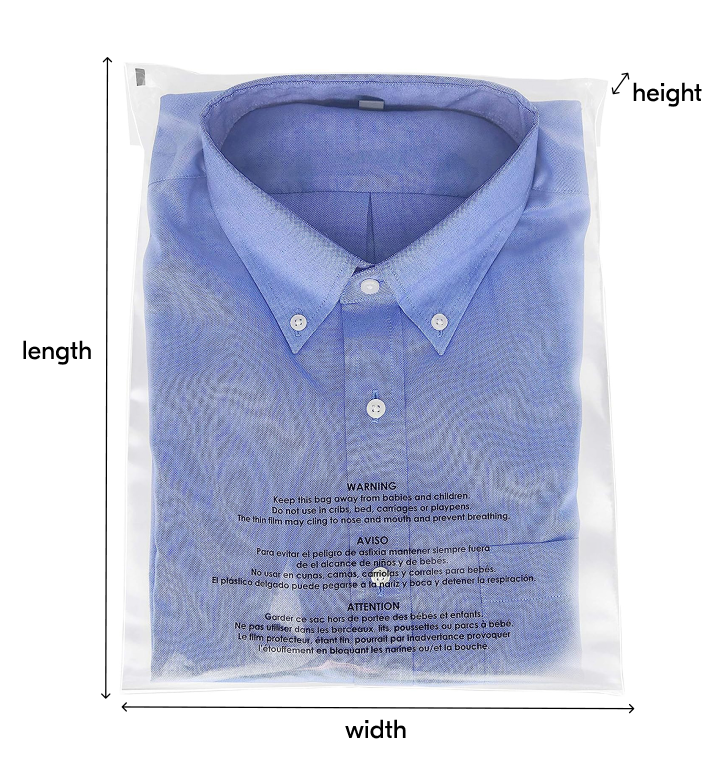
In the following fields specify:
In your account, in the Logistics → Orders from my warehouses section, you can view both the declared and actual product weight.
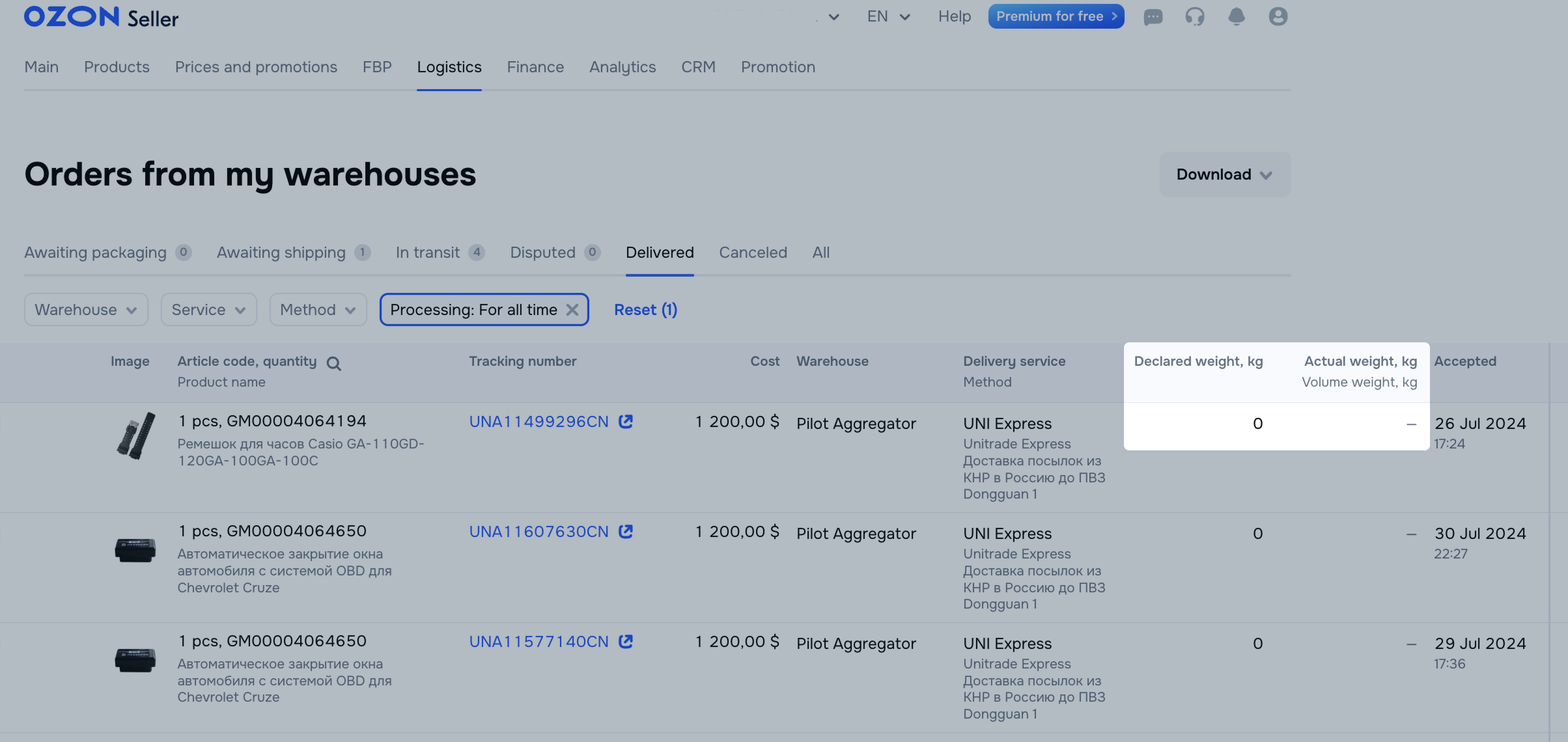
This is the product weight specified on the PDP at the time of order placement. The declared weight is divided into physical and volumetric. Based on this weight, the system selects a suitable delivery method for an order. If you specify the declared weight incorrectly, the logistics partner rejects your shipment.
To ensure that logistics partners process orders correctly, we check the declared VWC:
We use professional certified warehouse equipment and measure products according to all standards.
Sometimes we block editing the declared VWC. In this case, you receive a notification.

If you notice that we measured your product incorrectly, send a photo with your measurements to our support team. We’ll check and edit the incorrect fields.
This is the weight the partner specifies after remeasuring the product. Logistics partners remeasure products in every shipment before sending it. Therefore, the weight of the same SKU may differ across shipments.
We calculate the delivery cost based on the actual shipment weight. If delivery for a particular method is charged by volumetric weight, we indicate it in the “Actual weight” column. If delivery is charged by physical weight, we indicate that instead.
If an error occurs during the product upload that the VWC can’t be saved, but you’re sure that you’ve specified the VWC correctly, contact our support team: Content / Working with PDPs → Creating and editing products. Specify the product category, weight, and dimensions and attach a photo of the product next to a measuring device, for example, a tape measure or a ruler. We’ll check everything and expand the range.
Contact our support team: Content / Working with PDPs → Volume and weight characteristics (dimensions/weight). We’ll check the products again and change the weight or dimensions if the data is inaccurate.
Choose the product category carefully. If you choose the wrong category, there may be errors in the product volume and weight characteristics.
Hide menu
Show menu
Выберите договор

Это база знаний для продавцов из стран СНГ и дальнего зарубежья.
Если ваша компания зарегистрирована в России, перейдите в базу знаний для продавцов из России.
Когда вы зарегистрировались на Ozon?
Условия работы и инструкции зависят от даты заключения договора — её можно посмотреть в разделе Договоры
Определили ваш договор
Он заключён с ООО «Интернет Решения». Если есть другой договор, сможете переключиться на него в боковом меню
