
Определили ваш договор
Он заключён с ООО «Интернет Решения». Если есть другой договор, сможете переключиться на него в боковом меню
Your products can get reviews from customers. Products with reviews:
You can view the reviews on received and canceled products in the Products → Customer reviews section.
You can view the reviews on received and canceled products in the Products → Customer reviews section:
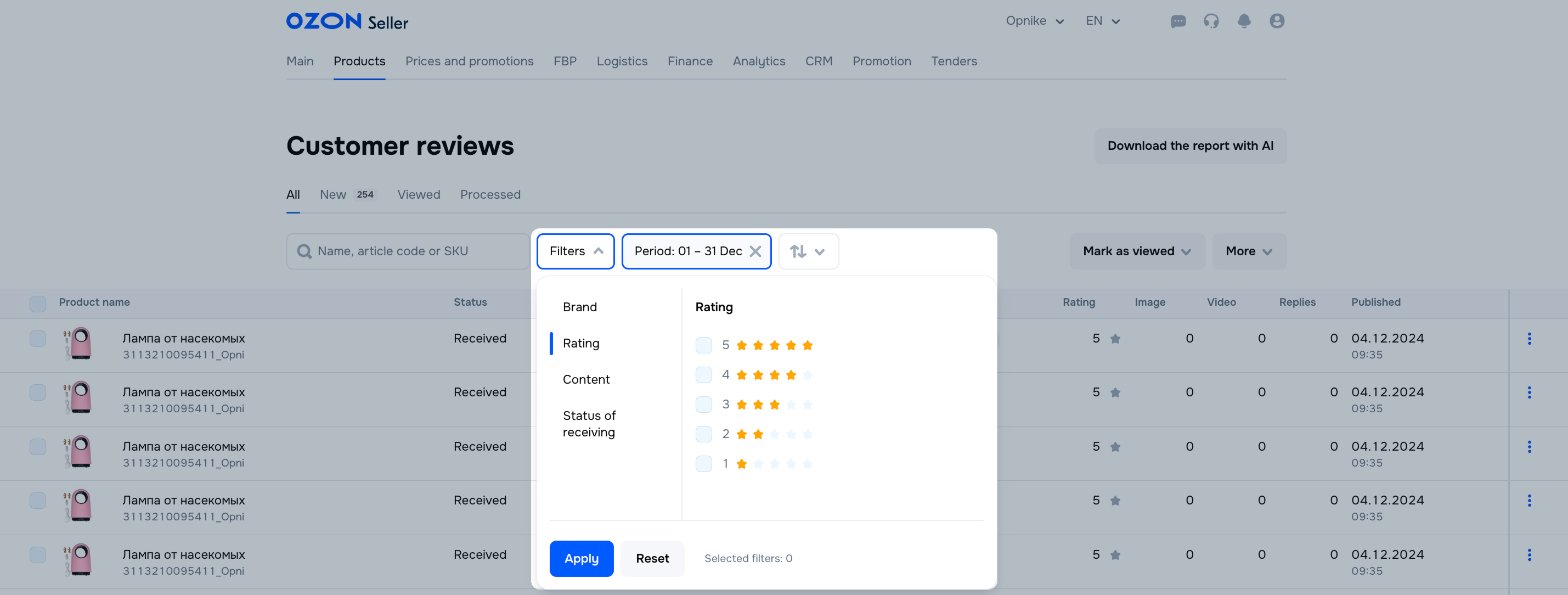
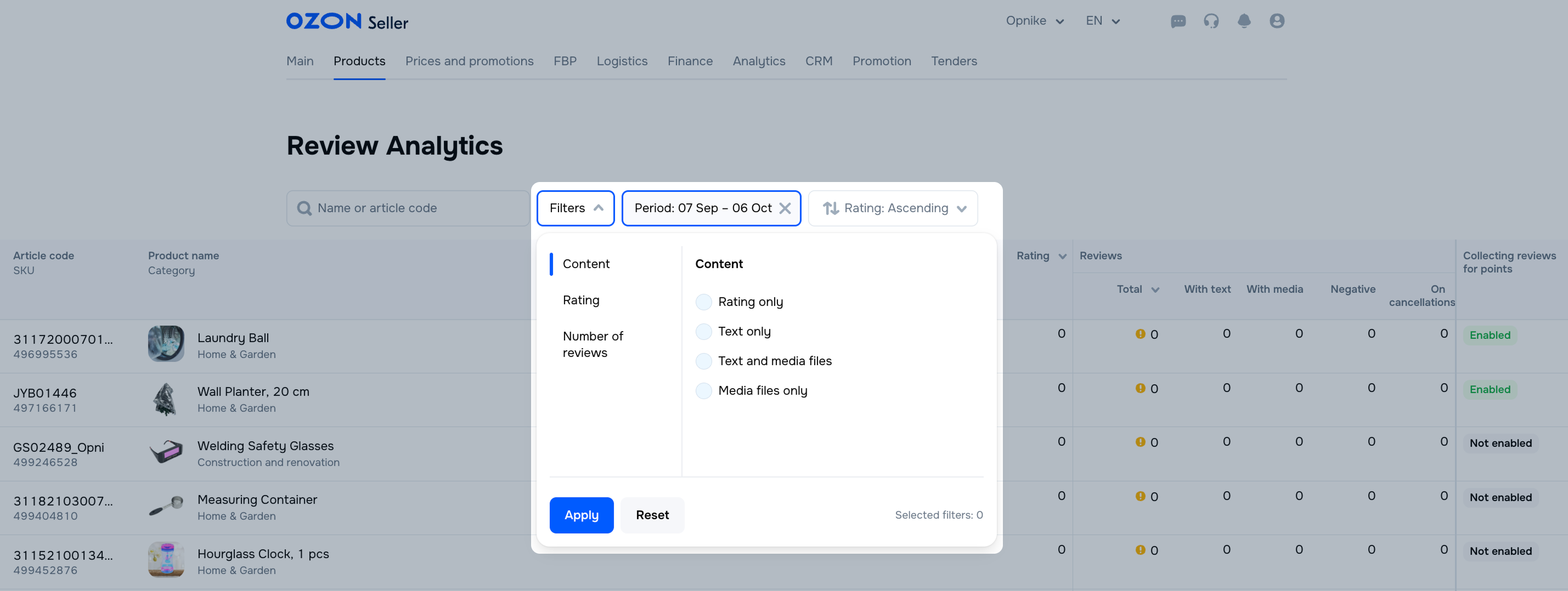
To search for reviews, filter them by date, rating, brand, content, and status of receiving.
To interact with product reviews, click  in the product row and select:
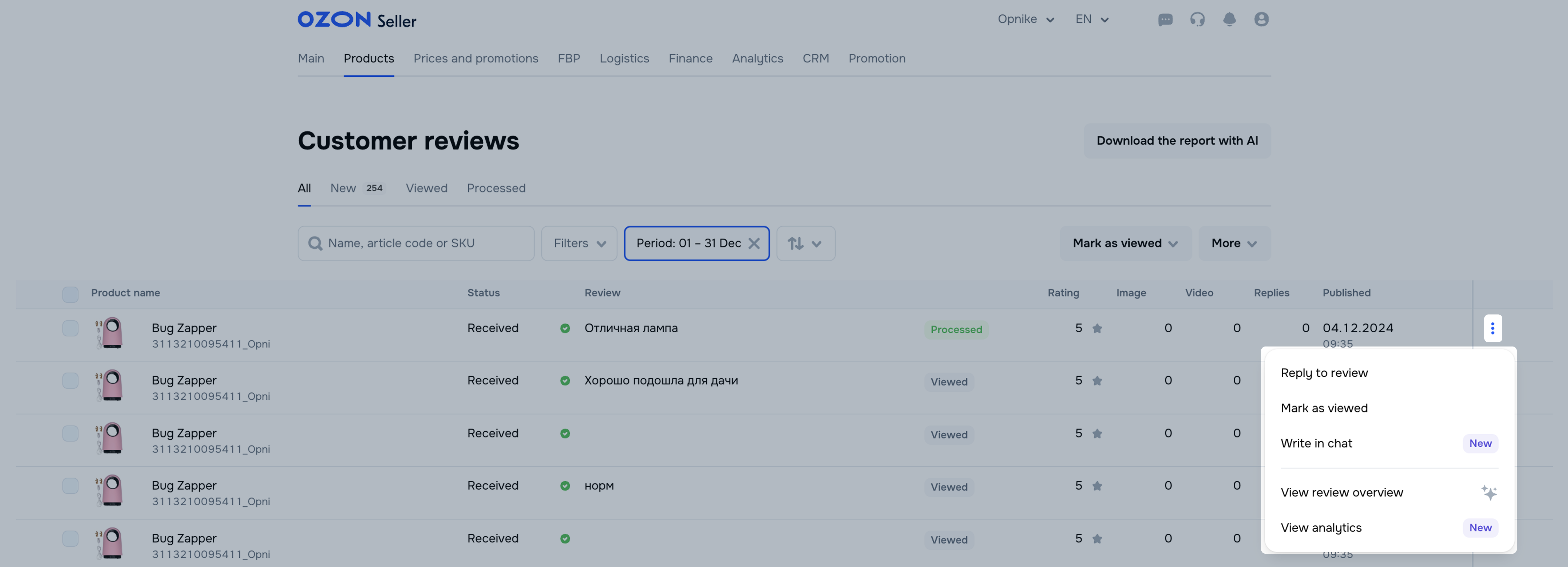
Tips for working with reviews:
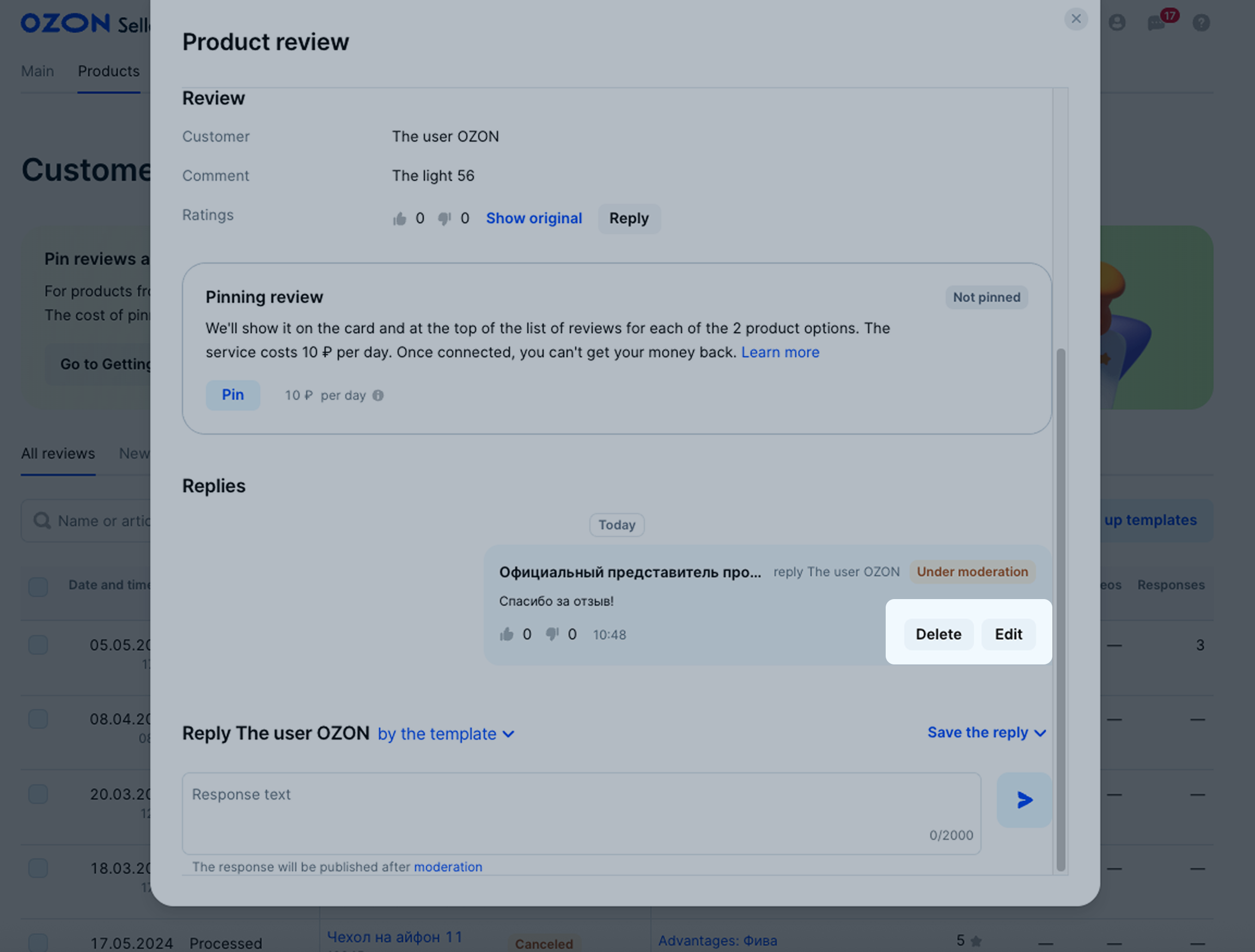
You can edit or delete only your own replies to reviews. You can’t delete reviews or replies from someone else.
In the Products → Reviews → Customer reviews section, find the review by product name or article code.
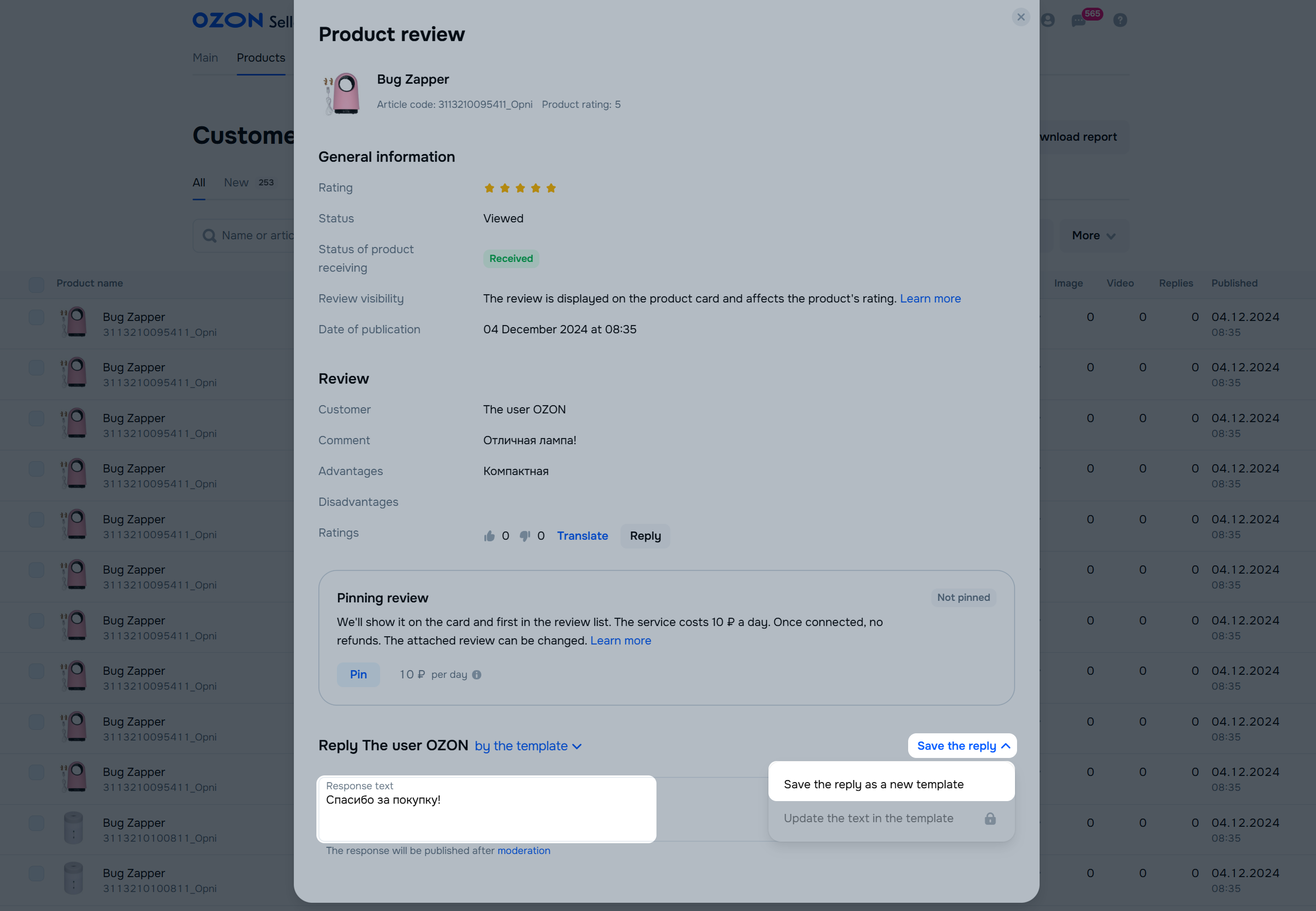
Click the review to see product details and customer name.
If your reply hasn’t passed moderation yet, click:
If your reply is already published, click:
 → Edit to edit the reply; → Delete the reply to delete it.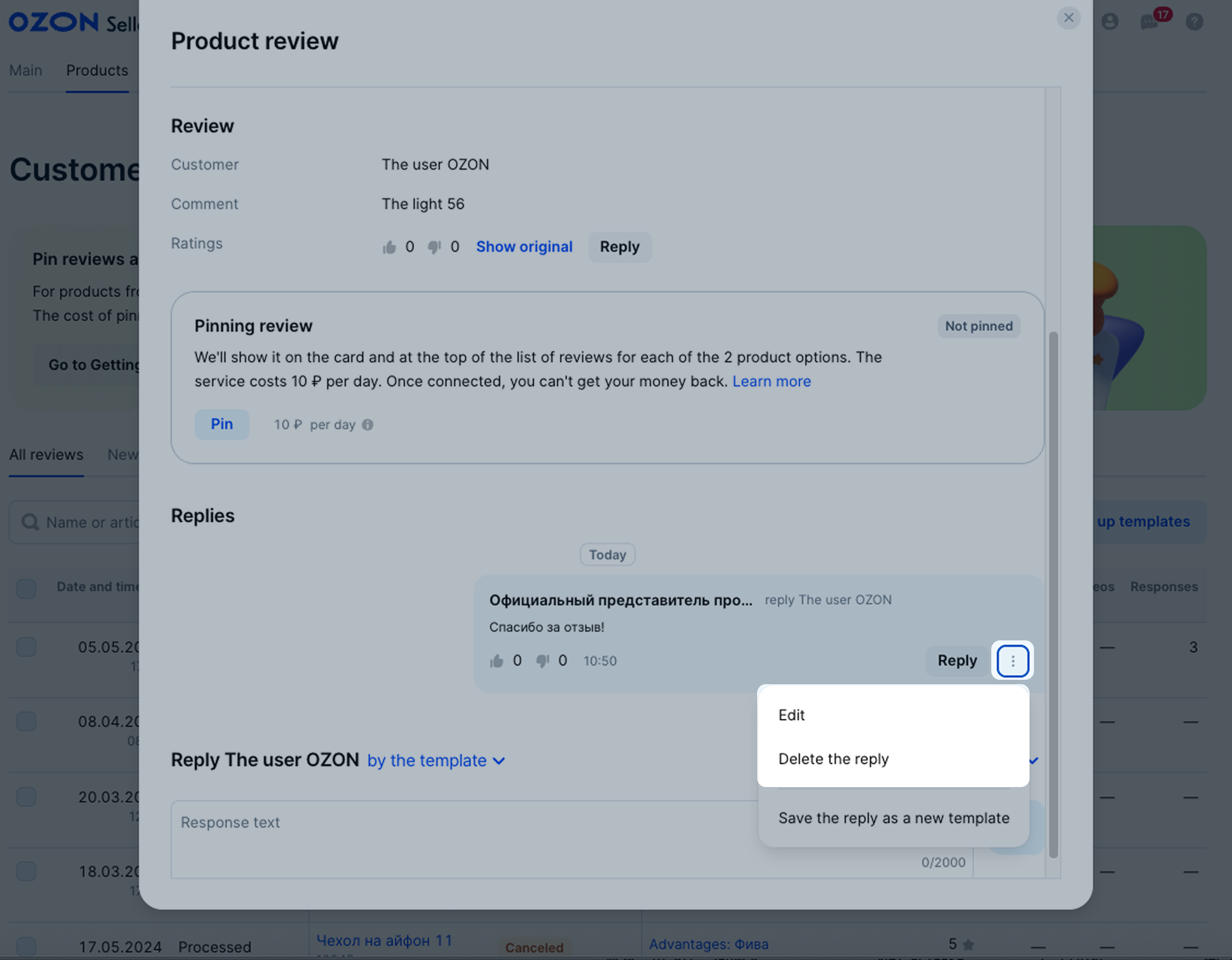
The edited reply gets moderated again. Once it’s published, customers can see the date when the reply was edited.
You can set up templates to reply to customer reviews quicker. This is handy when you need to give standard answers without analysis. You can create up to 10 different templates.
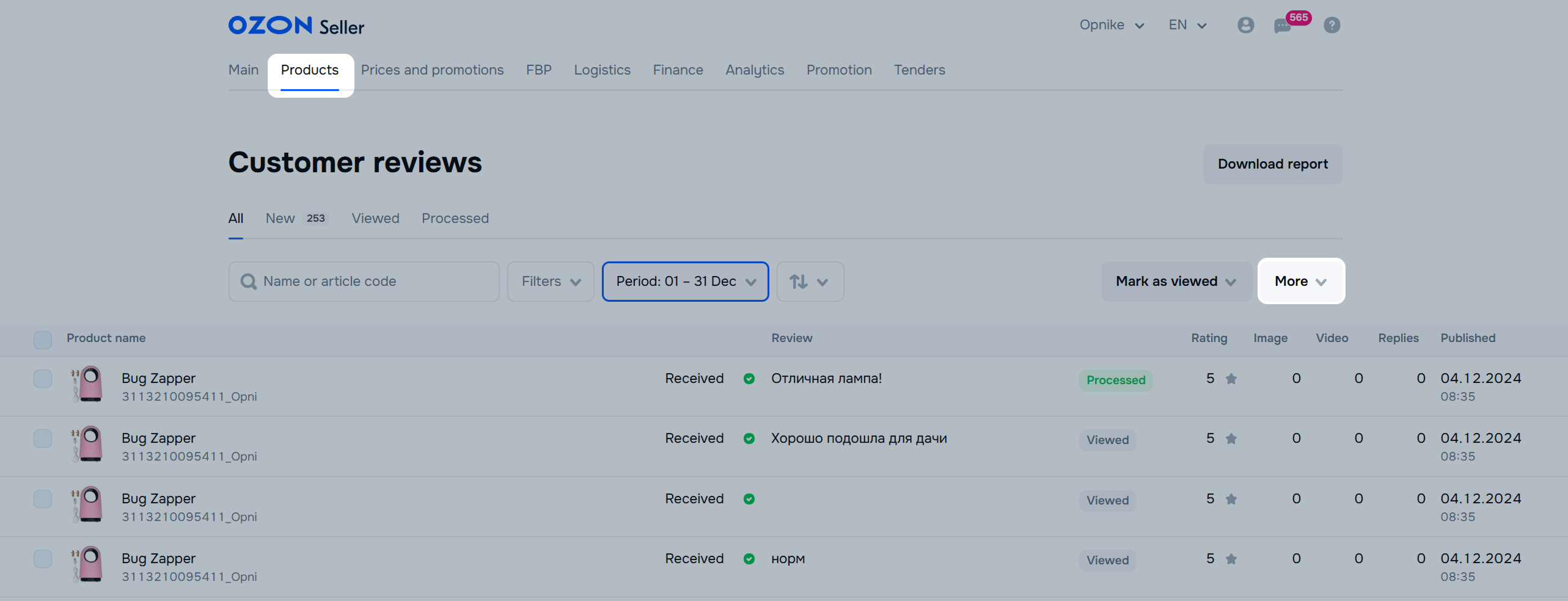
In the Products → Customer reviews section, click More → Set up templates.
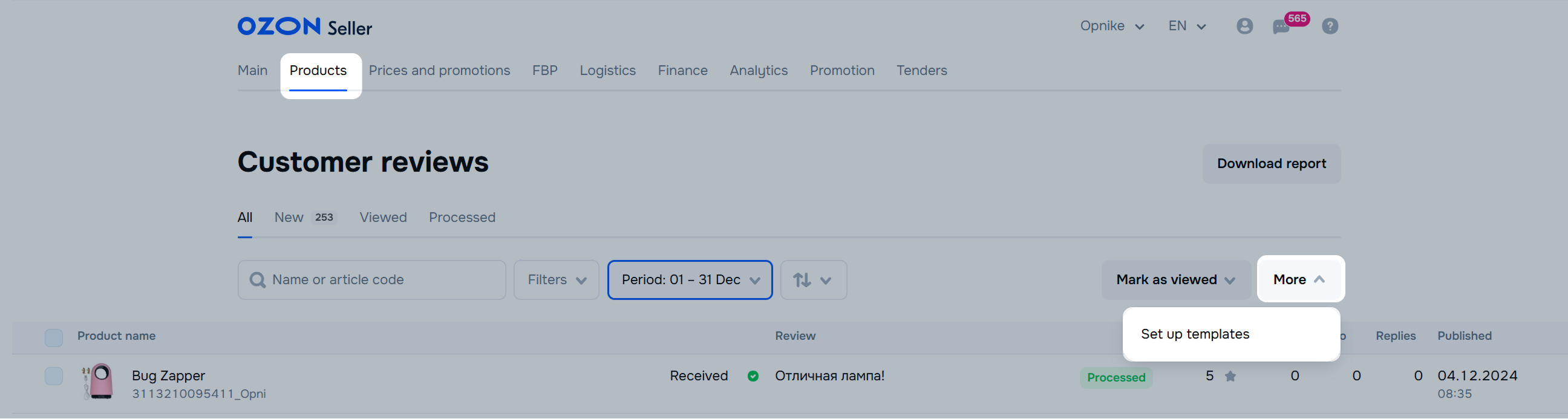
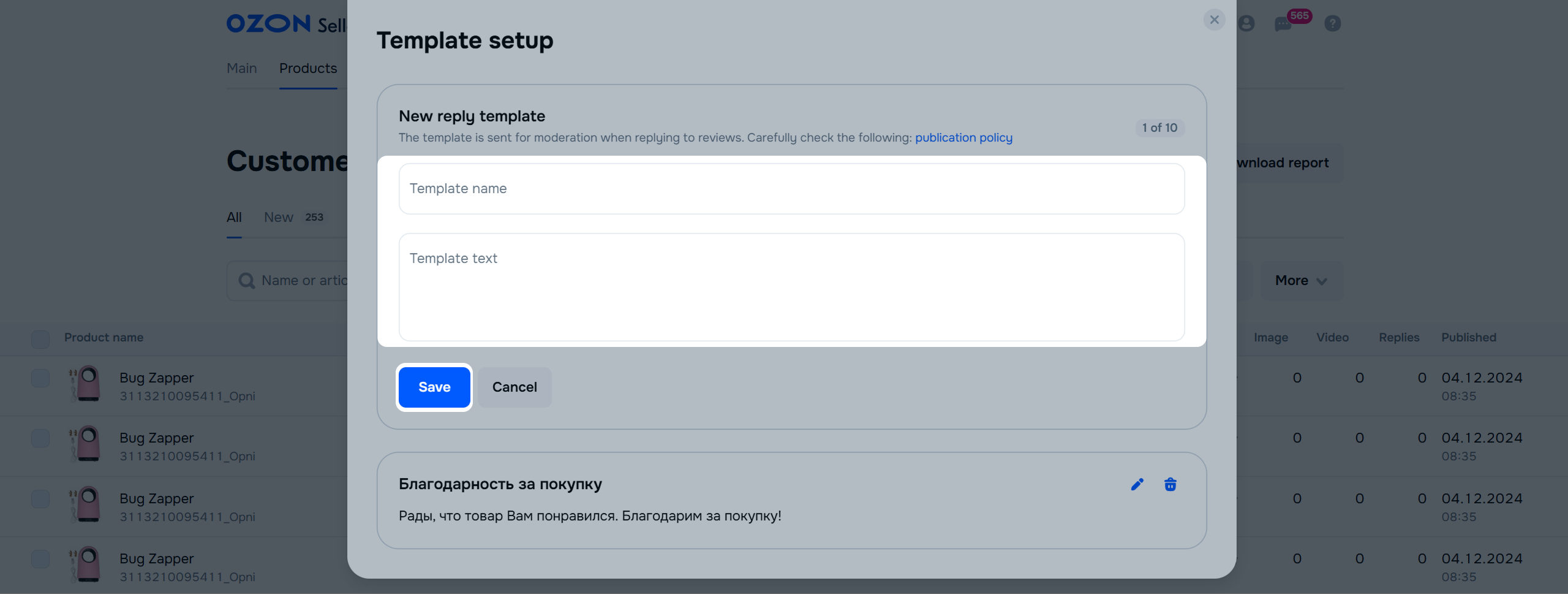
Click Create template or New reply template.
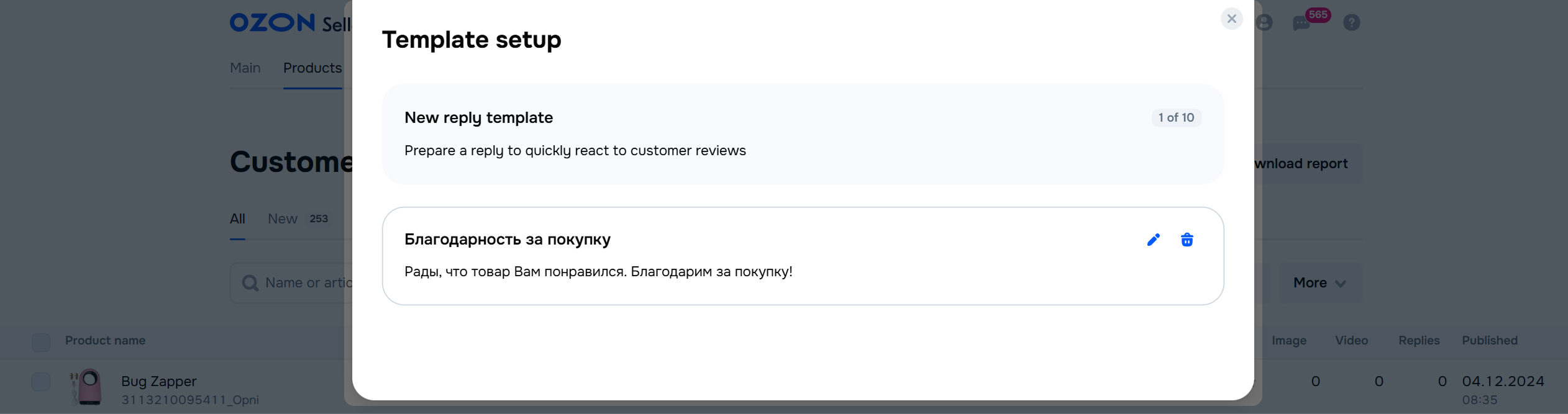
Specify template name. It’s easier to find a template by its name in a list. Customers can’t see it.
Write template text.
Click Save. You can edit your template once it passes moderation.
In the Products → Customer reviews section, click More -> Set up templates.
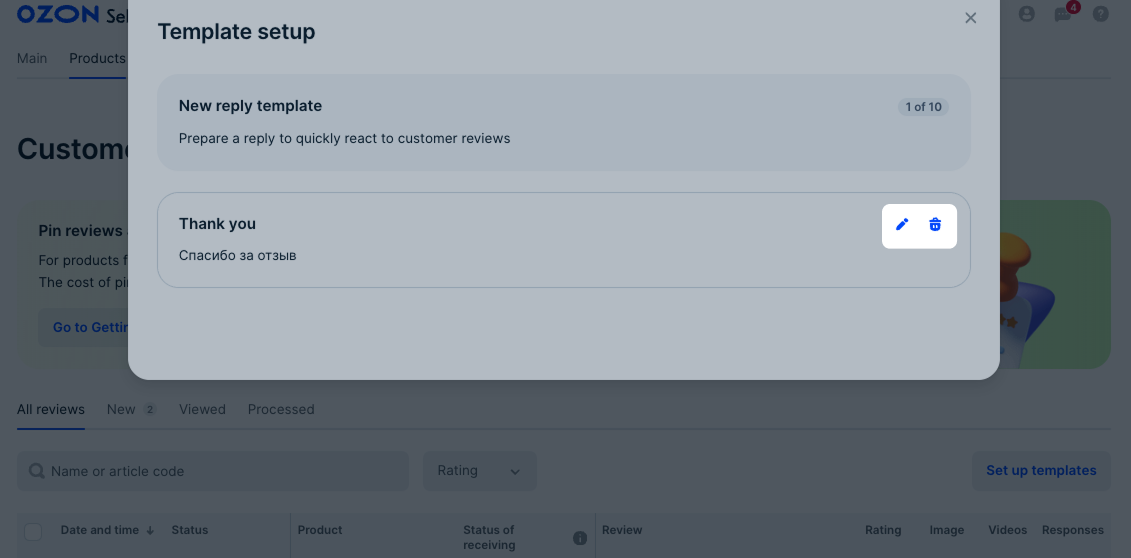
Click  in the template block.
Edit the template and click Save.
To delete the template, click  . Once the template is deleted, you can’t restore it.
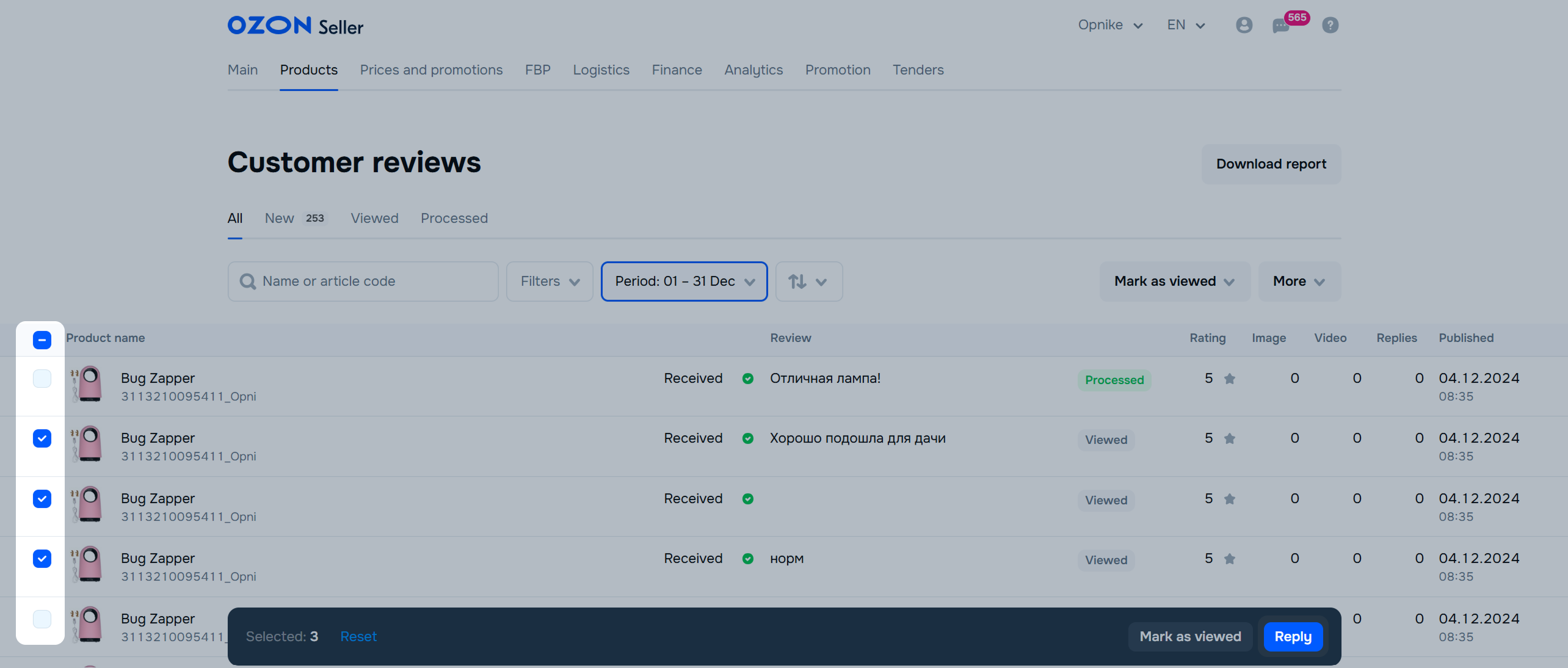
In the Products → Customer reviews section, select the review to reply to.
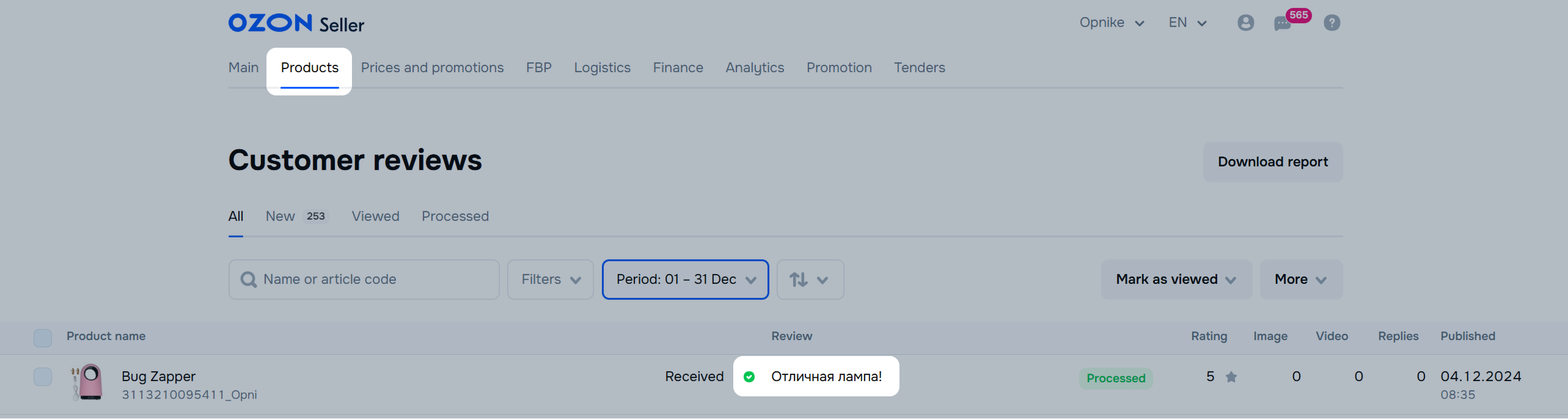
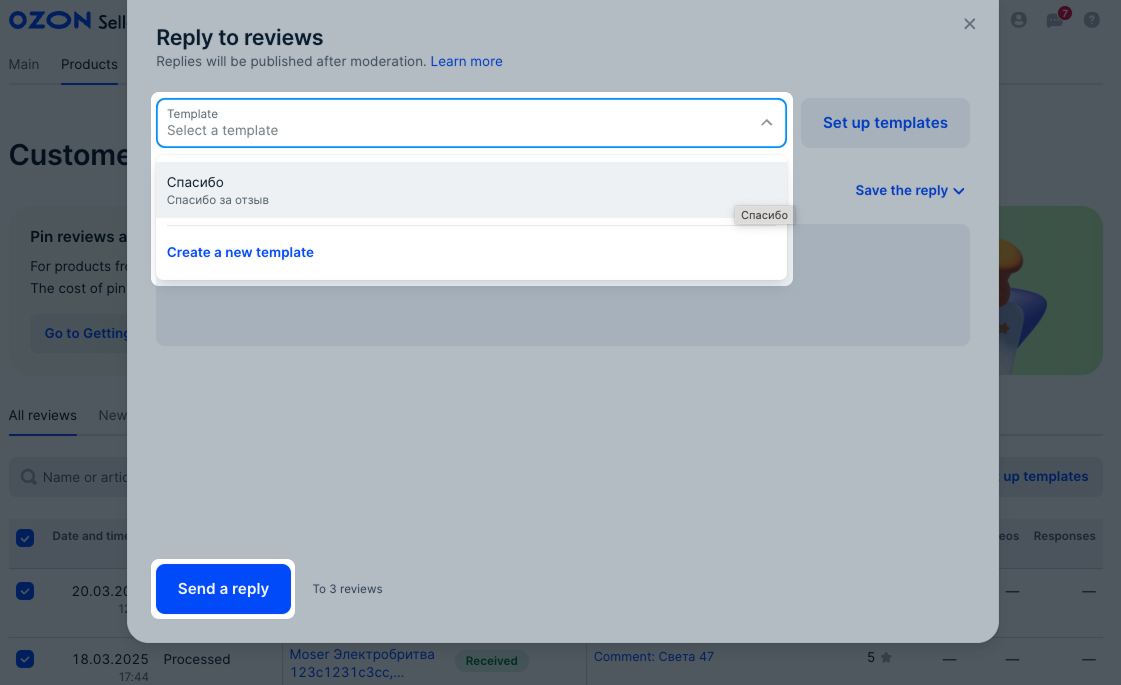
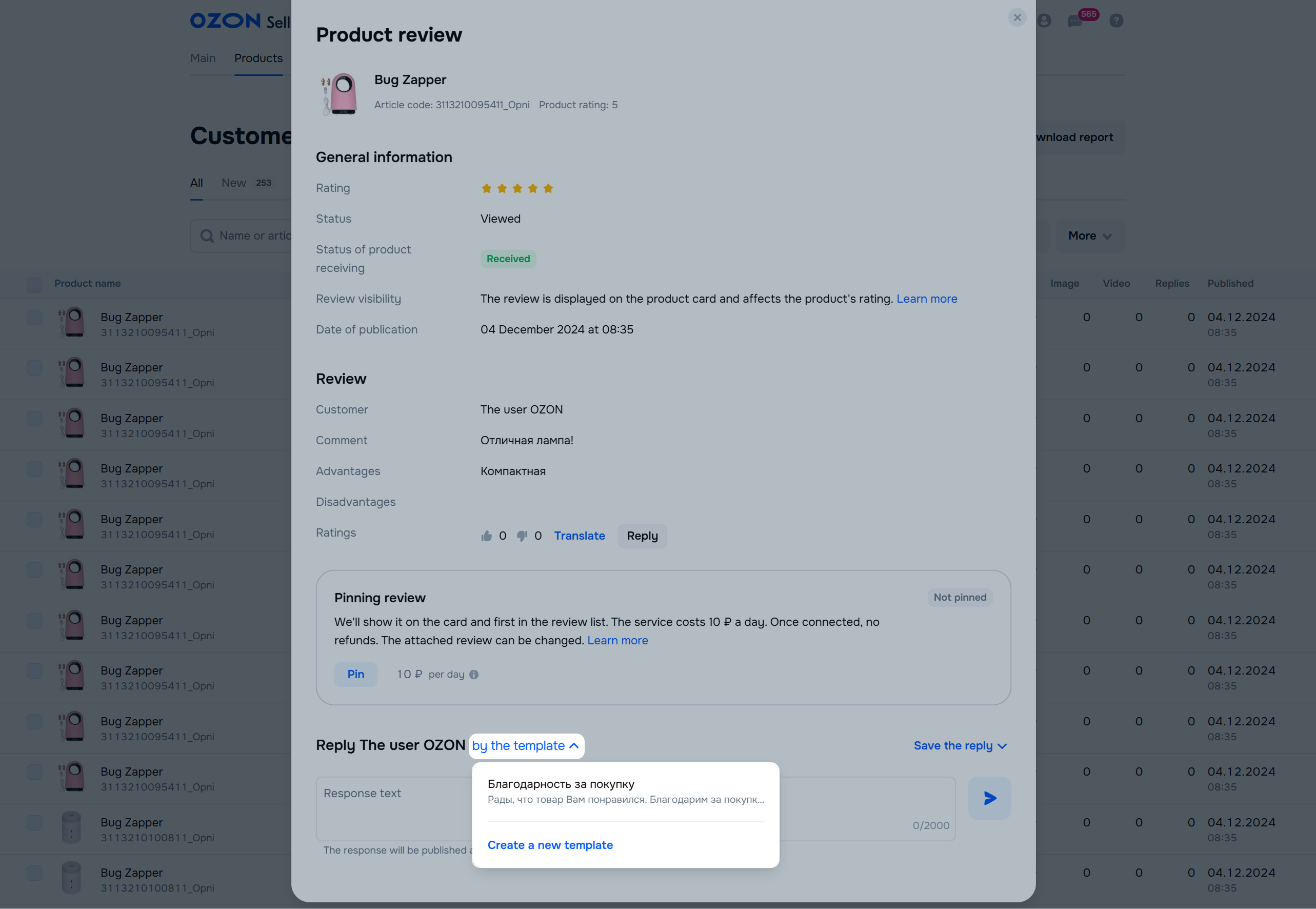
On the review page, click By the template and select the template for reply.
Ozon doesn’t transfer user data to third parties.
You can contact the customer:
Via chat, if the customer wrote to you earlier.
In the Products → Customer reviews section, click on the product review and select Write in chat.
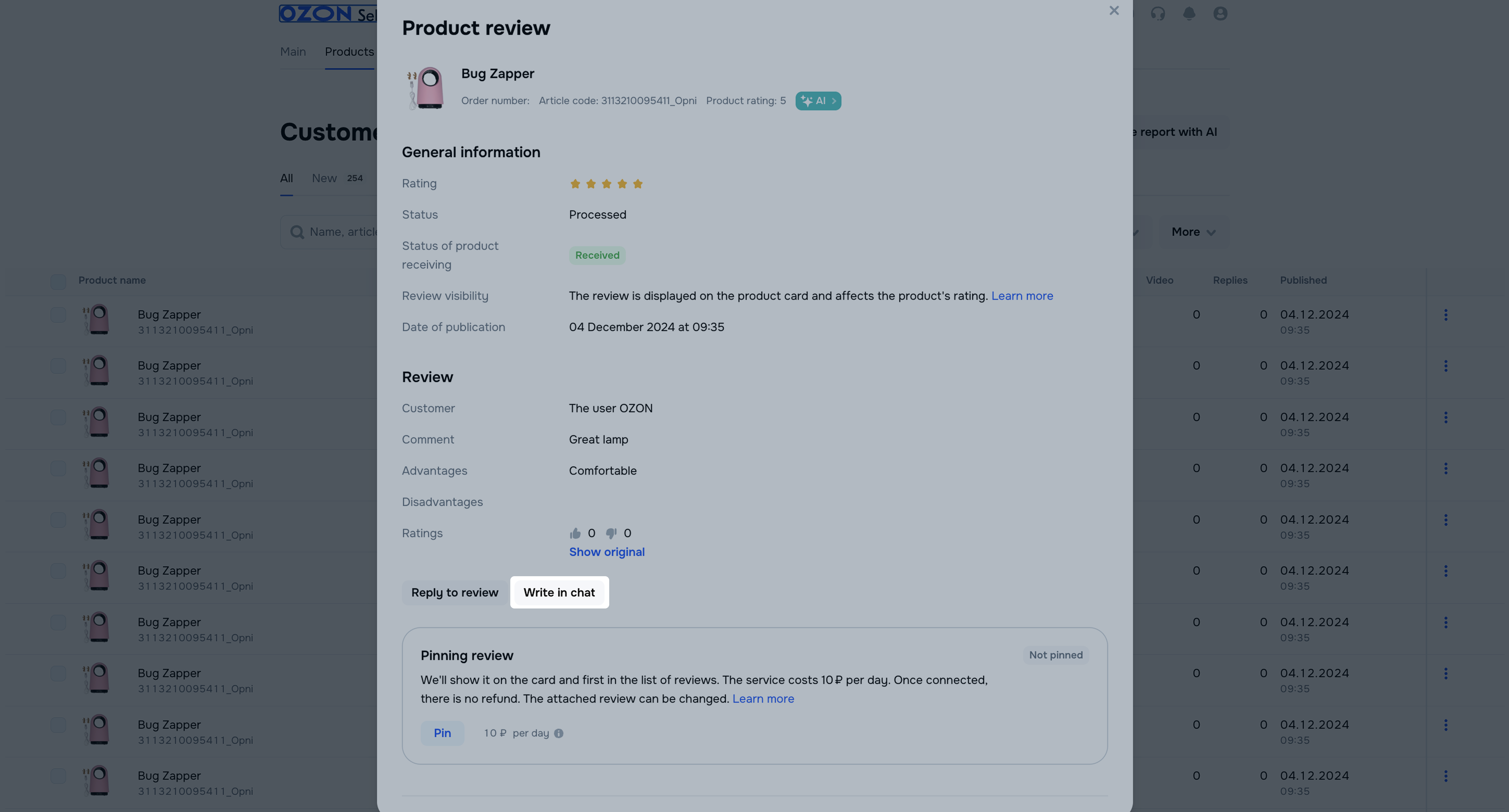
If the review is anonymous, you can’t open the chat.
By writing a response to their review. To do this, sign up in your seller account.
You can download reviews in CSV format for any period up to one month. For example, to save reviews from the past 3 months, generate 3 separate files.
In the Products → Customer reviews section, click Download report.
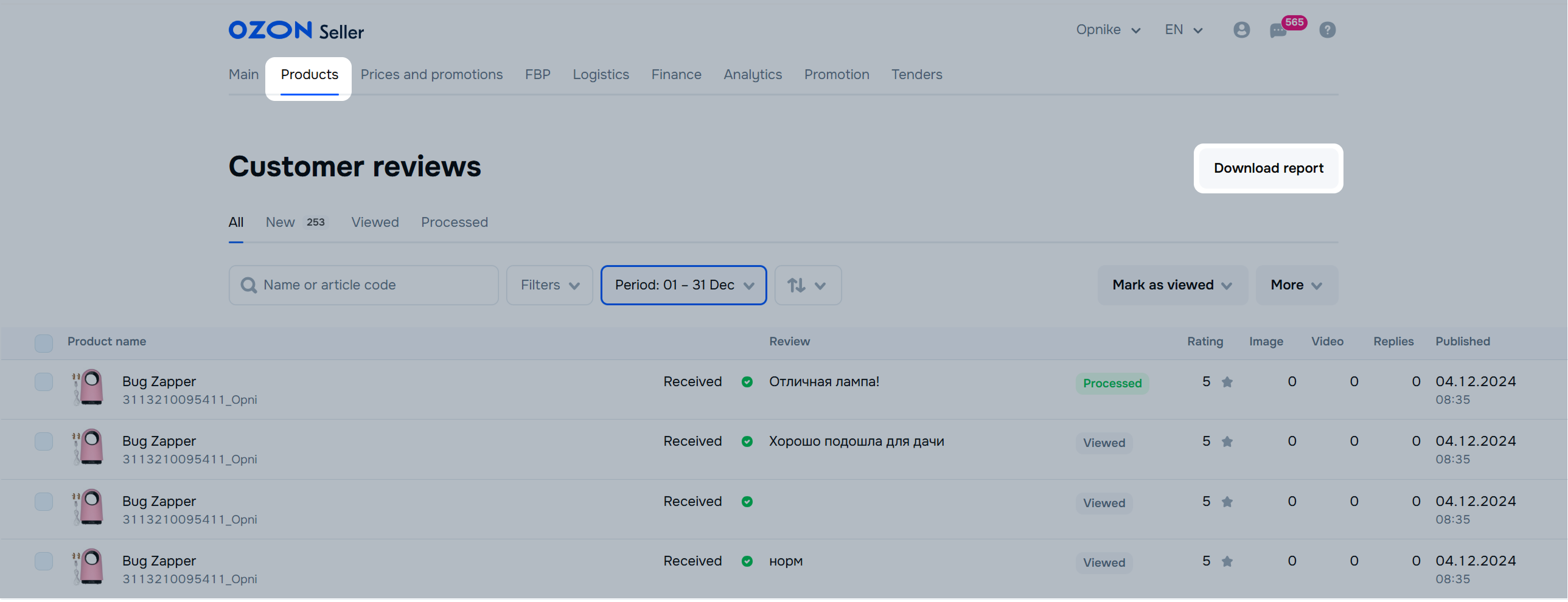
Select the report period and click Generate.
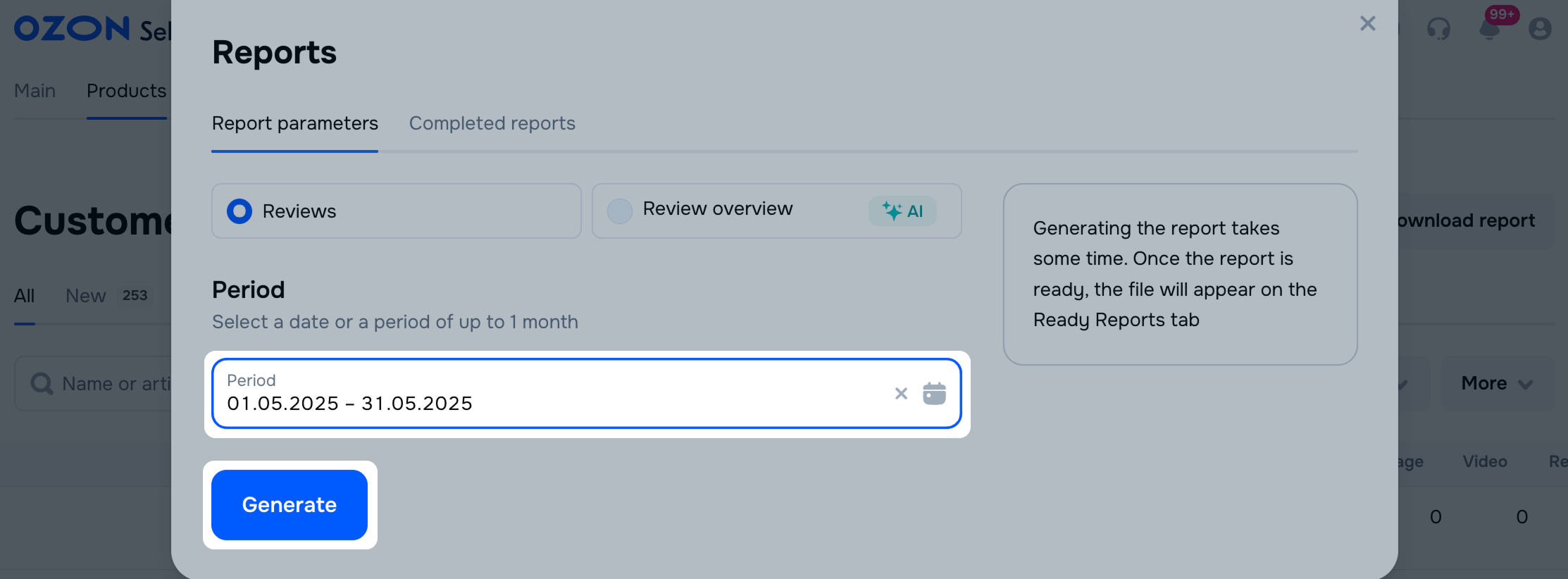
Download the file on the Ready reports tab. Generated reports are not deleted. You can access them anytime.
If you have a lot of products, it may be difficult to keep track of reviews for each model. In the Products → Review Analytics section, you can view how customers rate particular products. We show reviews about a product and review overview. This way you can see which products customers like or dislike and track changes in their rating.
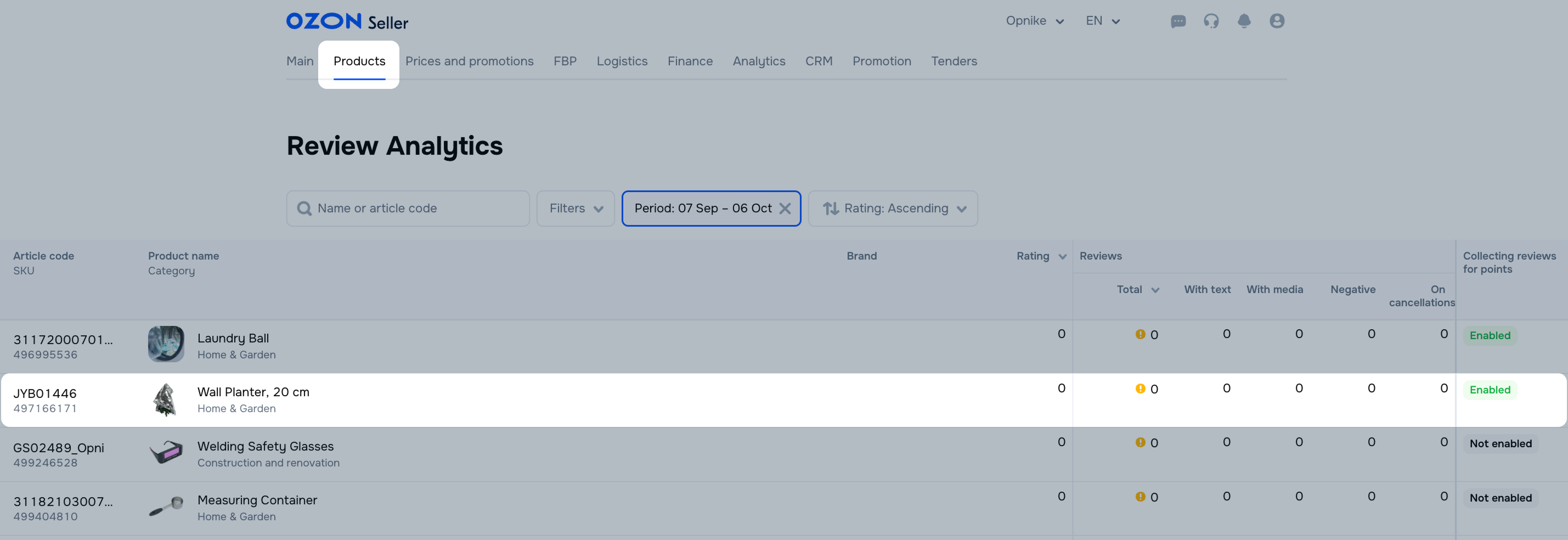
You can set up detailed analytics using filters by:
To get information for a specific period, set it in the “Select period” filter. You can’t select a date before August 6, 2025.
Download the Ozon Seller app in App Store or Google Play and log in using your username and password to your account. In the app you can:
If a user is dissatisfied with Ozon services, there are reputation risks, or risks of losing a customer.
Hide menu
Show menu
Выберите договор

Это база знаний для продавцов из стран СНГ и дальнего зарубежья.
Если ваша компания зарегистрирована в России, перейдите в базу знаний для продавцов из России.
Когда вы зарегистрировались на Ozon?
Условия работы и инструкции зависят от даты заключения договора — её можно посмотреть в разделе Договоры
Определили ваш договор
Он заключён с ООО «Интернет Решения». Если есть другой договор, сможете переключиться на него в боковом меню
