
Определили ваш договор
Он заключён с ООО «Интернет Решения». Если есть другой договор, сможете переключиться на него в боковом меню
Content rating is a recommendation for working with product information. It helps to make products more attractive to customers. The higher the rating, the more likely customers choose your product.
Content rating doesn’t guarantee an increase in sales. For this, we recommend using other engagement tools: promotions, prices, and reviews.
Learn more about search work on Ozon
The rating is divided into three levels:
The list of characteristics to improve the rating depends on the product category. If you can’t specify any of them, contact our support. We check the request and, if it doesn’t affect other sellers, we exclude the characteristic from the calculation.
A low content rating doesn’t lead to blocking or restrictions on Ozon. It highlights the information you should fill out to help customers to make a choice.
You can view the metric:
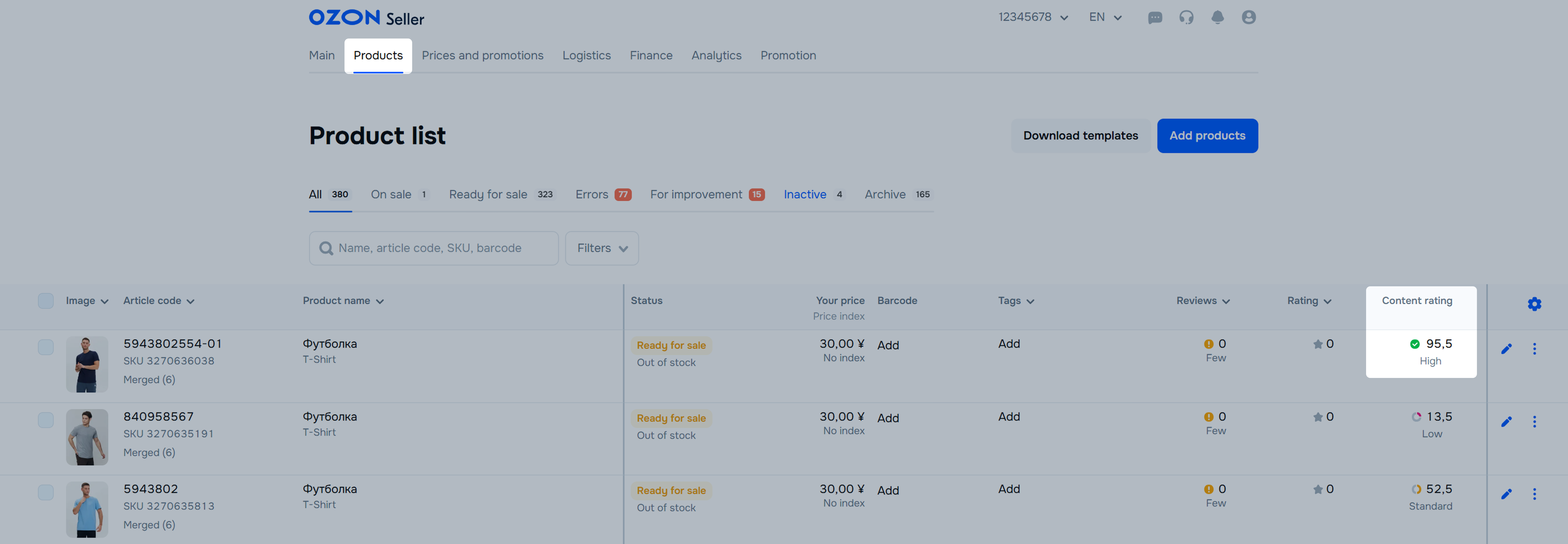
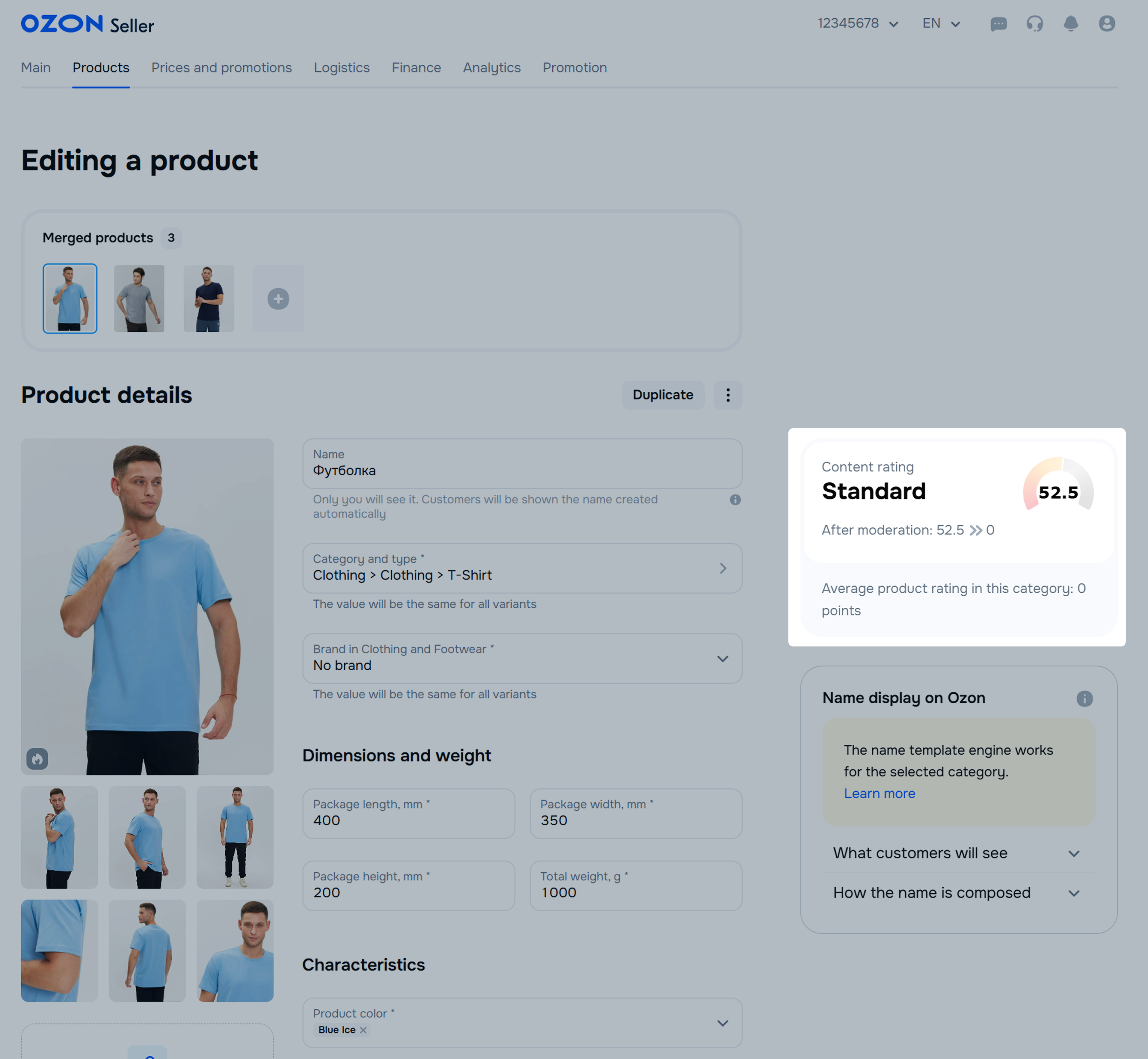
To fill out the characteristics of an existing product:
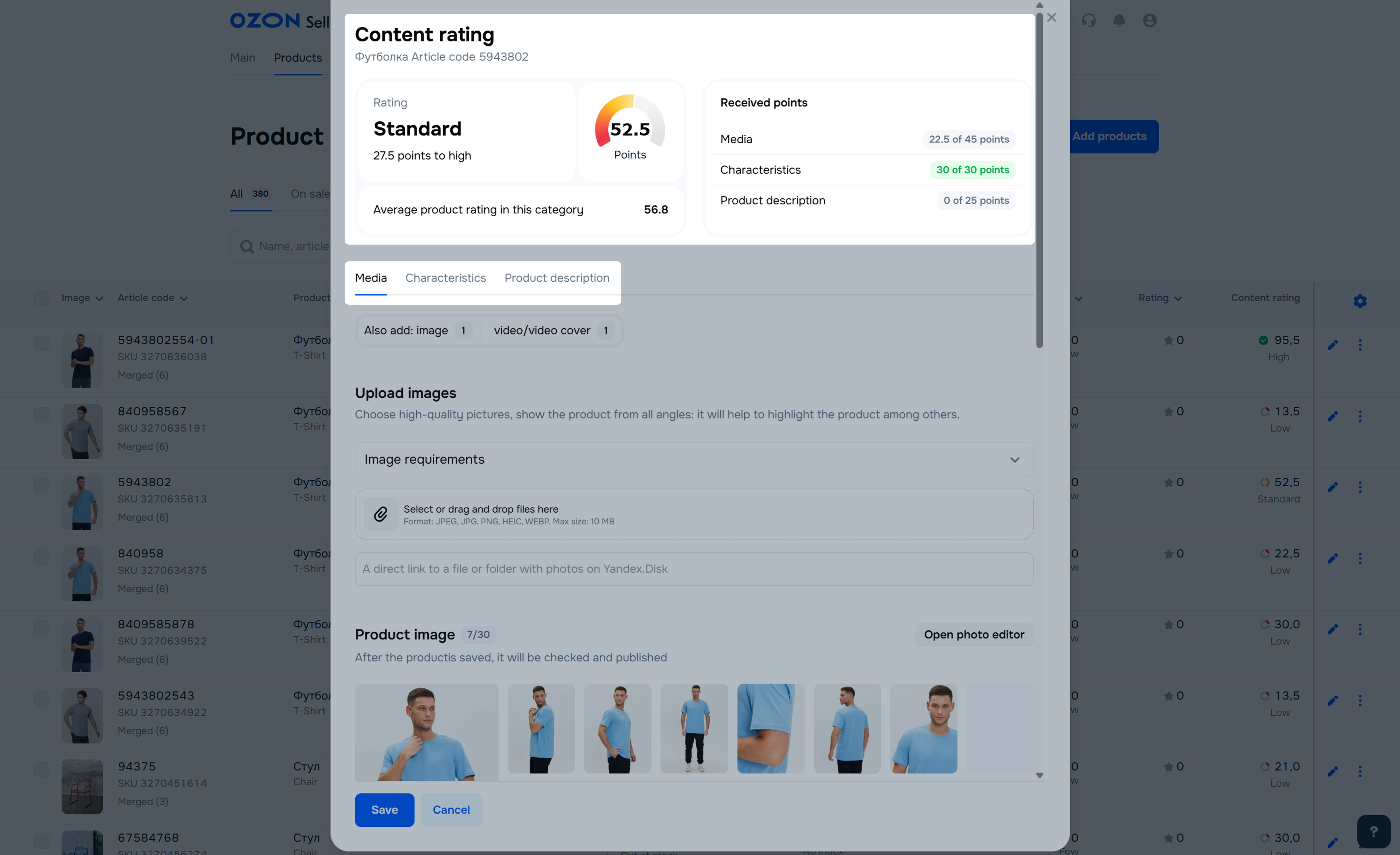
In the Products → Product list section, click the cell in the Content rating column of the desired product.
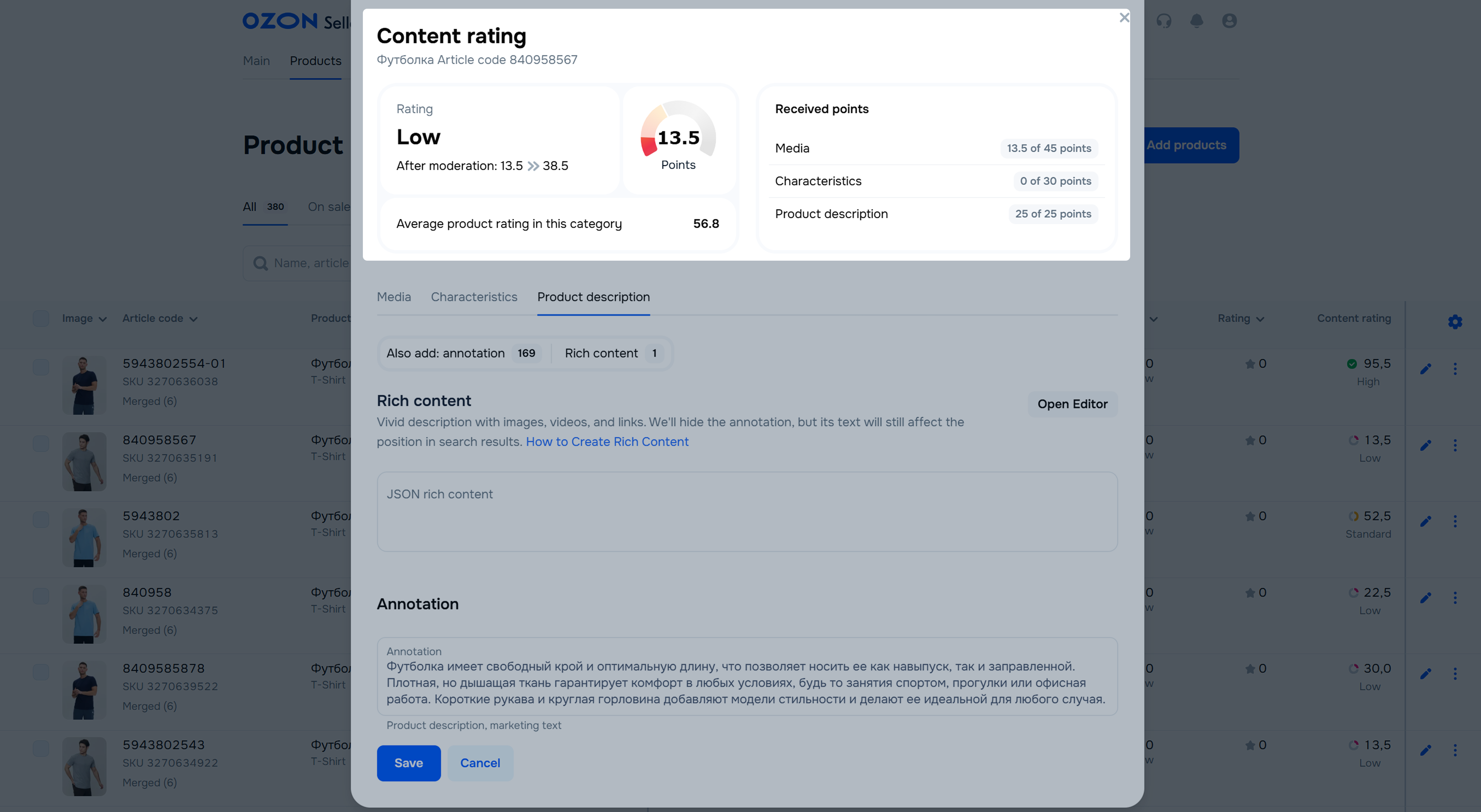
View the rating and fill out the missing product information. To get the maximum rating:
We show what rating a product can get. It varies and depends on the specified information.
When you fill out all the information, click Save: the PDP goes for moderation. If it’s successful, the content rating updates.
If you exceed the limit for editing PDPs, you can’t make changes.
While a PDP is under moderation, the content rating field in the product list has the Calculating mark. Once the moderation is complete, you can see the rating in this cell.
For example, you decide to update a PDP to increase the content rating. After you fill out the product information, we show that the rating can improve from 30.5 to 75. You save the PDP and it goes for moderation. During moderation the content rating remains 30.5 points. If moderation is successful, the content rating improves to 75 points. If not, the rating remains the same and equals 30.5 points.
If you have any questions about filling out the content rating, contact support team.
Sometimes we add new characteristics after you filled out PDPs. Then the content rating may decrease. To find out which attributes were added and to increase the rating value, open the product editing mode or content rating window. There you see new unfilled characteristics.
The content rating consists of three types of product information: media, characteristics, and description. In total, you can get 100 points in the categories: each has its own maximum.
Mandatory characteristics are not included in the rating, as without them the product doesn’t pass moderation and can’t be available on the marketplace.
In this category, we evaluate everything that helps to view your product: images and videos.
Learn more about image requirements
| Points | Condition |
|---|---|
| 45 | 8 images and 1 video |
| 27 | 8 and more images |
| 22.5 | 5–7 images |
| 18 | 1 video |
| 13.5 | 3–4 images |
| 4.5 | 1–2 images |
| 0 | No images or videos |
You upload a product, for example a carpet, to the website. If you upload 4 images and a video, you receive 31.5 points. If you add 2 more images, the rating improves to 40.5 points.
Search characteristics help to group products and find them using filters and search. The number of characteristics depends on the product type.
| Points | Terms |
|---|---|
| 30 | More than 70% of the characteristics are filled out |
| 15 | From 50% to 70% of the characteristics are filled out |
| 7.5 | From 15% to 50% of the characteristics are filled out |
| 0 | Up to 15% of the characteristics are filled out |
For example, your product can have 9 search characteristics. You get:
- 0 points for 0 or 1 characteristic;
- 7.5 points for 2, 3, or 4 characteristics;
- 15 points for 5 or 6 characteristics;
- 30 points for 7, 8, or 9 characteristics.
The product description allows customers to learn more about products and may increase their trust. The more informative the description, the more likely a customer finds the information they need. When evaluating descriptions, we count characters with spaces.
You can add JSON rich content to the description: multimedia elements that attract attention and help to emphasize the important product features.
| Points | Condition |
|---|---|
| 25 | Description is 101–500 characters with spaces, but there is no rich content |
| 12.5 | Description is 501 or more characters with spaces, but there is no rich content |
| 12.5 | There is rich-content |
| 0 | Description is less than 101 characters with spaces and there is no rich content |
For example, if you have rich content on your PDP, but no description, you get 12.5 points. If you add a 120-character text about the product, you receive 25 points more.
Hide menu
Show menu
Выберите договор

Это база знаний для продавцов из стран СНГ и дальнего зарубежья.
Если ваша компания зарегистрирована в России, перейдите в базу знаний для продавцов из России.
Когда вы зарегистрировались на Ozon?
Условия работы и инструкции зависят от даты заключения договора — её можно посмотреть в разделе Договоры
Определили ваш договор
Он заключён с ООО «Интернет Решения». Если есть другой договор, сможете переключиться на него в боковом меню
