
Определили ваш договор
Он заключён с ООО «Интернет Решения». Если есть другой договор, сможете переключиться на него в боковом меню
To view customer questions about your brand products on Ozon, get access to the brand account.
How to register as a brand representative
Each PDP on Ozon has the Questions and answers about the product section. Customers can ask questions about products and their characteristics. Other sellers or customers who purchased this product or its model also can answer questions.
Answers from the official brand representative have a blue checkmark next to the brand logo and name. When you hover over the checkmark, the “Official representative” text appears. Such answers may increase customer confidence in the brand and inspire their loyalty to Ozon.
Learn more about answering questions
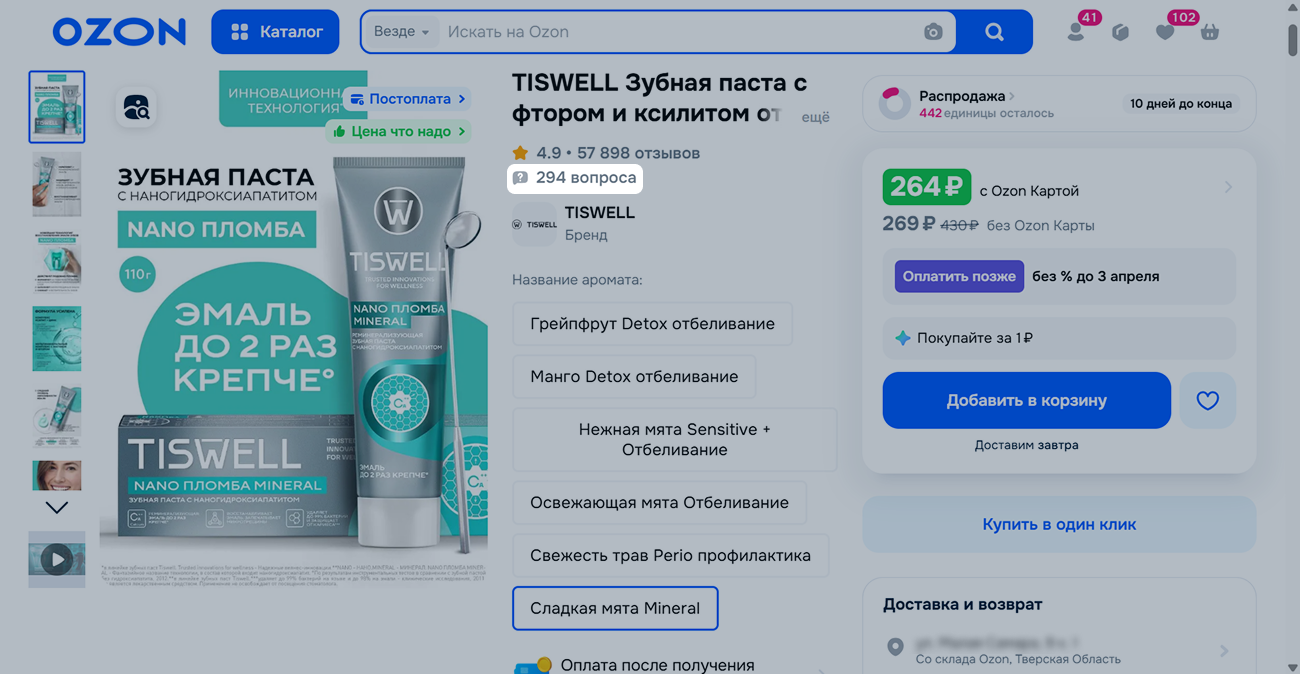
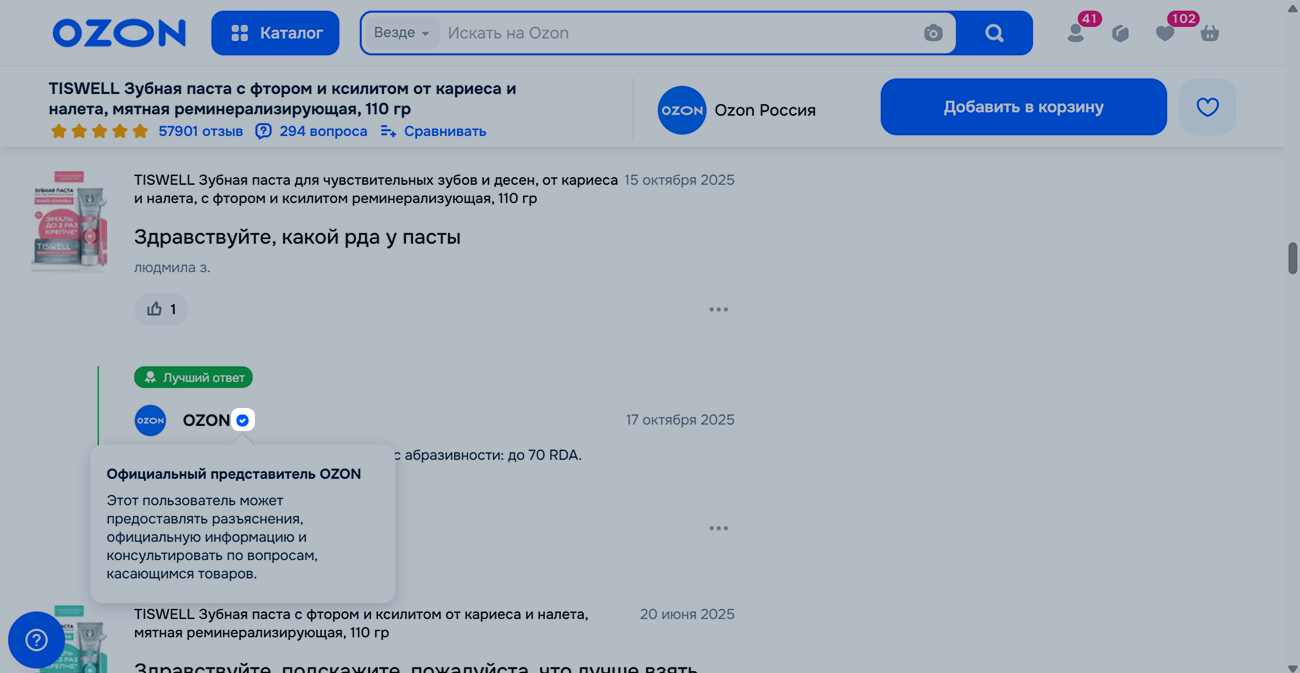
1 из 2
Customer questions
In the brand account, the system automatically collects questions about all products of your brand on Ozon. You can:
To track questions in the brand account, open the Reviews & questions → Q&A section:

We recommend to check customer questions regularly. Quick and detailed answers may help potential customers make a purchase decision.
Try to answer each question individually without duplicating messages. Customers react negatively to template answers, and it affects the overall impression of the brand and Ozon. We may temporarily limit you from answering questions if we notice any duplicated answers.
Answers must relate only to a specific product and shouldn’t contain:
Before answering questions, read the communication rules with customers. If you violate the rules, we don’t post your answer on Ozon.
To answer the question:
We review answers within 7 business days. If it takes more time, contact our support team: Products and prices → PDP → Customer reviews and questions. In the request, specify the product SKU, answer date, and upload a screenshot of the answer.
We show the moderation result in the brand account in the Reviews & questions → Q&A section next to your answer. There you can also view messages from the product seller and customers. You can’t prohibit other users from answering questions.
You may be unable to answer questions if:
Hide menu
Show menu
Выберите договор

Это база знаний для продавцов из стран СНГ и дальнего зарубежья.
Если ваша компания зарегистрирована в России, перейдите в базу знаний для продавцов из России.
Когда вы зарегистрировались на Ozon?
Условия работы и инструкции зависят от даты заключения договора — её можно посмотреть в разделе Договоры
Определили ваш договор
Он заключён с ООО «Интернет Решения». Если есть другой договор, сможете переключиться на него в боковом меню
