
Определили ваш договор
Он заключён с ООО «Интернет Решения». Если есть другой договор, сможете переключиться на него в боковом меню
You can register a brand account if:
You’re already selling on Ozon.
You are the copyright holder, the exclusive licensee, the representative of the copyright holder or the exclusive licensee by attorney.
The brand is registered as a trademark in Rospatent or the Madrid system and is protected on the territory of the Russian Federation.
The brand belongs to the 1–34 class of the Nice Classification, which means that you work with products and don’t provide services.
Your trademark consists of a word or a word and an image.
Upload the brand documents in the Settings → Brand representative section. After that, you can switch to the brand account and monitor the quality of brand products sold by other sellers.
Each brand can have only one official representative and an unlimited number of sellers. One company can represent an unlimited number of brands.
You don’t need to be a representative to sell brand products. Upload the documents that confirm your right to sell the products in the Brand documents section.
In your account, upload documents that confirm trademark ownership or protection. Only users with the “Manager” and “Administrator” roles can do it. Our quality specialists verify the documents and grant you access to the brand account.
To add documents:
In the Settings → Brand representative section, click Become an official representative.
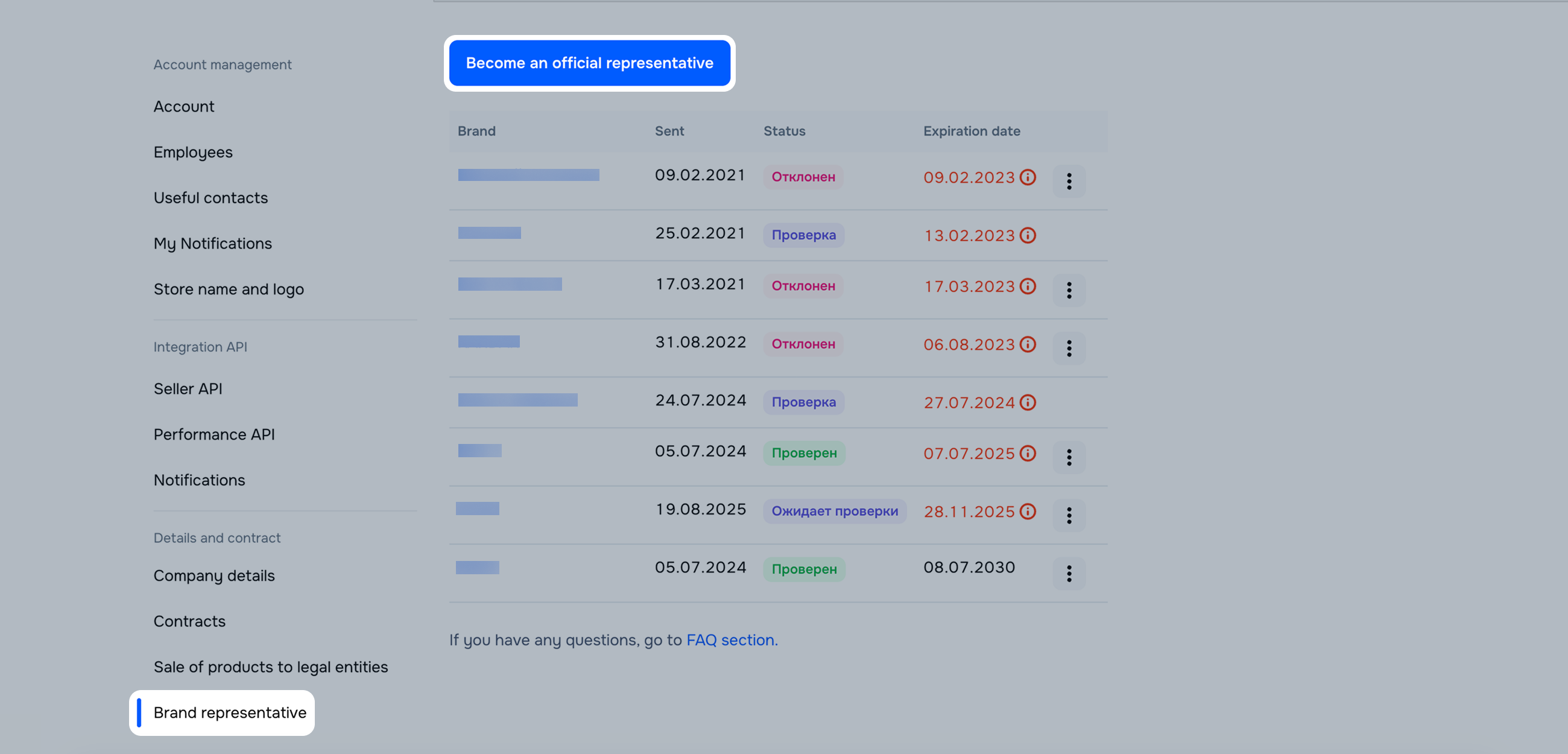
Provide information about the brand:
The brand name: if you can’t find it in the list, click Add new brand and submit a request.
Trademark registration system: select Russian Federation or Madrid system.
Your status: select Copyright holder, Exclusive licensee, or Brand representative.
Start and end date of the trademark, license, or brand rights.
The number of the certificate of trademark registration.
How to specify the trademark number
Where to view the trademark number
Upload the documents.
Click Send.
We consider the request within several days. Request statuses:
Why the request may be rejected
From Russia:
From other countries whose trademark is valid in Russia:
If we have doubts about the spelling of your brand name, we can additionally request a copy of the trademark registration request.
If the information about the copyright holder or licensees is hidden in Rospatent, we can request a certificate from Rospatent containing information about the copyright holder, the correspondence address, as well as information about the parties to the trademark use agreement.
Learn more about the certificate on the website of the Federal Institute of Industrial Property
Document requirements:
How to submit a request to add a new brand
The request can be rejected if:
You don’t meet the brand representation requirements.
You haven’t uploaded the trademark ownership or protection documents.
Your documents don’t clearly prove your right to own the trademark or protect it.
The trademark number is incorrect.
How to specify the number
The set of documents is incomplete. For example, if we requested additional documents to confirm the representative status, but you haven’t provided them.
In order for us to consider your request, you can attach an authorization letter filled out according to our template.
In the Settings → Brand representative section, hover over the request with the “Rejected” status. On the hint, click Learn more or the brand name. In the “Moderator’s comment” field, you can see details on the document rejection reason.

To send the request again, click  → Edit, correct the errors and save it. The request status changes to “Awaiting verification”.
Hide menu
Show menu
Выберите договор

Это база знаний для продавцов из стран СНГ и дальнего зарубежья.
Если ваша компания зарегистрирована в России, перейдите в базу знаний для продавцов из России.
Когда вы зарегистрировались на Ozon?
Условия работы и инструкции зависят от даты заключения договора — её можно посмотреть в разделе Договоры
Определили ваш договор
Он заключён с ООО «Интернет Решения». Если есть другой договор, сможете переключиться на него в боковом меню
