
You can only return received products. If the order isn’t handed over for delivery yet, you may cancel it.
How to cancel an order
The return terms and conditions differ for proper- and improper-quality products.
Learn more about the return terms and conditions
Create request
- In the section:
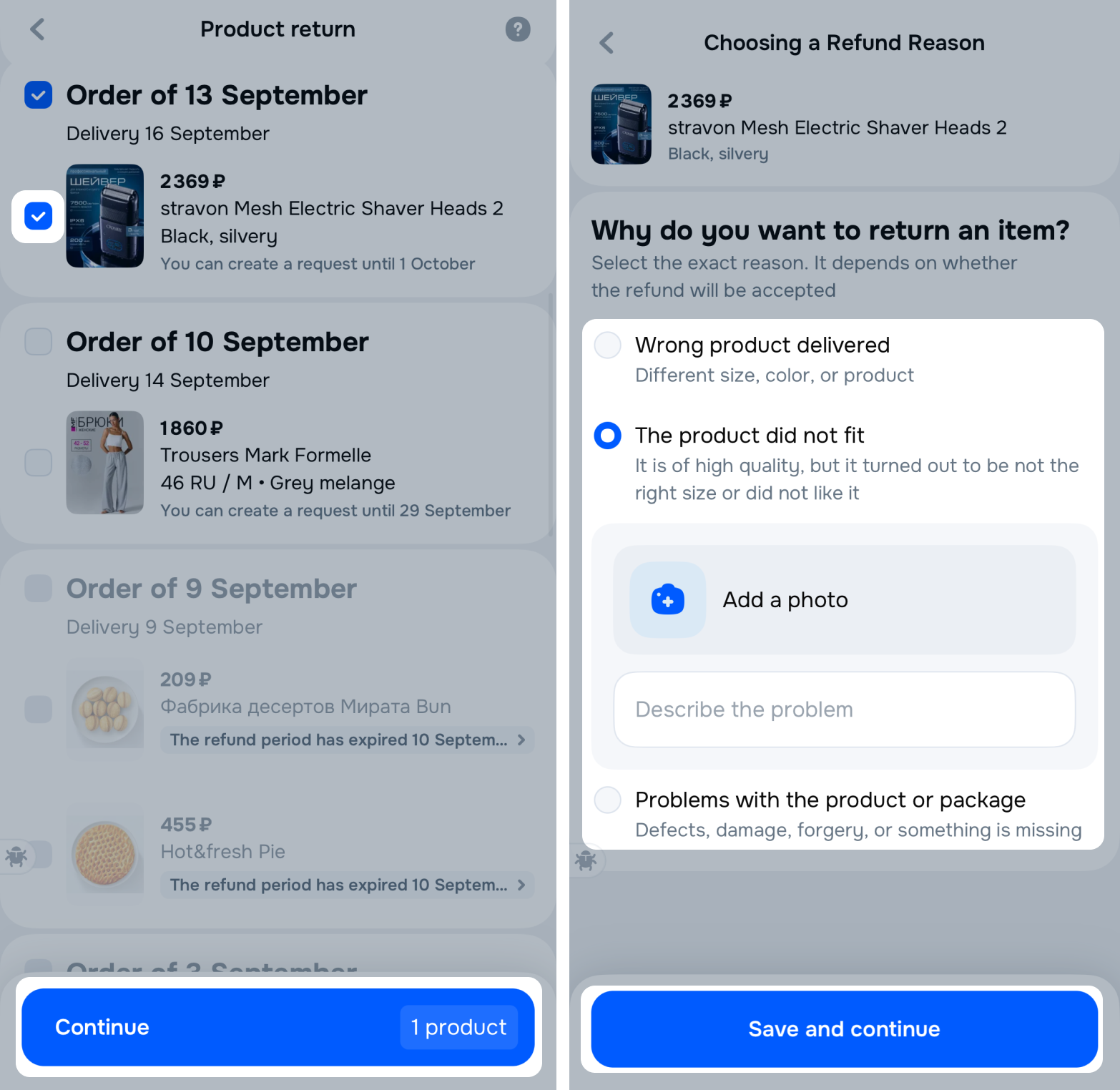
- Select the product and click Continue.
- Select a return reason, attach photos and describe the problem in detail. If the specified reason doesn’t match the actual problem, we reject the request.
- Click Save and continue.
We review your request within 24 hours, you may check its status in the Returns section.
When it’s approved, send the return within the time period specified in the request. Otherwise, we cancel it.
Learn more about request moderation
How to return products outside Russia
If you change your mind about returning products, you may cancel the request.
How to cancel a request