
The information is relevant for customers from Azerbaijan.
Each order goes through customs before being imported to Azerbaijan. The customs check the order preliminary declaration in the Smart Customs system. This requirement is introduced by the Azerbaijan law and is mandatory for all imported products.
Without declaration, the order doesn’t clear the customs. It goes for temporary storage at a paid warehouse until the circumstances are clarified.
Only you can fill out a preliminary declaration. Ozon can’t do this as it requires you to provide your personal data and confirm it through one of Azerbaijan electronic services.
Notification of declaration necessity
If a product must be declared, after placing the order you receive a notification in your account, in the app, and by email. In your account, on the order page, we show the “Fill out the declaration” status.
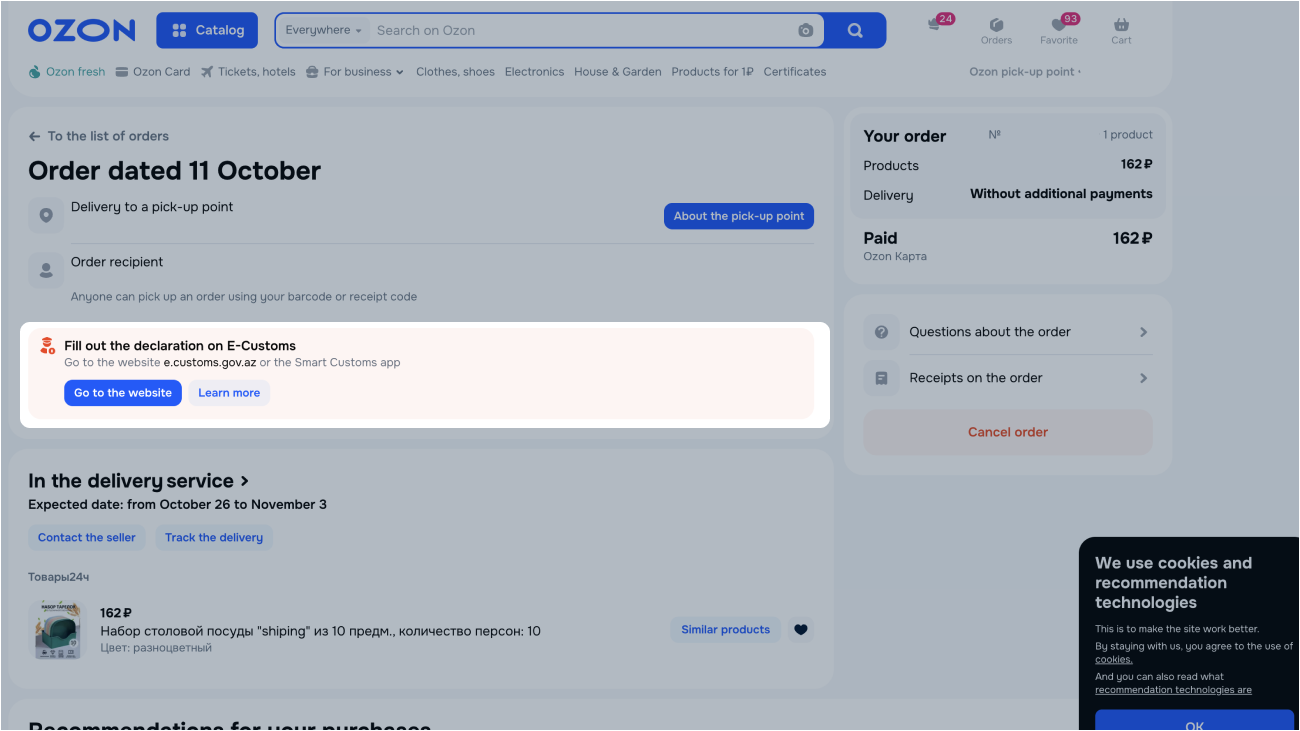
If your order is delivered by UNI EXPRESS EXPORT, the call center of our partner ASE contacts you and sends you instructions on how to declare the order.
Learn more about ASE contacts
Declare your order
Declare your order right after placement and payment. This way the order has a declaration before arriving at customs.
To predeclare an order, confirm the customer and product information.
You can declare an order:
- on the myGov public services portal;
- in the customs Smart Customs app;
- on the e.customs.gov.az customs website.
If your order is delivered by UNI EXPRESS EXPORT, the ASE partner call center provides instructions on declaration. It contacts you after placing the order.
Learn more about ASE contacts
If your order is delivered by GBS Export, contact them to clarify the declaration process.
Learn more about GBS Export contacts
Order isn’t declared
If you don’t declare the product on the e.customs.gov.az website or in the Smart Customs mobile app, the order is delayed at customs. You pay all the expenses accrued by the customs service for paid storage during the delay period. Cost of the storage service:
- 3 AZN for the first 48 hours;
- 0.5 AZN daily starting from the third day.
If you don’t declare the product before the storage period expiration, it’s disposed of by the government. You don’t get a refund for the disposed product, as it becomes state property.
Pay for temporary storage
If your order is delivered by UNI EXPRESS EXPORT, our ASE partner contacts you and sends payment instructions.
Learn more about ASE contacts
If your order is delivered by GBS Export, contact them to clarify the payment process.
Learn more about GBS Export contacts
Receive your order
After declaring your order and paying for temporary storage, the order gets the “Order issued by customs in the destination country” status. It’s delivered the way you chose while placing it.
You can pick up your order from the temporary storage warehouse at customs. For more details, contact:
- The ASE partner call center: if your order is delivered by UNI EXPRESS EXPORT.
Learn more about ASE contacts - The GBS Export delivery service: if your order is delivered by them.
Learn more about GBS Export contacts
ASE contacts
The ASE partner call center notifies and instructs you:
- on the order declaration;
- payment for temporary storage;
- order self pickup from a temporary storage warehouse at customs.
You receive a call, a WhatsApp message, or a text message from the phone number +994 50 223 0737 or from the ASE EXPRESS sender. Notifications are sent to the contacts that you provide when placing the order.
If you didn’t receive the notification or have any questions, contact ASE by +994 12 311 2640 or *8818 phone numbers.
GBS Export contacts
To resolve issues related to declaring your order, paying for the temporary storage, and order self pickup from a temporary storage warehouse at customs, contact the delivery service by phone numbers:
- +994 12 310-09-08: for calls to the call center;
- +994 51 351-14-64: for WhatsApp messages to the call center.